



One of our sales representatives will contact you shortly.
InEvent treats the UI as one client of the platform, not the platform itself. The UI calls the same REST endpoints your integration calls, and that design choice forces discipline: stable resource models, explicit validation, and consistent error semantics. When engineers ask whether a vendor is a “black box,” they usually mean one of three failure modes:
The vendor hides data behind exports that lose fidelity.
The vendor exposes only narrow integration points that block automation.
The vendor “allows APIs” but limits them to a few read-only endpoints.
InEvent’s Enterprise REST API targets the opposite posture. It gives you programmatic reach into core objects and their lifecycle transitions. You can create, retrieve, update, and delete resources, and you can also trigger state changes that mirror operational workflows. Example: you can register an attendee, assign a ticket type, attach custom fields, apply access rules, and then pull the same attendee record and see the exact normalized representation that the UI renders.
This posture matters most in enterprise environments where the event platform sits inside a larger system graph:
CRM drives invitations, segmentation, and routing.
Finance systems reconcile orders, refunds, and tax fields.
IAM systems govern who can access which datasets.
Data platforms ingest clickstream and attendance telemetry for attribution.
InEvent’s API is the backbone that powers our major connectors, including the InEvent Integration with Microsoft Dynamics 365 and Salesforce. That matters because it proves two things: first, the API surface supports real production load; second, it supports canonical enterprise objects and the lifecycle transitions they require.
The InEvent API Gateway implements RESTful conventions to keep integration work boring in the best way. Each resource model follows predictable patterns:
Collections: /attendees, /sessions, /orders
Entities: /attendees/{attendeeId}, /sessions/{sessionId}
Subresources: /sessions/{sessionId}/speakers, /attendees/{attendeeId}/checkins
Actions (when state transitions require explicit verbs): /attendees/{id}/checkin, /orders/{id}/refund
Responses serialize as JSON payloads. Requests accept JSON bodies for create and update, and query strings for filtering, ordering, and pagination.
The API returns standard HTTP status codes:
200 OK: successful read or update with a response body
201 Created: successful create, often with a Location header and created entity
204 No Content: successful delete or action without a payload
400 Bad Request: schema validation failure, missing fields, invalid values
401 Unauthorized: missing/invalid OAuth2 token
403 Forbidden: valid token, insufficient scope or policy
404 Not Found: resource id does not exist or caller lacks access to it
409 Conflict: versioning mismatch, duplicate unique key, state conflict
429 Too Many Requests: rate limiting triggered
500/503: server errors, transient failures, or upstream dependencies
These codes become your primary control flow. Engineers do not need custom heuristics or string matching; you can implement retry policies, idempotency rules, and fallbacks based on deterministic status codes.
The operational API covers transactional objects and their immediate state, but enterprise teams also need downstream datasets for analytics, warehousing, and ML. InEvent uses the InEvent Data Lake as the canonical aggregation layer for event telemetry and derived metrics. Your integration can ingest raw datasets into your own warehouse, or you can pull normalized aggregates where that fits your architecture.
A common pattern looks like this:
Use REST endpoints to manage lifecycle: registration, updates, check-in events.
Use analytics endpoints to extract metrics and event logs on a schedule.
Stream or batch these datasets into your BI tool or warehouse for joins with CRM and marketing data.
That is not a marketing story. That is a systems story: the API gives you deterministic writes and reads, while the analytics layer gives you scalable extraction and reporting without you reverse engineering UI exports.
The InEvent API Gateway authenticates calls through OAuth2 Bearer Tokens. InEvent standardizes token lifecycle through the InEvent Token Exchange, which acts as the authority for issuing access tokens that map to user identities, service accounts, or integration clients.
At a practical level, every request includes:
Authorization: Bearer <access_token>
The token encodes the caller identity and permitted scopes. The gateway validates signature, expiration, and policy constraints before routing the call.
curl -X POST "https://api.inevent.com/oauth/token" \
-H "Content-Type: application/x-www-form-urlencoded" \
-d "grant_type=client_credentials" \
-d "client_id=INEVENT_CLIENT_ID" \
-d "client_secret=INEVENT_CLIENT_SECRET" \
-d "scope=read:attendees write:registration read:analytics"
Example response:
{
"access_token": "eyJhbGciOiJIUzI1NiIsInR5cCI6IkpXVCJ9...",
"token_type": "Bearer",
"expires_in": 3600,
"scope": "read:attendees write:registration read:analytics"
}
The important engineering takeaway: treat tokens as short-lived credentials, rotate automatically, and never bake them into client apps.
InEvent uses scopes to enforce least privilege. Scopes align to resource domains and verbs. Typical patterns include:
read:attendees, write:attendees
read:sessions, write:sessions
write:registration
read:analytics
read:orders, write:orders
admin:events (enterprise-only, tightly controlled)
Scope design lets you create dedicated tokens per integration function:
A signage app needs read:sessions and read:agenda.
A registration microservice needs write:registration and read:attendees.
A BI pipeline needs read:analytics and possibly read:orders.
This separation prevents accidental escalation. If a signage device leaks a token, it cannot register users or modify attendee records because the gateway blocks calls outside scope.
Request:
curl -X POST "https://api.inevent.com/v1/events/evt_123/registration" \
-H "Authorization: Bearer <token_with_read_only_scopes>" \
-H "Content-Type: application/json" \
-d '{"email":"alex@company.com"}'
Response:
{
"error": "forbidden",
"message": "Missing required scope: write:registration",
"request_id": "req_8f1d2c2b"
}
Rate limiting protects the platform and gives predictable performance to all tenants. The InEvent API Gateway enforces token-level and tenant-level limits. In enterprise tiers, InEvent commonly provisions high throughput profiles such as 100 requests per second for transactional endpoints, with different windows for analytics extraction. Standard tiers typically run lower.
The gateway communicates limits through headers (mock names shown; exact names depend on deployment):
X-RateLimit-Limit
X-RateLimit-Remaining
X-RateLimit-Reset
When you exceed limits, the gateway returns 429. Your client should back off and retry with jitter. For analytics endpoints, you should batch and paginate rather than brute forcing per-attendee calls.
async function callWithBackoff(fn, maxRetries = 6) {
for (let attempt = 0; attempt <= maxRetries; attempt++) {
const res = await fn();
if (res.status !== 429) return res;
const reset = Number(res.headers.get("X-RateLimit-Reset") || 1);
const delayMs = Math.min(1000 * reset, 30000) + Math.floor(Math.random() * 250);
await new Promise(r => setTimeout(r, delayMs));
}
throw new Error("Rate limit retries exhausted");
}
Enterprise security work rarely fails at “we use OAuth2.” It fails at the operational details. InEvent’s API design supports standard controls you can layer into your integration:
Service accounts for server-to-server automation.
Token rotation with short TTLs.
Audit logging via request identifiers and action logs.
IP allowlisting for trusted integration hosts (when enabled by tenant policy).
Separation of environments via sandbox vs production base URLs and credentials.
Your architecture should assume compromise at the edges and depend on scope constraints, rotation, and observability to limit blast radius.
This section focuses on the endpoints most enterprise teams build around: attendees, registration, and analytics. In real deployments, these form the hub-and-spoke model that connects CRM, web registration, onsite operations, and BI.
Engineers pull attendees for segmentation, reconciliation, and operational tooling. You usually need filters, pagination, and a stable schema that supports incremental sync.
Mock endpoint:
GET /v1/events/{eventId}/attendees
Common query parameters:
page, page_size
updated_since (ISO timestamp)
status (registered, checked_in, cancelled, etc.)
search (email/name)
fields (sparse fieldsets for performance)
Example request:
curl -X GET "https://api.inevent.com/v1/events/evt_123/attendees?page=1&page_size=50&updated_since=2026-02-01T00:00:00Z" \
-H "Authorization: Bearer <access_token>"
Example response:
{
"data": [
{
"id": "att_9b21",
"email": "alex@company.com",
"first_name": "Alex",
"last_name": "Chen",
"status": "registered",
"ticket_type": "VIP",
"custom_fields": {
"company": "ExampleCo",
"role": "CTO"
},
"created_at": "2026-01-10T14:02:11Z",
"updated_at": "2026-02-03T09:18:44Z"
}
],
"pagination": {
"page": 1,
"page_size": 50,
"total": 12492,
"next_page": 2
}
}
A resilient sync does not re-pull the entire dataset. It pulls deltas:
Store a cursor timestamp (last_sync_at).
Request updated_since=last_sync_at.
Upsert records into your store keyed by attendee.id.
Advance cursor to the max updated_at you processed.
This pattern scales to hundreds of thousands of records without waste.
The registration endpoint sits at the center of Attendee Registration API use cases: custom web flows, embedded widgets, partner portals, and internal registration tools. Engineers need predictable validation, idempotency, and clear errors.
Mock endpoint:
POST /v1/events/{eventId}/registration
Example request body:
{
"email": "alex@company.com",
"first_name": "Alex",
"last_name": "Chen",
"ticket_type_id": "tkt_vip_01",
"source": "website",
"utm": {
"campaign": "launch_2026",
"medium": "email",
"source": "crm"
},
"custom_fields": {
"company": "ExampleCo",
"role": "CTO",
"dietary": "vegetarian"
},
"consents": {
"privacy_policy": true,
"marketing_opt_in": false
}
}
Example call:
curl -X POST "https://api.inevent.com/v1/events/evt_123/registration" \
-H "Authorization: Bearer <access_token>" \
-H "Content-Type: application/json" \
-d @payload.json
Example success response:
{
"id": "att_9b21",
"status": "registered",
"check_in_code": "QR_84F1A92C",
"links": {
"self": "/v1/events/evt_123/attendees/att_9b21",
"ticket": "/v1/events/evt_123/orders/ord_7712"
}
}
Developers want structured errors they can map to UI fields.
Example 400 response:
{
"error": "validation_error",
"message": "Invalid request body",
"details": [
{ "field": "email", "issue": "invalid_format" },
{ "field": "ticket_type_id", "issue": "not_found" },
{ "field": "consents.privacy_policy", "issue": "required_true" }
],
"request_id": "req_2a4f7d90"
}
Your frontend can render details directly. Your backend can log request_id and correlate with gateway logs.
Registration workflows often face retries due to network failures or payment steps. The API should support idempotency keys so you can retry without duplicating an attendee.
Mock header:
Idempotency-Key: <uuid>
Example:
curl -X POST "https://api.inevent.com/v1/events/evt_123/registration" \
-H "Authorization: Bearer <access_token>" \
-H "Idempotency-Key: 7c0f1d9d-3b2b-4d2c-9b5f-1e2b1ed0bd0b" \
-H "Content-Type: application/json" \
-d @payload.json
If the client retries with the same idempotency key, the endpoint returns the same result.
Analytics drives stakeholder reporting and operational optimization. Engineers want clean extraction, predictable pagination, and schemas that are stable enough to model in a warehouse.
Mock endpoint:
GET /v1/events/{eventId}/analytics
Common analytics datasets:
Registration funnel events
Attendance and check-in timestamps
Session attendance and dwell time
Engagement events (polls, Q&A, chat)
Sponsor/exhibitor interactions
Content views and downloads
Example request:
curl -X GET "https://api.inevent.com/v1/events/evt_123/analytics?dataset=checkins&from=2026-02-01T00:00:00Z&to=2026-02-08T23:59:59Z&page=1&page_size=1000" \
-H "Authorization: Bearer <access_token>"
Example response:
{
"dataset": "checkins",
"data": [
{
"attendee_id": "att_9b21",
"timestamp": "2026-02-07T08:15:12Z",
"gate": "north_entrance",
"mode": "scan",
"device_id": "dev_ios_44"
}
],
"pagination": {
"page": 1,
"page_size": 1000,
"next_page": 2
},
"schema_version": "2026-01"
}
This flexibility is what enables tools like the ChatGPT and InEvent Integration, allowing AI to query event data in real-time. That statement has an architectural meaning: structured endpoints plus stable schemas let an agent query attendance, agenda, and engagement without brittle scraping.
Developers ship faster when they can explore an API without guesswork. InEvent publishes Swagger (OpenAPI) documentation and exposes it through Swagger UI, giving engineers a live, interactive interface where they can:
Inspect schemas for every endpoint
View required scopes and auth methods
Execute requests against sandbox or production
Copy curl snippets and language-specific examples
Validate request bodies against the OpenAPI schema
Swagger UI changes integration dynamics. Instead of reading prose docs and inferring payload shape, developers treat the OpenAPI spec as the source of truth and generate code and tests from it.
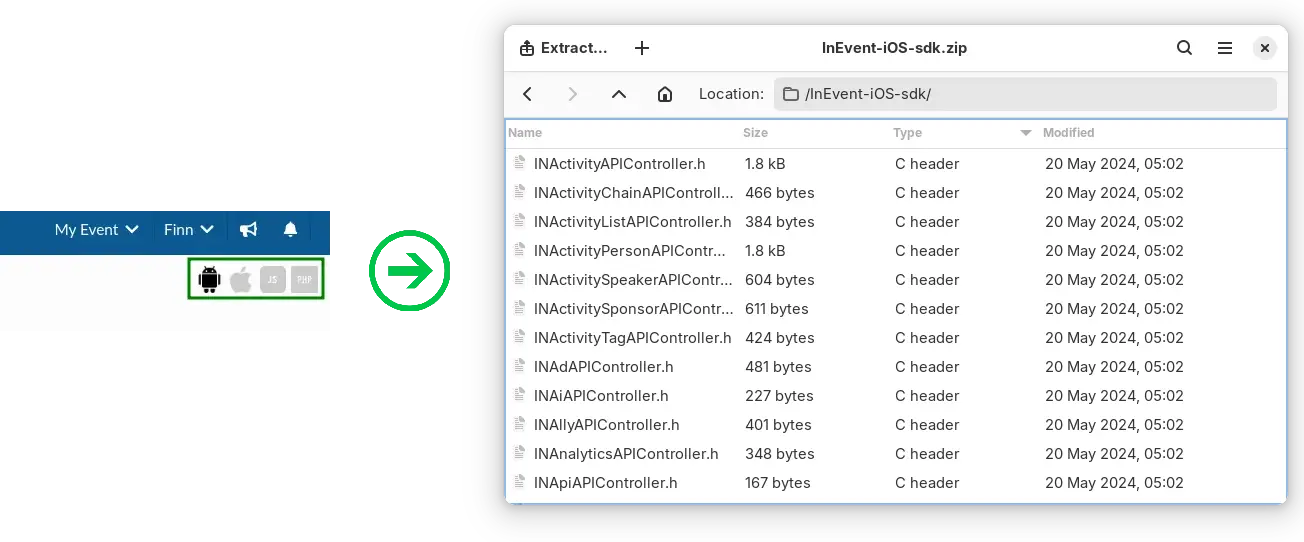
Enterprise teams often standardize around one language for integrations. InEvent supports wrappers and SDK-style tooling patterns for PHP, Node.js, and Python to remove boilerplate for:
OAuth2 token fetch and refresh
Request signing and headers
Pagination iterators
Retries for transient failures
Typed models (where applicable)
Even when you use raw HTTP, you can still treat the OpenAPI spec as your SDK generator input. Many teams generate client libraries internally to match their linting, observability, and deployment standards.
export class InEventClient {
constructor({ baseUrl, tokenProvider }) {
this.baseUrl = baseUrl;
this.tokenProvider = tokenProvider;
}
async request(method, path, { query, body, headers } = {}) {
const token = await this.tokenProvider.getToken();
const url = new URL(this.baseUrl + path);
if (query) Object.entries(query).forEach(([k, v]) => url.searchParams.set(k, String(v)));
const res = await fetch(url.toString(), {
method,
headers: {
"Authorization": `Bearer ${token}`,
"Content-Type": "application/json",
...(headers || {})
},
body: body ? JSON.stringify(body) : undefined
});
const text = await res.text();
const payload = text ? JSON.parse(text) : null;
if (!res.ok) {
const err = new Error(payload?.message || `HTTP ${res.status}`);
err.status = res.status;
err.payload = payload;
throw err;
}
return payload;
}
listAttendees(eventId, params) {
return this.request("GET", `/v1/events/${eventId}/attendees`, { query: params });
}
register(eventId, body, idempotencyKey) {
return this.request("POST", `/v1/events/${eventId}/registration`, {
body,
headers: idempotencyKey ? { "Idempotency-Key": idempotencyKey } : undefined
});
}
}
InEvent provides a sandbox environment so teams can build, test, and validate integrations without polluting production events or exposing real attendee PII during development. A correct enterprise integration workflow uses:
Separate client credentials per environment
Separate base URLs per environment
Infrastructure-as-code for secrets and rotation
Contract tests that run against sandbox on every change
A mature pattern:
Developer builds against Swagger UI in sandbox.
CI runs contract tests against sandbox.
Release pipeline promotes integration to production with environment config changes only.
Sandbox value becomes obvious when you automate risky operations like bulk registration, ticket reassignment, or analytics extraction. You test state transitions and rollback handling without consequences.
A common enterprise requirement: marketing needs a branded front end, but operations needs the event platform to remain authoritative. The right design keeps the frontend as a thin client that calls your backend, and your backend calls InEvent.
Reference flow:
Frontend collects registrant data and consent.
Backend validates fields, normalizes values, and logs audit context.
Backend calls POST /registration with an idempotency key.
Backend returns success payload and renders confirmation.
Backend schedules follow-up actions: CRM update, email, badge prep.
This architecture gives you full control over user experience while keeping the event system consistent and operationally reliable.
Digital signage needs read-only access to agenda and room data with aggressive caching. The signage app typically pulls:
The agenda for the day
Session titles, times, rooms
Speaker names
Live “now/next” slices
A clean pattern:
Nightly pull of agenda into a local cache.
Minute-level refresh of only the “now/next” window.
Fallback to cache if network fails.
The API enables this because it exposes sessions as stable resources with predictable time fields and room associations.
Q: Is there a sandbox environment?
Yes. InEvent provides a sandbox environment that mirrors production behavior, letting developers test OAuth2 flows, validate JSON payloads, and run CRUD operations safely. Teams use sandbox to run contract tests and stage integrations before production deployment.
Q: What is the uptime SLA?
Yes, 99.99%. InEvent offers an enterprise uptime SLA of 99.99% for core platform services, including the InEvent API Gateway. Engineering teams design around standard resilience patterns, and the gateway returns deterministic error codes during transient failures.




