


One of our sales representatives will contact you shortly.
B2B events win or lose on scheduling reliability. When attendees book meetings that overlap keynotes, when exhibitors double-book staff, or when time zones shift the calendar unexpectedly, the program collapses into walk-up chaos. Organizers do not need “networking vibes.” They need a scheduling engine that treats time as inventory, enforces constraints, and syncs instantly to personal calendars.
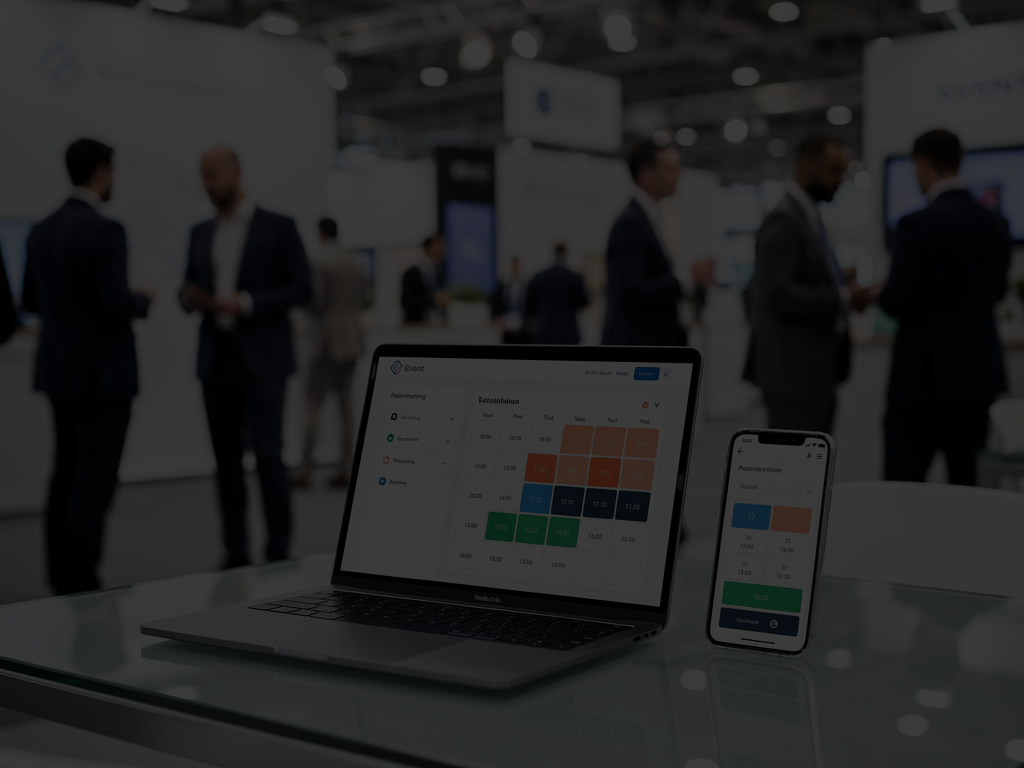
InEvent delivers that engine. InEvent Smart Calendar prevents conflicts by checking agenda commitments, personal blocked time, meeting availability, and organizer rules before it offers a slot. InEvent Outlook Connector enables 2-Way Sync so bookings and cancellations update across Outlook and Google Calendar without manual reconciliation. InEvent Table Manager and table assignment workflows eliminate the "where do we meet" problem by attaching a physical location to every appointment and preventing table collisions. InEvent supports thousands of concurrent meeting requests without double-booking, and it keeps the entire experience self-service and fast.
Most appointment programs fail because scheduling logic stays shallow. A basic booking tool checks only one thing: whether a person already has another meeting. Real events require deeper constraints:
Sessions on the agenda that attendees must attend
Exhibitor staffing limits
Buffer times for walking between halls
VIP holds and personal blocks
Meeting capacity and table inventory
Time zone differences across global attendees
A typical failure looks like this:
A buyer books three demos back-to-back in different halls with no walk time.
A hosted buyer books a meeting during a keynote marked “must attend.”
A career fair candidate books two interviews at the same time because one interview was added externally.
An exhibitor rep accepts multiple meeting requests without realizing their internal calendar already has an executive briefing.
When this happens, you get:
Missed meetings and higher no-show rates
Angry exhibitors who paid for access
Attendees who lose trust in the meeting program
Ops teams forced into manual rescheduling onsite
InEvent Smart Calendar prevents conflicts before they happen by treating availability as a composite of rules and commitments, not a single free/busy flag.
InEvent Smart Calendar checks:
Agenda commitments (sessions, keynotes, workshops, breaks)
Personal blocked time (user-defined holds)
Meeting availability (existing confirmed meetings and pending requests)
Organizer constraints (must-attend windows, meeting caps, exhibitor staffing, room capacities)
Buffer Times (walk time, reset time, transition time)
If a slot conflicts with any rule, InEvent removes it from booking options. Users never see “bad slots,” which prevents accidental collisions.
Robust scheduling means your system supports the reality of events:
Multiple roles with different rules (VIP, speaker, exhibitor, attendee, recruiter)
Multiple meeting types (demo, interview, consultation, hosted buyer appointment)
Multiple locations and resources (tables, rooms, virtual links)
Concurrent demand spikes during peak hours
InEvent Smart Calendar supports these realities with deterministic availability logic. It does not rely on users to “notice the conflict.”
InEvent supports different booking patterns depending on your program:
Instant booking for open availability (first-come, first-served)
Request-to-approve where exhibitors or recruiters approve incoming requests
Double opt-in patterns for higher-stakes programs (hosted buyer, VIP scheduling)
In each case, InEvent prevents double booking by locking the relevant slot when the meeting confirms, and by enforcing conflict rules before confirmation.

Calendar integration is not a nice-to-have. In B2B events, personal calendars drive behavior. If a meeting does not appear in Outlook or Google Calendar, it effectively does not exist.
Enterprise attendees live inside:
Outlook desktop and web
Microsoft 365 calendars
Google Calendar for startups and universities
Mobile calendar apps that sync via those systems
They use calendar reminders, notifications, and assistant workflows. If your event meetings sit in a separate app only, you increase missed meetings.
InEvent Outlook Connector and InEvent calendar integrations enable 2-Way Sync so updates travel in both directions.
A practical workflow:
Book inside InEvent → the meeting appears in Outlook or Google with details.
Cancel inside InEvent → the event disappears or updates immediately in the calendar.
Cancel inside Outlook (when allowed by policy) → InEvent frees the slot and updates the counterpart’s availability.
Reschedule inside InEvent → both calendars update without manual email threads.
This eliminates the most common operational burden: reconciling meeting changes across multiple systems.
Calendar sync must include context:
Meeting title and meeting type (demo, interview, hosted buyer)
Participant names and roles
Location or Table Assignment
Virtual link when applicable
Notes or agenda context when allowed
Time zone normalized times
This makes meetings actionable, not ambiguous.
Global events break when two parties see different times for the same meeting. InEvent prevents that by converting times automatically based on each user’s settings.
Example:
A user in New York sees 2:00 PM EST.
A user in Accra sees 7:00 PM GMT.
InEvent keeps the underlying slot consistent and displays local time for each participant.
This matters for hybrid appointments and global conferences where buyers, suppliers, and recruiters operate across regions.
People add external meetings and holds outside the event platform. InEvent calendar logic can incorporate personal blocked time and calendar sync signals so users do not accidentally schedule over real commitments.
This is the difference between “meeting requests” and a scheduling system that behaves like enterprise software.
Trade shows and expos often need structured demo scheduling. Exhibitors want to replace walk-up chaos with a controlled calendar, especially for:
Technical demos with sales engineers
Product consultations
VIP executive briefings
Service desk “genius bar” troubleshooting
Partner onboarding sessions
A booth team wants:
Fixed meeting durations
A clean queue
Scheduled staff coverage
Proof of who met whom
No double booking
Reminders to reduce no-shows
InEvent supports exhibitor scheduling links that exhibitors can share as:
A QR code at the booth
A link in email campaigns
A link in the event app exhibitor profile
A link embedded into sponsor pages
Attendee experience:
Scan the QR code at the booth
View real-time availability for booth staff or demo stations
Pick a slot
Receive confirmation and reminders
Arrive with the meeting location or table assignment attached
This turns a crowded booth into a predictable schedule.
Structured booth scheduling:
Increases the number of completed demos per day
Reduces time wasted on unqualified walk-ups
Helps sales engineers prepare by seeing attendee context
Improves follow-up because meeting records stay clean
InEvent can also pair meeting scheduling with lead capture workflows so exhibitors connect booking data to lead qualification.
InEvent supports reminder patterns such as:
Notification 10 minutes before the meeting
Confirmation prompts if the attendee changes availability
Calendar reminders via Outlook/Google sync
These reminders reduce no-shows because they hit users where they already manage time.

Meeting scheduling fails if you cannot answer one question: where do we meet?
Large appointment programs need physical resource management:
Numbered tables for hosted buyer meetings
Meeting pods in appointment zones
Interview rooms for career fairs
Private rooms for VIP and executive meetings
Without location logic:
Participants wander
Meetings start late
Ops teams spend time directing traffic
No-shows rise because people cannot find each other
InEvent Table Manager and table assignment features allocate physical resources like tables or rooms to each meeting.
InEvent supports:
Automatic assignment of a table (e.g., “Table 42”)
Manual override for VIP allocation
Table pools by zone (A/B/C zones)
Capacity rules per table cluster
Collision prevention so two meetings never claim the same resource at the same time
InEvent publishes the assigned location into:
The meeting confirmation screen
The attendee itinerary
Calendar invites through sync
Tickets or badges when needed
This eliminates the “where do we meet” friction.
Common models:
Fixed tables per exhibitor: each exhibitor owns specific tables for the day
Shared table pool: the system allocates tables dynamically based on availability
VIP rooms: dedicated resources reserved for executive meetings
Interview rooms: structured rooms with fixed slot schedules
InEvent supports all of these by treating tables and rooms as schedulable inventory.
Modern events run hybrid meeting programs:
One participant attends onsite
The other joins remotely
Some meetings happen entirely online
Others switch formats last minute due to travel changes
Hybrid scheduling fails when users must manually create meeting links in a separate system, then paste them into invites. That creates broken links, mismatched times, and wasted ops time.
InEvent can include a built-in meeting link inside the appointment so:
The invite contains the video link automatically
Participants join from the event environment
Organizers keep meeting records centralized
This supports:
Remote buyer-supplier meetings
University interviews with remote candidates
Executive briefings for partners who cannot travel
Post-event follow-up meetings scheduled inside the same ecosystem
Hybrid support matters because it protects meeting completion rates when logistics change.
InEvent delivers appointment scheduling as operational infrastructure:
InEvent Smart Calendar to enforce agenda rules, busy blocks, and conflict prevention
2-Way Sync through InEvent Outlook Connector and calendar integrations
Self-Service Booking with approval options for exhibitors and recruiters
InEvent Table Manager and automatic Table Assignment to anchor meetings to real locations
Buffer times, fixed slot durations, and hybrid meeting links that keep schedules realistic
This is event appointment scheduling built for B2B throughput, not casual networking.
Answer: Yes. InEvent supports Buffer Times such as 5 minutes between meetings for walking or reset. InEvent Smart Calendar removes slots that violate buffer rules and keeps schedules realistic across large venues and dense meeting programs.
Answer: Yes. InEvent supports fixed meeting slots such as 15, 30, or 60 minutes. Organizers can standardize slot length across programs, enforce slot availability windows, and prevent ad hoc meeting lengths that break table and room scheduling.
Answer: Yes. InEvent supports group appointments where organizers or hosts invite multiple participants into one meeting, including large groups when needed. InEvent Smart Calendar still checks conflicts and syncs the invite to calendars so everyone sees the same details.
Answer: Yes. InEvent supports booking rules based on roles, tags, and permissions. Organizers can restrict access to VIP calendars, limit exhibitor booking to qualified attendees, or require approval workflows for high-demand schedules.




