


One of our sales representatives will contact you shortly.
Check-in has always been the moment where events are won or lost. It is the first interaction attendees have with your event and the first place pressure shows up for your team. Today, that pressure is higher than ever. Events are larger, arrival windows are tighter, and expectations around speed, safety, and professionalism have changed.
At the same time, security matters more than it used to. Internal meetings, paid conferences, executive sessions, and regulated environments all require stronger identity verification than a quick name check or a printed badge. Event teams are expected to move fast and stay in control.
This is where facial recognition event check-in enters the conversation, and also where it is often misunderstood.
Facial recognition at events is not about surveillance. It is not about forcing technology on attendees. And it is not a replacement for every check-in method. When done right, it is an optional, consent-based way to verify identity quickly and securely, designed for enterprise environments that need both speed and trust.
The problem is that facial recognition is usually explained poorly. Some vendors overhype it as a magic solution. Others avoid the hard questions around privacy and compliance altogether. That leaves event teams skeptical, and rightfully so.
Used responsibly, facial recognition check-in is simply another identity layer. Attendees choose to opt in ahead of time. Their identity is verified on arrival without touching a screen, scanning a badge, or waiting in line. If they choose not to opt in, alternative check-in options remain available. Choice is built into the system.
This approach solves two real problems at once. It reduces friction during peak arrival times, and it strengthens access control for events where knowing who is entering actually matters.
In this guide, we break facial recognition event check-in down in plain language. You’ll learn how it works end to end, including enrollment, on-site validation, and fallback workflows. We’ll cover where facial recognition makes sense, and just as importantly, where it does not. We’ll walk through security, privacy, and compliance considerations without glossing over the details.
Most importantly, we’ll show how enterprises deploy facial recognition responsibly. Not as a gimmick, but as a controlled, transparent option that fits into a broader check-in strategy.
If you have ever been responsible for check-in at a high-stakes event, this is written for you.
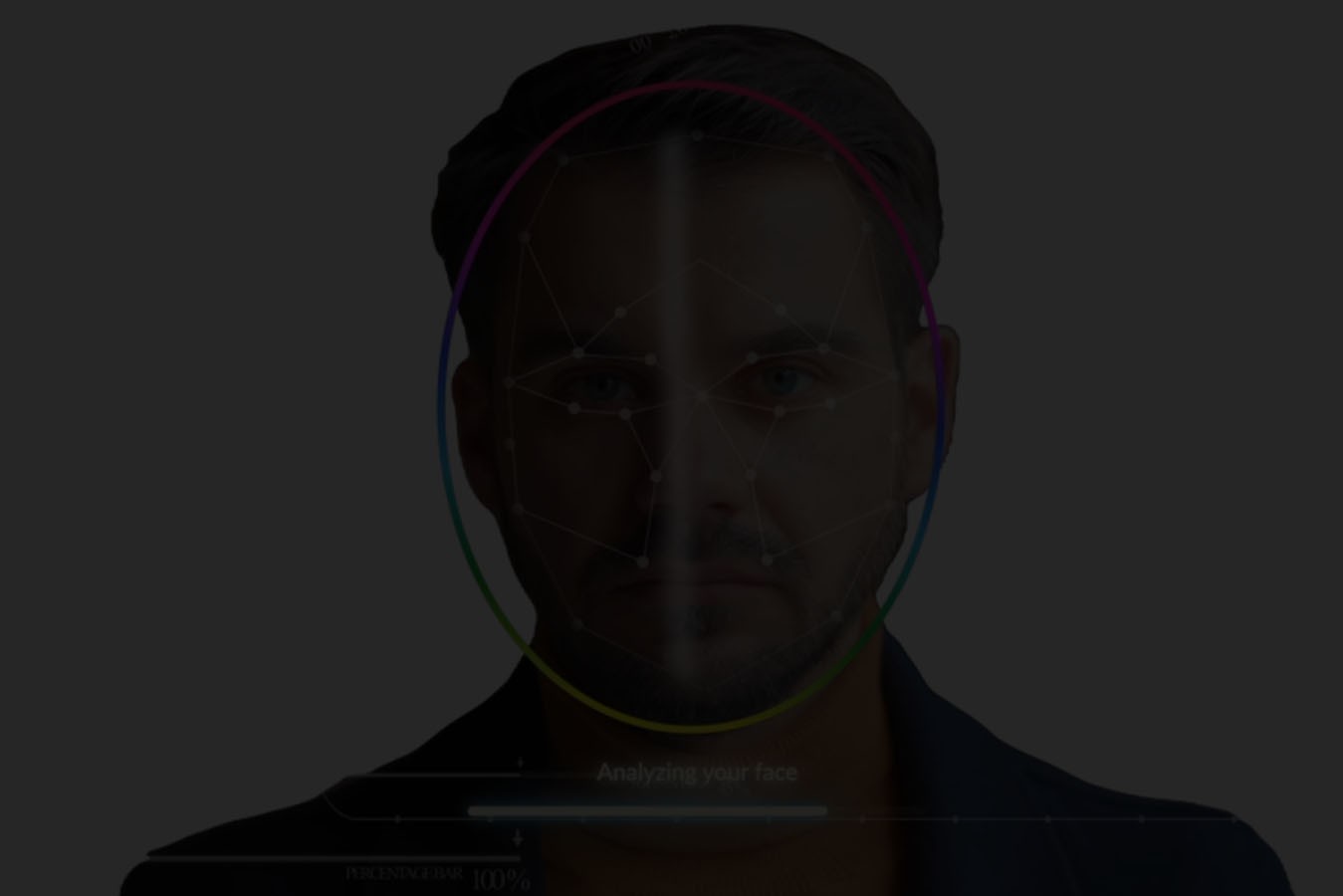
Facial recognition event check-in is a secure, contactless way to verify an attendee’s identity when they arrive at an event. Instead of scanning a badge or searching a name, the system confirms who someone is by matching their face to a pre-enrolled profile — only when the attendee has opted in.
At a basic level, facial recognition check-in does three things:
1. Identity Verification: First, identity verification. When an attendee approaches the check-in point, a camera captures a live image and compares it to the facial data the attendee consented to provide before the event. If there is a match, the system confirms that the person arriving is the person who registered.
2. Attendance Confirmation: Second, attendance confirmation. Once identity is verified, the attendee is marked as checked in. This happens automatically and in real time. There is no manual approval step, no badge handoff, and no risk of someone checking in on behalf of someone else.
3. Access Validation: Third, access validation. Facial recognition check-in can be tied to access rules. This means entry can be limited by day, session, role, or area. The system applies those rules consistently, without staff having to visually inspect badges or make judgment calls under pressure.
Just as important is what facial recognition event check-in does not do.
It does not track people without their knowledge. It does not scan crowds. It does not operate in the background without consent. And it does not replace every other check-in method. Attendees who do not opt in can still use QR codes, badges, or staffed desks.
There is also a critical difference between consumer facial recognition and event-grade systems. Consumer tools are built for phones, social apps, or personal devices. Event-grade facial recognition is built for controlled environments, high traffic, and strict privacy expectations. It includes explicit consent flows, secure storage, limited retention, and clear operational boundaries.
In short, facial recognition event check-in is not about watching attendees. It is about verifying identity quickly and securely, with transparency and choice built in.Check-in becomes difficult not because teams lack experience, but because scale changes the rules. Processes that work for small events often break the moment attendance grows or access requirements tighten.
Peak Arrival Congestion: The first pressure point is peak arrival congestion. Attendees do not arrive evenly. They arrive in waves. Opening keynotes, high-profile speakers, and tightly scheduled agendas compress hundreds or thousands of arrivals into short windows. Manual workflows, even well-staffed ones, cannot absorb that demand without lines forming.
Possible Badge Swapping: As scale increases, badge swapping becomes a real issue. At paid events, restricted sessions, or internal meetings, it is common for badges to be shared or reused. Visual checks are unreliable, especially in busy environments. Once a badge is printed, staff have limited ways to confirm that the person wearing it is the person who registered.
Manual ID Checks: Many teams try to compensate with manual ID checks. In practice, this slows everything down. Checking IDs creates friction at the door, requires trained staff, and still leaves room for inconsistency. Under pressure, rules get bent to keep lines moving.
Fraud: At internal or ticketed events, fraud is another concern. Duplicate registrations, shared credentials, or unauthorized access can undermine the integrity of the event. This is especially sensitive in executive sessions, investor meetings, or employee-only programs where access control is mandatory.
Contact-Heavy Workflows: There is also the problem of contact-heavy workflows. Scanning badges, handling printed materials, exchanging devices, and managing physical lines all add friction. Each touchpoint increases time, complexity, and the chance of error.
Traditional check-in methods were never designed for this level of complexity. They rely on people making rapid decisions under stress, using tools built for simpler environments.
This is why identity verification becomes the breaking point at scale. To move faster without losing control, teams need systems that verify identity reliably, without adding friction. Facial recognition event check-in emerges here not as a novelty, but as a response to limits that manual methods cannot overcome.
Facial recognition event check-in only works when it is designed as a clear, consent-first process. When done properly, the experience feels simple for attendees and controlled for event teams.
Here is how it works from start to finish.
1. Pre-event Opt-in & Consent: The process begins with pre-event opt-in and consent. Attendees are invited, never forced, to use facial recognition check-in. Consent is explicit and clear. Attendees understand what data is used, why it is used, and how long it is retained. Those who choose not to opt in are offered alternative check-in options, such as QR codes or staffed desks.
2. Secure Facial Enrollment: Once consent is given, the next step is secure facial enrollment. This usually happens before the event through a controlled process, often tied to registration. The attendee provides a facial image in a well-lit environment, following simple instructions. The system creates a secure facial profile linked to that attendee’s registration record.
On event day, the attendee arrives on-site and approaches a designated facial recognition check-in point. There is no need to scan a badge, pull out a phone, or search for a name.
3. Camera Capture: At that point, camera capture takes place. A camera briefly captures a live image of the attendee’s face. This is not continuous tracking or background scanning. It is a single, intentional interaction triggered by the attendee’s presence at the check-in point.
4. Identity Match: The system then performs an identity match. The live image is compared against the enrolled facial profile. If a match is confirmed within the defined confidence threshold, the system proceeds automatically.
5. Check-In Confirmation: Next comes check-in confirmation. The attendee is marked as arrived in real time. There is no manual approval step, and no opportunity for someone else to check in on their behalf.
6. Access Permissions: Finally, access permissions are applied. If the attendee is authorized for specific days, sessions, or areas, those permissions are enforced immediately. Facial recognition becomes the trigger for access control, not just attendance tracking.
There are important practical considerations behind this flow.
Lighting and venue conditions matter. Event-grade systems are designed to work in real environments, but setup still matters. Cameras are placed intentionally, and check-in points are configured to reduce glare, shadows, and crowd interference.
There is also a balance between speed and accuracy. Enterprise systems prioritize reliable matches without slowing down the flow. Confidence thresholds are tuned to avoid false positives while keeping check-in fast.
Finally, fallback workflows are essential. No system is perfect. If recognition fails or an attendee opts out, alternative check-in methods are always available. This ensures check-in never stalls and trust is maintained.
When all of these pieces work together, facial recognition check-in feels seamless, not intrusive.
Most events do not choose facial recognition in isolation. It is usually evaluated alongside QR code check-in and manual check-in. Each method solves a different problem, and understanding the trade-offs is key to making the right decision.
From a speed perspective, facial recognition is the fastest at scale. There is no phone to unlock, no code to scan, and no badge to retrieve. Attendees approach the check-in point and are verified in seconds. QR codes are also fast, but they depend on attendees having their device ready and their screen readable. Manual check-in is the slowest, especially during peak arrival windows.
Accuracy improves as systems become more automated. Facial recognition verifies that the person arriving matches the person who registered. QR codes confirm possession of a code, not identity. Manual check-in relies on staff judgment, which becomes inconsistent under pressure.
When it comes to fraud prevention, facial recognition provides the strongest control. Badge sharing, screenshot sharing, or credential forwarding do not work. QR codes reduce fraud compared to manual lists, but codes can still be shared. Manual check-in offers the least protection, particularly at paid or restricted events.
Accessibility is an important consideration. Facial recognition should always be optional and paired with alternatives. QR codes are familiar and accessible to many attendees, but not all. Manual desks remain necessary for edge cases. A well-designed check-in strategy combines methods rather than forcing a single one.
Privacy perception varies. Facial recognition can raise concerns if not communicated clearly. When consent, transparency, and choice are built in, trust improves. QR codes are generally accepted, though they still involve personal data. Manual check-in feels familiar but exposes attendee lists and relies on visible handling of information.
Finally, there is operational load. Facial recognition reduces staffing needs at entry points and minimizes exceptions. QR codes require some staff oversight. Manual check-in demands the most staffing, training, and intervention.
Here is a high-level comparison:
|
Method |
Speed |
Accuracy |
Fraud Prevention |
Accessibility |
Privacy Perception |
Operational Load |
|
Facial Recognition |
Very high |
Very high |
Strong |
Optional, with fallback |
Sensitive, trust-dependent |
Low |
|
QR Codes |
High |
Medium |
Moderate |
Widely familiar |
Generally accepted |
Medium |
|
Manual Check-In |
Low |
Low |
Weak |
Universal |
Familiar |
High |
The takeaway is simple. Facial recognition is not a replacement for every scenario. It is a powerful option when speed, accuracy, and control matter most, especially when combined with QR codes and manual workflows as fallbacks.
Facial recognition event check-in is powerful, but it is not universal. The fastest way to lose trust is to treat it as a default. The right approach is knowing when it adds real value and when it does not.
Facial recognition makes the most sense at high-security events. Internal strategy meetings, investor briefings, or regulated industry events often require certainty about who is entering the space. In these settings, identity verification matters more than familiarity, and facial recognition provides a reliable, contactless way to enforce access rules without slowing people down.
It is also well suited for internal enterprise meetings. When attendance is limited to employees or invited guests, facial recognition helps prevent badge sharing and unauthorized access. It confirms presence without requiring IDs or physical badges to be checked at every door.
VIP or restricted sessions are another strong fit. Executive roundtables, closed-door discussions, or paid workshops benefit from precise access control. Facial recognition ensures that only authorized attendees enter, even during busy transitions between sessions.
Finally, facial recognition performs well in high-volume, time-sensitive entry scenarios. Opening keynotes, large conferences, or events with compressed arrival windows benefit from a check-in method that minimizes friction while maintaining control.
Just as important is knowing when not to use facial recognition.
Public-facing events with broad audiences may not need identity verification beyond basic check-in. In these cases, QR codes or self-service badge printing often provide a better balance of speed and comfort.
1. Cultural & Regional Considerations: There are also cultural and regional considerations. Attitudes toward biometric technology vary by country and region. Some audiences are more cautious, and local regulations may impose stricter requirements. Facial recognition should never be deployed without understanding these differences.
2. Accessibility: Accessibility is another factor. Facial recognition must always be optional. Attendees who cannot or choose not to use it should have clear alternatives that offer the same level of service without penalty.
The most successful deployments treat facial recognition as one tool in a broader check-in strategy. When teams choose it deliberately, communicate it clearly, and respect attendee choice, it builds trust instead of raising concerns.
Facial recognition only works at events when trust comes first. Without clear consent, transparency, and choice, even the most advanced system will fail socially, if not operationally.
The foundation is explicit opt-in. Attendees must actively choose facial recognition check-in. It should never be enabled by default or hidden behind vague language. Opt-in flows explain what data is used, how it is used, and what the attendee gains in return. When people understand the benefit and feel in control, adoption follows naturally.
Transparency is equally important. Event teams should clearly explain when facial recognition is used, where it is used, and what it does. This communication starts before the event and continues on-site through signage and staff training. There should be no surprises at the door.
A strong system also follows data minimization principles. Only the data required for identity verification is collected. Facial data is not reused for marketing, profiling, or unrelated purposes. Limiting data scope reduces risk and builds confidence with both attendees and internal stakeholders.
Attendee choice must be preserved throughout the experience. Facial recognition should be one of several check-in options, not the only path to entry. Attendees who prefer QR codes or staffed desks should receive the same level of service and access without friction or delay.
This choice extends to failure scenarios as well. If facial recognition does not work for any reason, fallback options should be immediate and respectful. The goal is never to single someone out or slow them down.
Clear communication ties everything together. Consent language should be plain and understandable, not buried in legal text. Staff should be able to answer basic questions confidently. When attendees know what to expect, uncertainty disappears.
When framed correctly, facial recognition becomes a privilege, not a default. It is offered as a faster, contactless option for those who want it. It is an option, not an obligation.
This framing changes the conversation. Instead of asking attendees to accept new technology, teams invite them to choose a smoother experience. Trust grows because control stays with the attendee. And when trust is established, facial recognition check-in can deliver its benefits without compromising privacy or comfort.
For enterprise events, facial recognition check-in is not a convenience feature. It is a security system. That means it must meet the same expectations as any other identity or access-control infrastructure used inside the organization.
1. Encrypted Biometric Data: Everything starts with encrypted biometric data. Facial data should be protected both in transit and at rest using industry-standard encryption. This ensures that even if systems are compromised, biometric information cannot be accessed or reused. Encryption is not optional at this level. It is a baseline requirement.
2. Secure Storage & Deletion: Next is secure storage and deletion. Biometric data should be stored only as long as necessary for the event or program it supports. Clear retention policies define when data is deleted, and deletion should be enforceable, not manual. This reduces long-term risk and aligns with privacy expectations across regions.
3. Role-based Access: Role-based access is another critical layer. Not everyone involved in running an event should have access to identity or biometric data. Permissions must be limited by role, with strict controls over who can view, manage, or export information. This prevents accidental exposure and keeps responsibility clearly defined.
4. Audit Trails: Enterprise teams also expect audit trails. Every action related to identity verification, access decisions, and system changes should be logged. Auditability supports internal reviews, compliance checks, and post-event analysis. It also builds confidence with legal, IT, and security teams who need visibility into how systems behave under real conditions.
Equally important is what facial recognition systems do not expose. There should be no public access to biometric data, no open dashboards displaying facial images, and no on-site workflows that allow staff to browse identity records. Check-in interactions should be narrowly scoped and purpose-driven.
When these safeguards are in place, facial recognition check-in stops being a novelty. It becomes identity infrastructure. Like badge systems, access cards, or secure login tools, it exists to verify identity reliably and consistently, not to impress.
This framing matters. Enterprise buyers are not looking for flashy technology. They are looking for controlled systems that reduce risk, enforce policy, and scale responsibly. Facial recognition, when implemented with security and compliance at the core, meets those expectations.
This level of governance is reinforced by enterprise-grade compliance standards. InEvent maintains SOC 2 Type II compliance and supports HIPAA-ready environments, ensuring that biometric identity workflows operate within audited security controls and regulated data frameworks.
1. Speed: Speed is the most visible benefit of facial recognition event check-in, but it is not the most important one. For teams who have run large or sensitive events, the real value shows up in control, consistency, and confidence.
2. Reduced Fraud: One of the biggest gains is reduced fraud. Facial recognition ties access to a person, not a badge or a code. That makes badge sharing, duplicate check-ins, and unauthorized access much harder. For paid events, internal meetings, or restricted sessions, this directly protects the integrity of the event.
3. Cleaner Attendance Data: Facial recognition also produces cleaner attendance data. When check-in confirms identity, the data reflects who actually arrived, not who registered or who picked up a badge. This improves post-event reporting and eliminates guesswork around no-shows or partial attendance.
4. Staffing Pressure Drops: From an operational standpoint, staffing pressure drops. Entry points no longer require constant supervision to verify identities or manage exceptions. Staff shift from manual processing to oversight and support. This reduces stress during peak moments and enables teams to focus on the experience rather than troubleshooting.
5. Consistent Access Enforcement: Another often overlooked benefit is consistent access enforcement. Access rules are applied the same way every time, regardless of who is working the door. There are no visual judgments, no rushed decisions, and no bending of rules to keep lines moving. Consistency is what keeps security tight without slowing operations.
All of this contributes to a better first impression. Attendees move through check-in smoothly. There is less confusion, less friction, and less visible chaos. Even for those who choose alternative check-in methods, the overall flow feels intentional and professional.
These benefits matter because they reflect real operational reality. Events are stressful environments. Systems that reduce uncertainty and decision-making pressure make the entire operation more resilient.
At enterprise scale, facial recognition check-in is never a one-off decision. It must work across teams, regions, and regulatory environments.
Enterprise operations teams need predictability. Facial recognition should deploy consistently across multiple events without requiring custom setups each time. Workflows must scale without increasing complexity.
For IT teams, integration and governance matter. Facial recognition systems need to fit within existing identity, security, and network frameworks. Centralized configuration and oversight reduce risk and simplify support.
Security teams focus on access control and auditability. Facial recognition supports precise enforcement of access rules while maintaining clear logs of identity verification and entry. This is especially important for internal programs and executive events.
Procurement teams evaluate risk, not just features. They need confidence that a solution reduces long-term operational costs, avoids vendor sprawl, and meets enterprise standards.
Legal teams care about compliance and consent. Facial recognition deployments must respect regional laws, which vary widely. Systems should support configurable rules by country or event, allowing teams to enable or disable facial recognition based on local requirements.
For multi-location deployments, centralized governance is essential. Policies on consent, retention, and access should be defined once and enforced consistently across all environments, while allowing flexibility by event or region.
When facial recognition is deployed with this level of control, it becomes manageable at a global scale. Without it, the risk outweighs the benefit.
Facial recognition event check-in does more than move people through the door. It produces high-confidence data that manual and badge-based methods struggle to deliver.
1. Arrival Timestamps: One of the most valuable outputs is arrival timestamps. Because identity is verified at the moment of entry, timestamps reflect exactly when an attendee arrived, not when a badge was printed or a name was checked off a list. This creates a clean arrival curve that shows true peak periods and flow patterns.
2. Verified Attendance: Facial recognition also enables verified attendance. Instead of assuming that a badge pickup equals presence, teams know that the person registered is the person who arrived. This distinction matters for internal reporting, paid events, and executive programs where accuracy is critical.
3. Access Logs: Another benefit is access logs. When facial recognition is tied to access rules, the system records when and where entry is granted. This creates a reliable log of access activity without adding manual checks or additional hardware at every doorway.
4. Session Level Analytics: For events with restricted sessions or multi-day programs, facial recognition supports session-level presence. Teams can understand who attended which days or areas, based on verified identity rather than scans or visual checks. This strengthens post-event analysis and internal reporting.
This data becomes meaningful when it connects to outcomes.
Beyond check-in, AI-powered capabilities such as intelligent photo matching can extend verified identity into post-event engagement. With tools like Photo Match AI, attendees can securely retrieve event photos associated with their verified presence, reinforcing both personalization and controlled identity use without compromising privacy.
From an event ROI perspective, verified attendance improves performance analysis. Leadership can evaluate events based on who actually showed up, not just who registered.
For compliance reporting, access logs and audit-ready data support internal reviews and regulatory requirements. This is especially important for internal enterprise meetings and regulated industries.
For internal audits, clear records of identity verification and access decisions reduce ambiguity and risk. Teams can demonstrate that policies were enforced consistently.
The key difference is confidence. Facial recognition check-in produces data that teams can trust, because it is grounded in identity, not assumptions.
Facial recognition only works in practice when it is supported by a unified event platform. This is where InEvent’s approach matters.
Instead of treating facial recognition as a standalone experiment, InEvent integrates it into the broader check-in and access ecosystem. Registration, consent, check-in, and reporting operate within the same system, which reduces friction and avoids disconnected workflows.
This approach reflects InEvent’s broader AI evolution strategy, where artificial intelligence is embedded across the event lifecycle to improve automation, identity verification, operational visibility, and decision-making. Facial recognition check-in is part of that larger commitment to practical, enterprise-ready AI rather than isolated feature releases.
1. Consent First Design: A core principle is consent-first design. Facial recognition is offered as an option, not enforced as a default. Attendee choice is preserved, and alternative check-in methods remain available. This makes adoption easier for teams and more comfortable for attendees.
2. Hybrid Check-In Model: InEvent also supports hybrid check-in models. Facial recognition, QR codes, badge printing, and staffed desks can coexist. Teams choose what makes sense for each event, audience, or region without rebuilding their setup.
3. Complexity With Ease: From an enterprise readiness standpoint, InEvent is built to handle complexity. Multi-day events, internal programs, global deployments, and strict access requirements all operate within consistent governance and control. Teams gain visibility without micromanaging on-site workflows.
4. Event Infrastructure: Most importantly, InEvent treats facial recognition as part of event infrastructure. The focus is not on novelty, but on outcomes: smoother entry, stronger identity control, cleaner data, and fewer on-site surprises.
When facial recognition is deployed this way, it becomes manageable, responsible, and effective at scale.
Facial recognition check-in works when it is deployed with care. Control stays with your team. Choice stays with your attendees. Security, privacy, and scale are built into the system, not added as an afterthought.
When done right, facial recognition becomes a faster, cleaner way to verify identity without adding friction or risk. It complements existing check-in methods and strengthens access control where it matters most.
If you’re exploring facial recognition for your events and want to understand how it fits responsibly into a real-world check-in strategy, the next step is a practical conversation.
Book a demo Today
1. Is facial recognition mandatory for attendees?
No. Facial recognition event check-in should always be optional. Attendees choose whether to opt in ahead of the event. Those who prefer not to use it can check in using QR codes, badges, or staffed desks without delay or penalty. Choice is essential for trust.
2. How accurate is facial recognition at events?
Accuracy depends on system design, enrollment quality, and on-site setup. Event-grade facial recognition systems are tuned for controlled environments, not open surveillance. Proper lighting, clear camera placement, and realistic confidence thresholds help balance speed and accuracy during peak arrivals.
3. What happens if recognition fails?
Failure scenarios are planned for. If facial recognition does not confirm identity, the attendee is immediately routed to a fallback option, such as QR code check-in or a staffed desk. Check-in continues without disruption, and the attendee experience remains respectful.
4. Is biometric data stored?
Biometric data is handled carefully and only for the purpose of identity verification. Enterprise systems follow defined retention policies, limit storage duration, and support secure deletion after the event or program ends. Data is not reused for unrelated purposes.
5. How does consent work?
Consent is explicit and clear. Attendees are informed before the event about how facial recognition works, what data is used, and what benefits it provides. They actively opt in. Consent is never assumed or hidden in fine print.
6. Is this compliant with privacy laws?
Compliance depends on implementation. Enterprise facial recognition check-in respects regional privacy regulations by supporting consent, data minimization, access controls, and retention policies. Teams can configure usage in accordance with local legal requirements.
7. Can it be combined with QR codes?
Yes. Facial recognition works best as part of a hybrid check-in strategy. Attendees can choose facial recognition, QR codes, or manual check-in. Combining methods improves resilience and accessibility.
8. Which event benefit most?
Internal enterprise meetings, high-security events, VIP sessions, and high-volume conferences with tight arrival windows benefit the most. Any event where identity matters, and speed is critical, is a strong candidate.




