


One of our sales representatives will contact you shortly.
Medium-scale events sit in an operational gap. They move too much volume for paper lists but do not justify enterprise scanner rentals. Organizers need speed, reliability, and offline resilience without logistics overhead. This is where a modern Ticket Scanning App replaces dedicated hardware.
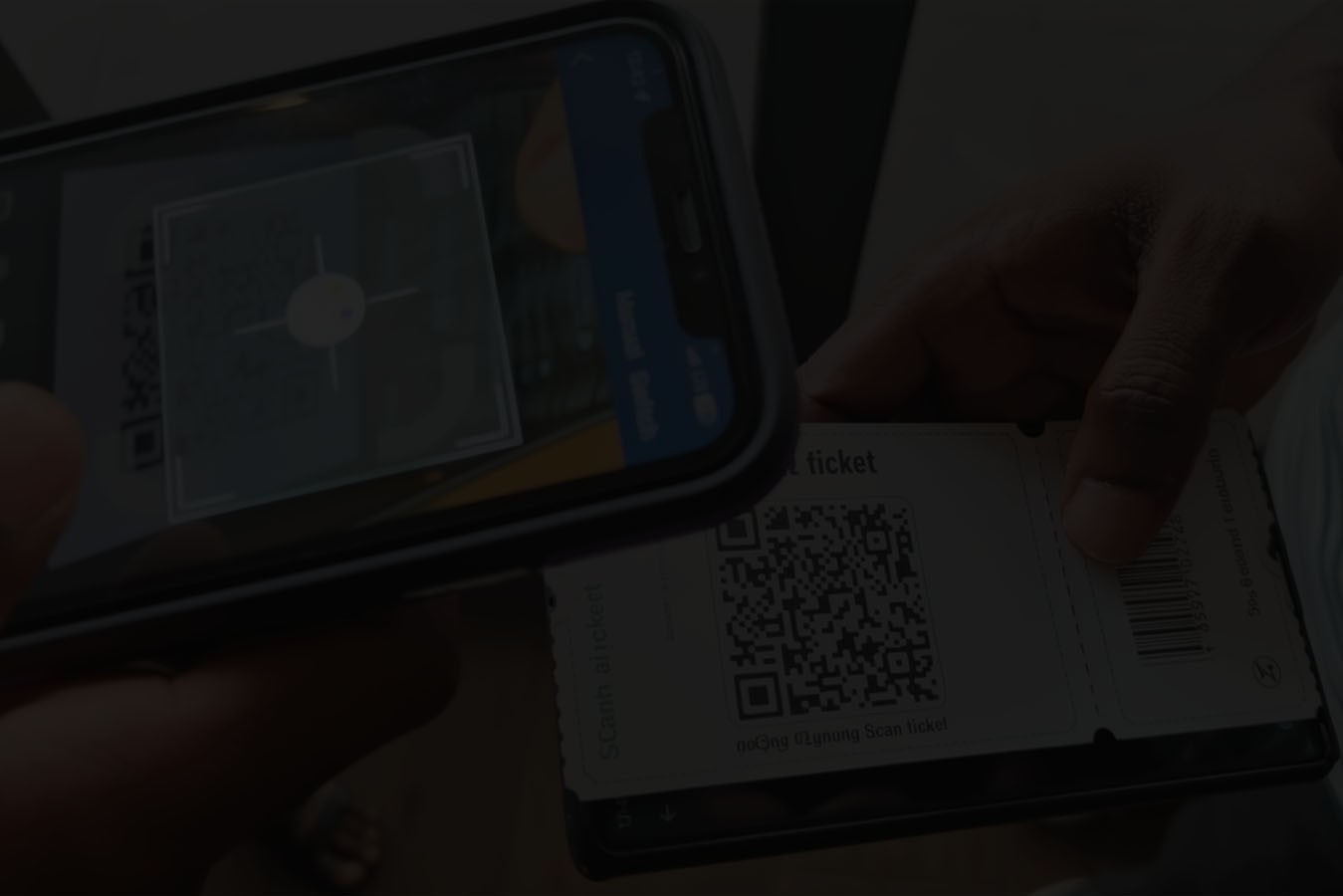
The InEvent Access App transforms iOS and Android phones into deterministic entry devices. It validates QR codes in under two seconds, enforces access rules locally, and syncs data using a fault-tolerant protocol. Entry teams scan tickets even when the network fails. Managers see real-time attendance the moment connectivity returns.
This guide documents the mobile architecture behind InEvent’s QR Code Entry App. It explains how offline validation works, how we prevent double scans, and how cross-platform design enables instant scaling. The focus is not convenience. The focus is operational certainty.Bring Your Own Device changes entry economics. Instead of renting scanners, organizers deploy volunteers with phones. Each phone becomes a scanning lane. Capacity scales with staffing, not inventory.
The InEvent Access App runs on iOS and Android. Volunteers install the app, authenticate, and scan. No provisioning. No pairing. No hardware shipping.
This model collapses setup time from days to minutes.
Modern camera APIs process QR codes rapidly. The app averages one scan every two seconds under normal lighting. This includes decode, validation, and UI feedback.
The app bypasses camera preview overhead and decodes frames directly. This reduces latency and CPU usage. Volunteers point the camera and move on.
Throughput remains consistent across devices.
As in-person events are back in full force, organizers need scalable solutions. Our app lets you deploy 50 scanning lanes instantly without renting hardware.
This elasticity matters during peak arrival windows. Staffing flexes. The system absorbs load.
Best Free Ticket Scanning App For Events
The InEvent Ticket Scanning App turns any iOS or Android device into a professional entry scanner. It includes offline validation, multi-session tracking, and real-time database syncing, allowing organizers to scale entry points without hardware rentals.
At medium-scale events, entry performance is defined less by average conditions and more by peak moments. The 20 minutes before a keynote, the rush before doors close, or the surge at a popular workshop are what stress-test the system. This is where a ticket scanning app must behave predictably, not optimistically.
Throughput is simple math with real-world consequences. If one phone processes a scan every two seconds, that is roughly 30 scans per minute per lane. Ten volunteers become ten lanes. Twenty volunteers become twenty lanes. Capacity scales with staffing, not equipment inventory. This elasticity is the core operational advantage of a mobile scanning architecture. You do not wait for hardware to arrive. You redeploy people.
But throughput is not only about raw speed. It is about consistency. Camera-based scanning can be fast, but only if the app avoids UI overhead, autofocus delays, and unnecessary network calls. The InEvent Access App decodes frames directly, validates locally, and renders feedback instantly. This keeps scan times stable across different devices and lighting conditions. Stable scan times mean predictable queues. Predictable queues mean controllable crowd flow.
Queue physics matter. Long lines are not just an experience issue; they are a space management and safety issue. Congestion near doors compresses foot traffic, blocks circulation paths, and increases stress for both staff and attendees. By increasing the number of active scanning lanes with devices already in volunteers’ pockets, organizers can spread arrival load across more entry points and shorten dwell time in pre-function spaces.
This is also where mobile scanning fits best: events that need flexibility more than industrial throughput. A 1,000–5,000 person conference, a multi-room workshop program, or a community festival typically does not need rugged laser scanners at every gate. What it needs is enough lanes, fast enough, deployed quickly, and managed simply.
Peak load planning becomes a staffing exercise instead of a logistics exercise. If arrivals spike, you assign more volunteers. If one entrance backs up, you move two people with phones to that door. The system absorbs load because the scanning layer is not constrained by physical inventory.
There is, of course, a ceiling. Stadium-scale events and high-security environments still require dedicated hardware for deterministic, industrial throughput. But for the large middle of the market, mobile scanning shifts the problem from “Do we have enough devices?” to “Do we have enough people?” That is a much easier variable to control.
In practice, this means entry stops being a fixed installation and becomes a fluid operation. Phones become lanes. Lanes become flow control. And flow control becomes something you can adjust in real time, not something you are locked into days before the event.
The app downloads the authorized guest list to the device during initialization. It stores records inside a Local SQLite Database encrypted at rest.
Each record includes ticket ID, access permissions, and scan state. The app does not store payment data or personal notes.
This local dataset enables full offline operation.
Camera API captures frame
Decoder extracts payload
App queries local database
App evaluates validity and rules
UI renders result instantly
The app does not wait for the network. Validation completes locally.
The InEvent Sync Protocol manages bidirectional updates. When connectivity exists, the app uploads scan events and downloads updates in the background.
Sync batches of data and compresses payloads. The app minimizes data usage and battery impact.
Offline scanning introduces collision risk. Two devices could scan the same ticket without network coordination.
We solve this with timestamp arbitration. Each scan includes a device timestamp and sequence number. When the backend receives conflicting scans, it accepts the earliest valid event and flags the later one.
The system preserves integrity without blocking offline use.
Speed without control creates risk. Any ticket scanning app that operates at scale must assume that misuse will happen: screenshots will be shared, tickets will be reused, and credentials will be tested at the edges. The system’s job is not just to scan quickly, but to enforce policy reliably—even when offline.
The most common fraud patterns are simple. Someone tries to enter twice. Someone shares a QR code screenshot. Someone attempts to use a credential outside its allowed context. The InEvent Access App addresses these through local rule enforcement combined with synchronized state across devices.
Every scan is validated against the local database first. If a ticket is already marked as used, the app blocks it immediately. If a ticket is valid only for a specific day, session, or zone, the app enforces that rule before granting access. This happens without waiting for the network. The device acts as a policy enforcement point, not just a reader.
Offline operation introduces a harder problem: collisions. Two devices could scan the same ticket while disconnected. The InEvent Sync Protocol resolves this using timestamp arbitration and sequence tracking. Each scan event carries device time and order. When the backend receives conflicting events, it accepts the earliest valid scan and flags the later one. This preserves data integrity without blocking offline entry.
Data protection is equally important. The local SQLite database is encrypted at rest and contains only the fields required for validation and access control. It does not store payment data or extraneous notes. If a device is lost, the data is not readable outside the app context. Roles further restrict what volunteers can see or do. Scan-only users cannot browse guest lists or export data. Supervisors can resolve exceptions. Administrators control configuration.
Auditability is a byproduct of this design. Every scan is a record: who entered, when, where, and with what credential. This matters for post-event reporting, incident review, and compliance in regulated environments. A consumer-grade scanner that only returns “valid” or “invalid” cannot provide this level of traceability.
The goal is not to add friction. The operator experience remains simple: point, scan, see green or red, move on. The complexity lives in the rules engine and synchronization layer, not in staff training or manual checks.
In this model, a phone is not a weak link. It is a governed endpoint. When combined with offline-first validation, collision-safe syncing, and role-based access, a mobile device becomes a reliable access control surface for medium-scale events.
Check-in validates first entry. The app marks the ticket as used and blocks reuse according to rules.
This mode suits front gates and main access points.
InEvent Check-Out Mode records exit events. The app logs timestamps when attendees leave a space.
This data supports continuing education credits, safety audits, and dwell analysis.
The app operates at room doors. Organizers assign sessions to scanners. The app enforces session-specific access and tracks attendance per room.
This enables granular analytics without additional hardware.
On tablets, kiosk mode locks the UI to attendee-facing screens. Staff rotate devices toward guests for self-scan workflows.
The OS restricts navigation. Volunteers cannot exit the app accidentally.
Many events are not single-gate, single-day experiences. Conferences span multiple days. Festivals operate across zones. Workshops run in parallel rooms. In these environments, entry is not a single decision. It is a sequence of decisions that change over time and space.
The InEvent Access App is designed to operate in these layered contexts. A credential can be valid on day one but not day two. It can grant access to the main hall but not to a breakout room. It can allow re-entry through one door but not through a restricted corridor. These rules are not baked into the QR code. They are enforced by the app using the event’s access model.
Session scanning is a practical example. Organizers assign specific sessions to devices. Volunteers stand at room doors and scan attendees as they enter. The app validates whether the credential includes that session and logs attendance. This produces accurate room-level data without additional hardware or paper lists.
Check-out mode extends this further. In spaces where exit time matters—training programs, continuing education, safety audits—the app records when attendees leave. This creates a time-based participation record rather than a simple presence flag.
Multi-day events benefit from the same architecture. The local database updates as days roll over. Access windows change. Rules shift automatically. Staff do not need new instructions. Devices do not need reconfiguration. The logic changes, and enforcement follows.
There is also an operational resilience benefit. Because devices work offline and sync later, scanning continues even when a particular building loses connectivity. Data reconciles when the network returns. Entry does not stop because Wi-Fi is unreliable.
For organizers, this means one app replaces multiple tools: front-gate check-in, session door scanning, exit tracking, and ad hoc access control. The same volunteer workforce can rotate between roles without retraining. The same devices can move between buildings without re-provisioning.
Complex events are not made simpler by adding more systems. They are made simpler by using one system that adapts to context. That is what a mobile, rule-driven scanning architecture provides.

The decoder reads multiple formats:
QR Code
PDF417
Code 128
Aztec
This covers tickets, badges, and transport passes.
The app scans tickets directly from Apple Wallet and Google Pay passes. Screen brightness and refresh rate do not degrade decode speed.
The decoder tolerates folds, glare, and partial damage. Adaptive thresholding compensates for low contrast.
This matters for home-printed tickets.
Organizers assign roles. Volunteers receive scan-only access. They cannot browse guest lists or export data.
Supervisors view metrics and resolve exceptions.
The app throttles background tasks and uses camera resources only during scanning. It releases hardware promptly after each scan.
This design sustains multi-hour shifts without draining devices.
A ticket scanning app is not just an entry tool. It is also a data collection layer. Every scan event is a time-stamped signal about how people are moving through the event. When synchronized back to the platform, these signals become operational intelligence.
InEvent aggregates scan events into real-time views for organizers and operations leads. Teams can see throughput by entrance, session attendance by room, and exception rates as they happen. If one door starts to lag, staff can be reassigned. If a session fills faster than expected, room plans can be adjusted. Decisions move from reactive to proactive.
This visibility also improves post-event outcomes. Attendance data becomes reliable at the session level, not just at the door. Sponsors receive accurate engagement numbers. Program teams see which rooms were over- or under-utilized. Marketing teams reconcile registration against actual participation.
From a systems perspective, the scanning app is part of a larger data flow. It syncs with the event’s registration database, CRM connections, and reporting layers— building on platform advancements that introduced major registration upgrades and Salesforce integration to strengthen enterprise data continuity. The goal is not to create another silo, but to ensure that on-site activity updates the system of record.
Because sync is incremental and batched, this happens without heavy data usage or battery drain. Devices push scan events when connectivity exists and pull updates in the background. The operational experience remains fast and local. The data experience remains centralized and coherent.
There is also a governance benefit. Centralized reporting means issues can be reviewed after the event with evidence: where queues formed, where exceptions occurred, and how access rules were enforced. This is valuable for internal reviews, venue partners, and compliance-driven environments.
In short, scanning is not just about letting people in. It is about running the event with visibility instead of guesswork.
The decision between mobile scanning and dedicated hardware is not about prestige. It is about fit. Medium-scale events optimize for speed, flexibility, and low overhead. In that context, turning phones into scanners is not a compromise. It is a strategic choice.
Start with cost. Hardware rentals introduce logistics, shipping, storage, and risk. Mobile scanning uses devices you already have. That shifts spend from inventory to staffing, which is usually easier to scale and control.
Then consider setup time. Hardware requires provisioning, pairing, and testing. The Access App installs in minutes. Volunteers authenticate and scan. Entry teams go live faster, with fewer failure points.
Risk also changes shape. Phones are more numerous, so the failure of one device has less impact. You swap in another and continue. With limited hardware, each device becomes a single point of pressure.
The tradeoff is throughput ceiling. At very high volumes, dedicated scanners still win. But for the broad middle of the market, mobile scanning hits the right balance between performance and simplicity.
The real return is operational leverage: fewer dependencies, faster setup, easier scaling, and reliable data.
Medium events demand speed and resilience without hardware logistics. The InEvent Access App meets that requirement through offline-first architecture, collision-safe syncing, and cross-platform deployment.
Phones become scanners. Volunteers become lanes. Entry scales instantly.
This is not a compromise solution. It is a deliberate mobile architecture designed to replace hardware where it makes sense and integrate seamlessly when it does not.
1. Does the app really work without internet?
Yes. The app uses an offline-first architecture. When you initialize devices, they download the authorized guest list and access rules into a local, encrypted database. Scans validate against this local data. If the network drops, scanning continues normally. When connectivity returns, the app syncs scan events back to the platform in the background.
2. How do you prevent the same ticket from being scanned twice on different phones?
Each scan event includes a device timestamp and sequence number. When the backend receives events, it applies timestamp arbitration. The first valid scan is accepted. Later conflicting scans are flagged. Locally, devices also block reuse once a ticket is marked as used. This preserves integrity without blocking offline operation.
3. How many devices can scan at the same time?
There is no practical limit at the app level. You can deploy as many phones as you have staff for. Each device operates independently and syncs in the background. Capacity scales with people, not hardware inventory.
4. Is it secure to use personal phones?
Yes. The app stores data in an encrypted local database and enforces role-based permissions. Scan-only users cannot browse guest lists or export data. The app does not store payment information. If a device is lost, it cannot be used outside the app context.
5. What happens if a phone battery dies mid-shift?
You replace the device and continue. Because there is no pairing or provisioning step, another volunteer can install the app, authenticate, and start scanning immediately. The system is designed for redundancy through numbers, not dependence on specific devices.
6. Can we use it for session and workshop entry, not just main check-in?
Yes. You can assign sessions to devices and scan attendees at room doors. The app enforces session-specific access and records attendance per room. This works online or offline and syncs later.
7. Does it scan tickets from Apple Wallet and Google Pay?
Yes. The decoder reads QR and other supported codes directly from phone screens. Brightness and refresh rate do not materially affect decode speed.
8. Can staff search by name if a ticket won’t scan?
Yes. The app includes manual lookup for edge cases such as damaged prints or screen issues. Access rules still apply to manual check-ins.
9. Is it fast enough for 1,000 to 5,000 attendee events?
Yes. Under normal conditions, the app averages about one scan every two seconds. With enough volunteers, you can create as many lanes as needed to absorb peak arrivals.
10. Can we mix this with hardware scanners?
Yes. The mobile app and dedicated scanners can operate against the same event database. This allows you to use phones for most entry points and reserve hardware for special cases or high-throughput zones.
11. Does it work on older phones?
Yes. The app supports devices back to iOS 14 and Android 10 with full offline functionality.
12. How much data does it use?
Yes. Sync transfers text-only records and uses minimal bandwidth.
13. Can I search by name?
Yes. The app includes manual lookup for edge cases.




