


One of our sales representatives will contact you shortly.
The modern trade show is a high-stakes ecosystem. It is a temporary city built in three days, inhabited for three days, and vanished in two. For the organizer, it is a logistical tightrope walk between throughput and data integrity. For the exhibitor, it is a frantic, expensive hunt for Return on Investment (ROI). In an era where “digital-first” is the baseline expectation, reliance on paper lists, spotty venue Wi-Fi, and disconnected legacy systems is not just an inconvenience—it is a liability that can cost you contracts.
Trade show organizers are no longer just event planners; they are data architects. The value of a show is no longer measured solely by the number of bodies in the hall, but by the efficiency of the connections made between those bodies. Did the buyer find the seller? Did the attendee find the session? Did the sponsor get the data they paid for?
This guide outlines the operational infrastructure required to run a seamless, high-volume exposition. We are moving beyond basic check-in; we are discussing an industrial-grade Trade Show Check-In Software ecosystem that survives the chaos of the “9 AM Rush.” We will explore how an integrated Exhibitor Lead Retrieval App—built on InEvent’s lead management and CRM software—turns foot traffic into revenue, how a dynamic Expo Floor Map App monetizes navigation, and how Offline Badge Printing saves your reputation when the internet inevitably fails.
At InEvent, we don’t just support trade shows; we engineer the backbone of the exhibition floor. This blueprint builds on proven practices for lead generation at events and conferences—where data capture, attribution, and real-time engagement determine whether a show delivers pipeline or just impressions.

It is 8:50 AM. The keynote, featuring an industry celebrity, starts at 9:00 AM. Outside your doors, 5,000 attendees are waiting. They have traveled from around the world, they are caffeinated, they are holding luggage, and they are impatient. This is the "9 AM Rush."
In this critical 60-minute window, your registration technology faces its ultimate stress test. The math of the rush is unforgiving. If your check-in process takes 45 seconds per person, and you have 10 stations, you can process roughly 800 people an hour. With 5,000 people waiting, your queue will span three city blocks, and the last person will enter the floor at 2:00 PM. That is a failed event before it has even begun.
Furthermore, the friction at the entrance sets the emotional tone for the entire event. A frustrated attendee who spends 40 minutes in line enters the expo floor with a closed wallet and a short temper. A seamless, 10-second entry primes them for engagement.
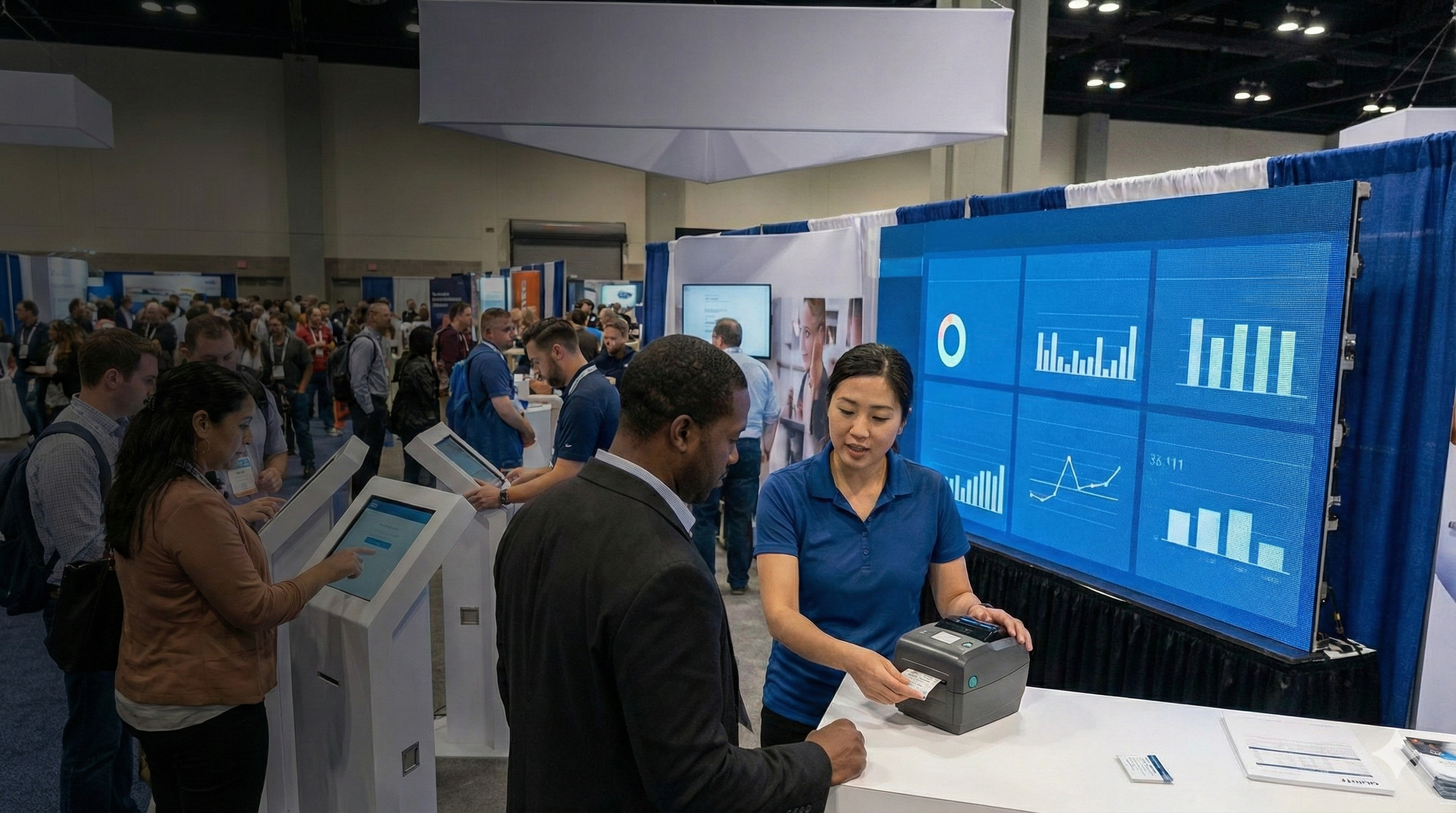
The solution to the rush is not more temporary staff fumbling with laptops; it is superior, autonomous technology. InEvent deploys an Offline-First Kiosk architecture designed for one single metric: Throughput.
Our operational standard is the "10-Second Rule." From the moment an attendee approaches a kiosk to the moment they walk away with a printed, encoded badge, the process must take less than 10 seconds. This is achieved through our Self-Service Pods.
The single greatest point of failure in modern events is the venue internet. Convention centers are notorious for "dead zones" and bandwidth throttling. When 5,000 attendees arrive, they all connect their phones to the Wi-Fi simultaneously, creating a "packet storm."
Most legacy check-in providers rely on a constant cloud connection to validate QR codes against a central server. When the packet storm hits, the cloud lookup fails. Latency spikes. The printer pauses, buffering. The line stops. Panic sets in.
InEvent is fundamentally different. Our Kiosk App is engineered with an Offline-First philosophy:
Local Caching: The entire encrypted attendee database is downloaded locally to the iPad’s storage before the doors open.
Zero-Latency Verification: When a QR code is scanned, the verification happens on the device’s processor, not in the cloud. It takes 0 milliseconds.
Instant Command: The print command is sent via Bluetooth or direct cable to the printer instantly. There is no round-trip signal to a server in Virginia.
Background Sync: The device records the check-in locally. It uploads the data to the cloud in the background only when bandwidth allows. If the internet cuts out completely, the line keeps moving without a hiccup.
We do not force proprietary, expensive, heavy hardware on you. Proprietary kiosks are nightmares to ship (drayage costs alone can break a budget) and expensive to repair. InEvent’s kiosk software runs on standard hardware that you can rent locally or own:
Tablets: Standard iPads or Android tablets.
Printers: Industry-standard thermal printers like Zebra (ZD series) and Brother.
Stands: Lightweight, brandable iPad stands.
This allows you to scale up your entrance hardware without massive capital expenditure. You can deploy 50 kiosks for the morning rush to handle the wave, and then repurpose 30 of those iPads for session scanning or lead retrieval in the afternoon. It is an agile inventory model.
Typos happen. Names change. Titles get promoted. A major bottleneck at traditional expos is the "Help Desk" line for badge corrections. If "Michael" is spelled "Mchael," he cannot wear that badge. In a traditional setup, he has to leave the fast lane, go to the Help Desk, wait for a staff member to open the admin panel, edit the record, and reprint. This takes 5 to 10 minutes.
InEvent kiosks allow for controlled self-editing. When the attendee scans their QR code, they see a preview of their badge on the iPad screen.
Is this correct?
If No: They tap "Edit," fix the typo on the touchscreen keyboard, and hit "Print."
Control: You can lock specific fields (like "Company Name" or "Ticket Type") to prevent fraud, while allowing them to fix their First/Last name.
This feature alone reduces Help Desk traffic by approximately 60%, allowing your staff to focus on genuine issues rather than correcting typos.
Most “rush failures” don’t happen because technology fails. They happen because the human system isn’t engineered with the same rigor as the software. The fastest kiosks in the world cannot compensate for poorly structured flow, unclear signage, or untrained staff improvising under pressure.
Treat the entrance like an airport checkpoint, not a casual registration table. You need designated queue marshals, clear split-lanes for pre-registered vs. onsite buyers, and a strict “no troubleshooting in the fast lane” policy. If something breaks, the line never stops, the person simply steps aside while the wave continues.
The only acceptable outcome in the first 60 minutes is continuity. Your credibility as an organizer is established in those opening minutes, and once trust is lost, you will spend the rest of the show trying to earn it back.

Let’s be brutally honest: The exhibitors are the ones paying the bills. They have spent tens of thousands of dollars on floor space, booth construction, travel, hotels, and drayage. In return, they demand one thing and one thing only: Leads.
The "Lead" is the currency of the trade show. If an exhibitor meets a qualified prospect—a whale who wants to sign a $500k contract—but cannot scan their badge because the scanner is out of battery, the interface is confusing, or the data doesn't sync, you have failed your primary customer.
The era of collecting business cards in a fishbowl is over. It is inefficient, the data entry is prone to error, and it lacks context. Exhibitors expect digital immediacy, CRM integration, and analytics.
InEvent provides a Lead Retrieval solution that empowers exhibitors to capture, qualify, and export data instantly. We move beyond the clunky, rented gun-scanners of the past and embrace a BYOD (Bring Your Own Device) approach, though we fully support rental hardware for those who prefer it.
Speed is just as critical on the floor as it is at the entrance. But on the floor, context is king. A list of 500 names is useless if the sales rep doesn't know who wanted a demo and who just wanted a free pen.
Our scanning flow is designed for the rapid-fire nature of trade show interactions:
Scan: The exhibitor uses their own smartphone camera (iOS or Android) to scan the attendee’s QR badge. The app utilizes the device's native camera API for instant focus and recognition, even in low-light exhibition halls.
Identify: Profile data (Name, Company, Title, Email, LinkedIn Profile) populates instantly on the screen.
Qualify: With one tap, the exhibitor rates the lead (Hot, Warm, Cold). These tags are customizable by the exhibitor admin before the show (e.g., "Distributor," "End User," "Press").
Contextualize: This is the game-changer. Voice-to-text notes allow the sales rep to dictate details immediately: "Interested in the Q4 enterprise package, worried about implementation time, wants a demo with Sarah next Tuesday."
Action: The app allows the exhibitor to send a pre-loaded digital brochure or "Thank You" email instantly, while the prospect is still standing there.
For the VP of Sales back at the exhibitor's HQ, blind trust is not enough. They need visibility. InEvent provides a real-time "Team Dashboard" accessible via web or mobile.
The Exhibitor Admin can see exactly how many scans their team has performed on the floor, live.
Performance Metrics: Who is the top performer? You can gamify the booth experience. If "John" has 50 scans and "Lisa" has 10, the manager knows where to direct coaching.
Traffic Analysis: What creates traffic spikes? Correlate scan volume with booth activities. Did the 2:00 PM product demo generate a spike in "Hot" leads?
ROI Calculation: The system can automatically calculate Cost-Per-Lead (CPL) based on the booth cost and the number of qualified scans.
The most critical moment of lead retrieval is the export. In the old world, exhibitors received a CSV file via email three days after the show ended. They would then spend two days formatting it and importing it. By the time the sales team called the leads, five days had passed. The lead was cold.
InEvent integrates natively with major CRMs (Salesforce, HubSpot, Marketo, Dynamics 365).
Instant Sync: A "Hot" lead scanned on the floor at 10:00 AM can be synced to the exhibitor’s Salesforce instance by 10:05 AM.
Automation: This can trigger an automated workflow in the exhibitor's marketing automation platform. The attendee receives a personalized follow-up email before they have even left the convention center.
Mapping: We allow custom field mapping. If the exhibitor uses a custom field in Salesforce called "Buying_Horizon," they can map the Lead Capture app's custom question to that specific field.
This "Speed to Lead" capability is your strongest selling point when pitching booth packages to potential exhibitors.
The reality is simple: exhibitors do not churn because of the venue, the carpet, or the keynote. They churn because they did not generate measurable pipeline. Lead retrieval is not a “nice-to-have add-on.” It is the financial engine that determines whether exhibitors renew, upgrade, or walk away.
The most common failure scenarios are painfully predictable: scanners run out of battery mid-conversation, staff forget to sync data, leads export with missing emails, or worst of all, the team returns home with thousands of unqualified scans that no one can meaningfully prioritize. A credible system eliminates all of that uncertainty.
When exhibitors trust the data, they increase investment next year. When they don’t, they cut booth sizes or move budget to digital channels. Lead retrieval isn’t a feature. It is the survival mechanism of your show.

A trade show floor is a tiered environment. It is not a free-for-all. You have General Admission holders, VIP Buyers, Press, Speakers, and Exhibitors. You also have breakout sessions, keynote theaters, and certification courses that require specific tickets.
Controlling who goes where—and tracking who went where—is essential for security, compliance, and high-level sponsorship data.
InEvent transforms the standard check-in device into a sophisticated Access Control Unit. By switching the mode on the InEvent app, a standard phone or tablet becomes a security gate.
Using the same database that printed the badge, our handheld scanning app enforces complex logic gates at every door.
The VIP Lounge: When staff scans a badge at the velvet rope, the screen flashes Green (Authorized) or Red (Access Denied) instantly. The denial screen explains why (e.g., "Ticket Tier Low" or "Wrong Day").
The Press Room: Access is restricted strictly to attendees tagged as "Media" or "Analyst."
Capacity Management: The app tracks total distinct scans for a room in real-time. If the Fire Marshal sets a capacity of 200 for a workshop room, the system alerts your operations team when the room hits 190. At 200, the scanners can be set to automatically deny entry.
For medical, legal, and technical trade shows, attendees often require Continuing Education (CE) or Continuing Medical Education (CME) credits to maintain their professional licenses. The auditing requirements for these are strict. Paper sign-in sheets are prone to fraud, illegibility, and loss.
InEvent provides a defensible digital audit trail.
Scan In / Scan Out: We track the exact timestamp of entry and exit.
Duration Calculation: The system automatically calculates total minutes attended. If a session is 60 minutes and the accreditation board requires 50 minutes of attendance to qualify, the system flags attendees who left early to take a call.
Automated Certification: Post-event, the system can automatically generate and email PDF certificates to only those attendees who met the time requirements, removing weeks of administrative work for your team.
Sponsorship is evolving from "Brand Awareness" (logo on a banner) to "Attribution" (who saw my content?).
If Samsung sponsors your "Future of Tech" theater session, they will want to know exactly who attended. Estimates ("The room looked full") are not acceptable.
With session scanning, you can provide the sponsor with a granular, anonymized (or opted-in) report:
"450 people attended the session."
"30% were C-Level Executives."
"40% were from the Retail sector."
"The average dwell time was 45 minutes."
This data validates their sponsorship spend and provides them with a highly targeted retargeting list for their own marketing efforts.
Access control and session verification are not only operational conveniences; they are compliance safeguards. Many industries operate under regulatory expectations that require defensible attendance logs, provable session participation, and consistent enforcement of restricted areas.
If an incident occurs, whether security-related, medical, or legal, the ability to reconstruct exactly who was present, when they entered, and how long they stayed becomes critical. Paper records collapse instantly under scrutiny. Digital logs, with timestamps and device signatures, hold up.
This turns your platform into more than an engagement layer; it becomes part of the event’s risk management posture. When legal departments and compliance teams trust your data, your perceived professionalism and your value increase significantly.
Modern convention centers are cavernous. A 400-booth expo is a labyrinth of pipe and drape. An attendee looking for a specific vendor (e.g., "Where is the Oracle booth?") can spend 20 minutes wandering aimlessly.
This friction is costly.
Attendee Fatigue: Walking miles in circles makes attendees tired and less likely to engage.
Missed Connections: If they can't find a booth easily, they give up.
Traffic Imbalance: Without guidance, traffic tends to cluster near the entrance, leaving booths in the back corners ("dead zones") empty. Exhibitors in dead zones do not renew.
The InEvent Expo Floor Map App is not a static PDF or a JPEG that you have to pinch-and-zoom. It is a GPS-like experience for the indoors, fully integrated into the event mobile app, part of the comprehensive event platform that lets you manage maps, navigation, and engagement all in one system.
We ingest your CAD drawings and booth manifests to convert them into interactive, mobile-responsive maps using the Interactive Map Creator that attendees actually use to find their way around large venues.
Search & Locate: An attendee types "Cloud Storage," and the map pins and highlights every vendor in that category.
Routing: The app shows the path from the attendee’s current location (e.g., "You are at the Entrance") to the destination booth.
Booth Profiles: Tapping a booth number on the map opens the exhibitor's rich profile, showing their products, downloadable brochures, and the ability to book a meeting instantly.
As an organizer, the floor plan is your real estate. Interactive floor plans are now a core best practice for driving exhibitor ROI because they turn navigation into value, helping you sell premium visibility and curated routes that guide attendees to key partners.
InEvent allows you to monetize the digital map just as you monetize the physical floor. This opens up new revenue streams that can cover the cost of the software itself.
Sponsored Pins: Sell "Premium Visibility" packages to top-tier exhibitors. Their logo appears larger on the map, or their booth pin pulses to attract attention.
Highlighted Routes: Create curated experiences like "The Innovation Trail," "The Green Tech Walk," or "The Startup Alley." You sell inclusion in these curated paths to relevant exhibitors. Attendees follow the digital route, ensuring traffic flow to specific areas.
Location-Based Notifications: (Requires Bluetooth Beacons). You can trigger location-based alerts. When an attendee walks into Hall B, they receive a push notification: "You are near the Ford booth. Stop by for a free consultation and a coffee."
How do people actually move through your show? Do they turn left or right? Which aisles are bottlenecks?
By aggregating app location data, InEvent generates post-event heatmaps.
Operational Insight: You discover that Aisle 400 was a choke point. Next year, you widen that aisle.
Sales Insight: You discover that the "back corner" actually had high dwell time because of the food court next to it. You can now sell those "cheap" booths at a premium next year, backed by data showing high traffic.
Wayfinding isn’t just about convenience, it is about behavior shaping. When attendees do not know where to go, they default to the nearest visual stimulus, which creates congestion at the front of the hall and starvation conditions elsewhere.
A smart navigation layer evens the economic playing field. It distributes opportunity. Exhibitors in historically “weaker” locations suddenly gain predictable traffic because discovery becomes intentional, not random. This fundamentally changes your sales narrative.
You are no longer just selling floor space — you are selling engineered visibility, guaranteed exposure paths, and data-backed proof of value. When exhibitors see that the map doesn’t just inform navigation but actively drives commerce, your floor plan becomes not just space… but strategy.
Implementing a new technology stack for a massive event can be daunting. You are replacing the engine of the car while it is driving 100 mph. You need assurance of stability, compatibility, and support.
To ensure success, we recommend the following deployment schedule:
T-Minus 60 Days:
Finalize badge design (artwork, dimensions, variable fields).
Upload initial exhibitor list for the floor map.
Define attendee types and logic (e.g., VIPs get access to X, Y, Z).
T-Minus 30 Days:
Configure the Lead Retrieval questions.
Send "Exhibitor Portal" invites so exhibitors can purchase licenses and assign team members.
Order badge stock and lanyards.
T-Minus 7 Days:
Hardware delivery and testing.
Pre-load the Kiosk App with the database.
On-site staff training (The "Train the Trainer" model).
Day Zero (Setup Day):
Full "Dry Run." Simulate the 9 AM rush with staff.
Test printer speeds and network failover.
Your trade show is too important to leave to chance. The "9 AM Rush" is coming. The exhibitors are waiting for their ROI. The sponsors are demanding data.
You have two choices: You can hope the internet holds up and the lines move, or you can engineer a system that guarantees it. Equip your operations team with the only platform robust enough to handle the volume, the complexity, and the demands of the modern expo.
Contact InEvent today to schedule a stress-test demo of our Onsite Technologies.
Q: Can exhibitors use their own phones for lead retrieval?
A: Yes. The InEvent Lead Capture app is available on both iOS and Android. This "Bring Your Own Device" (BYOD) model dramatically reduces your logistics. You don't have to rent, ship, charge, and distribute 500 proprietary scanners. Exhibitors simply download the app, log in, and start scanning. We also support rental hardware for exhibitors who prefer not to use personal devices.
Q: Do you support NFC (Near Field Communication) badges?
A: Absolutely. While QR codes are the industry standard for visual scanning and cost-efficiency, we support NFC encoding for "Tap-and-Go" access control and session tracking. This provides a higher-end, frictionless experience often preferred by luxury or high-security events.
Q: What if the venue Wi-Fi is prohibitively expensive or unreliable?
A: This is InEvent’s core strength. Our Offline-First architecture means you do not need to purchase expensive, dedicated hardlines for every kiosk. The devices store data locally and sync only when a connection is available. For a 50-kiosk deployment, this can save you upwards of $20,000 in venue internet costs while providing higher reliability.
Q: Can we customize the badge design?
A: Yes. Our badge designer allows full customization using a drag-and-drop interface. You can print full-color logos, designate different color stripes for different attendee types (e.g., Red for Exhibitor, Blue for Buyer), and include personalized schedules, agendas, or Wi-Fi codes on the reverse side of the badge.
Q: How does this data help me sell next year's show?
A: Data is your most valuable asset. Post-event, InEvent provides a comprehensive "Show Report." You will know exactly when peak arrival occurred, which booth was the most visited, which session had the highest engagement, and the total volume of leads generated. You slide this report across the table to your top exhibitors to lock in their sponsorship for the following year.
Q: How to manage trade show registration lines efficiently?
A: The industry standard for preventing long queues is maintaining a Kiosk-to-Attendee ratio of 1:150 for the peak arrival hour. For an event expecting 3,000 arrivals between 8:00 AM and 9:00 AM, you require a minimum of 20 self-service print stations. To ensure zero downtime, use Offline-First Badge Printing software (like InEvent) to process check-ins locally, eliminating reliance on unstable venue Wi-Fi. Additionally, implementing a "flight-boarding" strategy—assigning specific arrival windows to different ticket tiers—can smooth out the arrival curve.




