


One of our sales representatives will contact you shortly.
Events don’t fail because of bad speakers or weak attendance. They fail quietly, after the event, when the data never makes it into the systems that actually drive revenue.
When CRM integration is weak, event teams do a ton of work that never compounds. Registrations sit in one platform. Check-ins live somewhere else. Session data gets summarized in a slide deck. Sales gets a spreadsheet days later. By the time follow-up happens, momentum is gone and intent is cold.
That’s the real cost of disconnected event data. Not just inefficiency, but lost revenue you can’t even see.
For years, “we exported a CSV” was considered good enough. It isn’t anymore. Modern event programs run across dozens of events, multiple regions, and long sales cycles. Manual exports introduce delays, duplicates, broken ownership rules, and zero confidence for Sales or RevOps. Once data leaves the event platform as a file, it’s already stale.
CRM systems exist for one reason: to be the system of record for customer relationships and revenue. If event data doesn’t land there cleanly, in the right objects, with the right context, it might as well not exist. Attendance without validation. Leads without engagement signals. Conversations without attribution.
This is why CRM integration is no longer a “nice to have” feature in event technology. It’s the backbone of modern event programs. The bridge between what happens on the show floor and what happens in pipeline reviews. The difference between events being seen as a cost center or a growth engine.
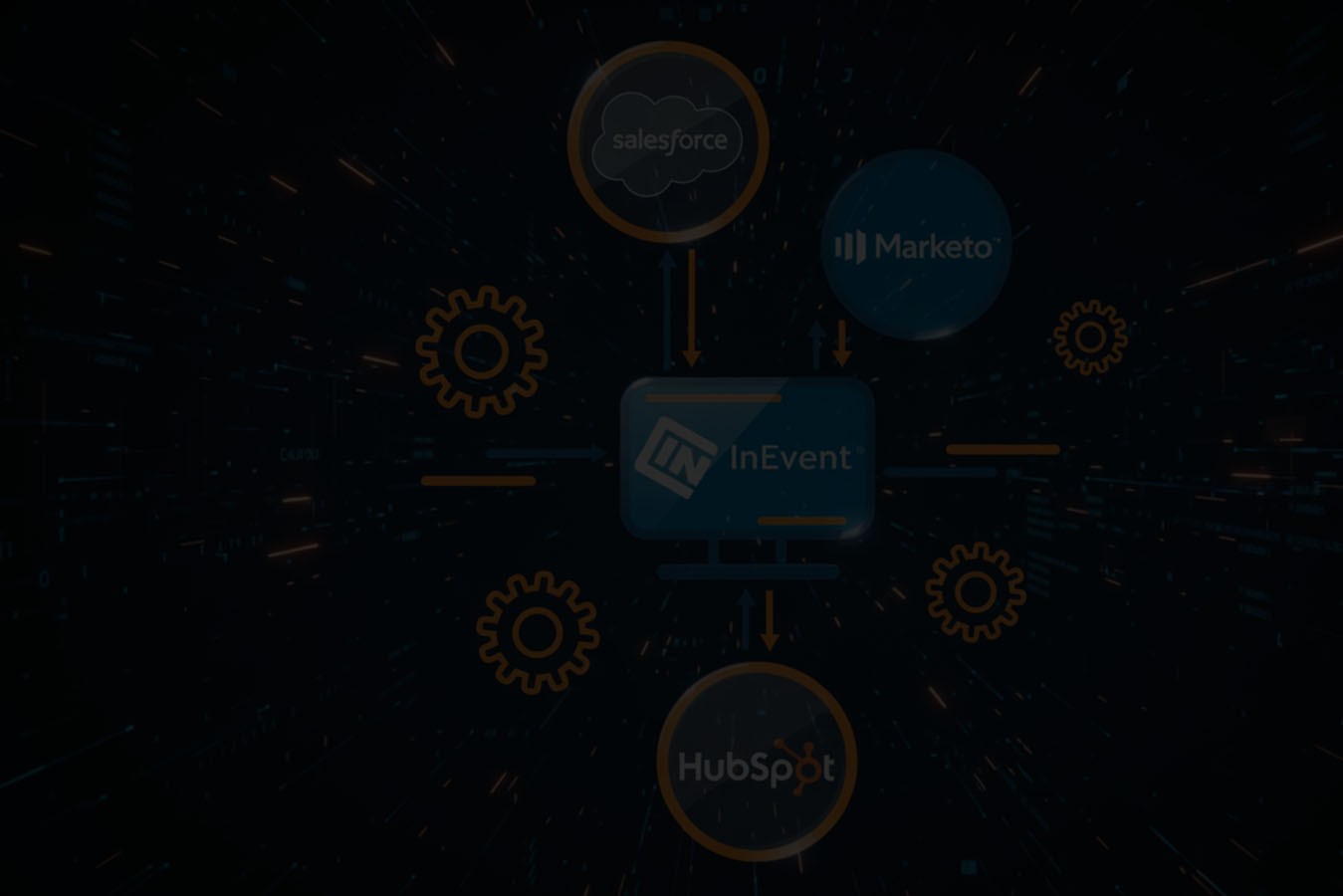
Platforms like InEvent treat CRM integrations as infrastructure, not add-ons. Event activity flows directly into systems like Salesforce, HubSpot, and Microsoft Dynamics, turning registrations, check-ins, sessions, and interactions into revenue-ready CRM data your teams can actually use.
If your events are meant to drive pipeline, your CRM has to be part of the event itself—not something you “deal with later.”
Events generate some of the richest first-party data a company will ever collect. You’re capturing who showed up, what they cared about, who they met, what sessions they stayed for, and how engaged they actually were. This is not vanity data. This is buying-signal data.
But without CRM integration, most of that value dies the moment the event ends.
It sits in dashboards that only the event team ever sees. It lives in recap decks that never reach Sales. It gets summarized into “hot,” “warm,” and “cold” labels with no real context behind them. By the time the data reaches the CRM—if it reaches the CRM at all—it’s stripped of the detail that made it powerful in the first place.
That’s when the real problems start.
Follow-ups get missed because Sales never sees attendance in real time. Lead ownership becomes messy because event platforms don’t know your account rules. Marketing can’t tell which campaigns actually influenced pipeline. RevOps can’t trust the data, so they don’t report on it. Everyone ends up questioning the value of events, even when the room was full and the conversations were strong.
This isn’t a people problem. It’s an infrastructure problem.
Modern event programs sit directly inside the revenue engine. They influence deals already in motion. They create new opportunities. They accelerate late-stage conversations. Treating events as “brand activities” instead of revenue infrastructure is what breaks the loop.
When CRM integration is missing or weak, teams fall back on manual handoffs. Spreadsheets get emailed. Notes get copied and pasted. Someone is responsible for “cleaning the list.” Every handoff introduces delay, error, and friction. By the time Sales acts, the intent window has already closed.
Clean CRM integration removes that friction. Event data flows directly into the system your revenue teams already trust. Leads and contacts are updated automatically. Attendance and engagement are visible where deals are managed. Attribution becomes possible because events are connected to campaigns, opportunities, and accounts—not floating outside the system.
This is why CRM integration is no longer optional. Not for enterprise teams. Not for field marketing. Not for anyone measured on pipeline and revenue.
Platforms like InEvent are built with this reality in mind. Events aren’t a side channel. They’re a core input into revenue operations. And without a strong CRM connection, even the best events will always look smaller than the impact they actually created.
If events matter to your business, your CRM has to know they happened.
Most event platforms say they “integrate with your CRM.” In practice, that phrase gets stretched so far it barely means anything anymore. So let’s be clear.
CRM integration is not an export: Sending a CSV after the event is over is not integration. That’s a manual backup plan. The moment data leaves your event platform as a file, it loses context, timeliness, and trust. Someone has to upload it, clean it, dedupe it, and guess where it belongs. By then, intent has cooled.
CRM integration is also not a one-way push: Pushing a list of registrants into your CRM without understanding how records already exist creates more problems than it solves. You end up with duplicates, broken ownership rules, and sales reps who don’t trust what they’re seeing.
And it’s definitely not just syncing an email list: Email addresses alone don’t drive revenue. Context does. Who attended. What they engaged with. Whether they showed up. Who they met. That’s the difference between noise and signal.
Real CRM integration in event tech starts with bi-directional sync. That means the event platform and the CRM talk to each other continuously. The CRM informs how records are created or updated, and event activity feeds back into those same records in a structured way.
From there, you need object-level mapping. Leads, contacts, accounts, campaigns, activities, and custom objects all serve different purposes inside a CRM. Event data has to land in the right place, not dumped into a single catch-all field.
Then comes field-level control. This is where most integrations fall apart. You need to decide exactly which fields are written to, when they’re updated, and what happens if data already exists. Without that control, RevOps can’t enforce standards, and Sales stops trusting the system.
Timing matters too. Real-time updates allow sales teams to see attendance and engagement while an event is still happening. Scheduled updates might work for reporting, but they delay action. Strong integrations support both, depending on the use case.
Finally, there’s the structural reality of CRMs themselves. Leads are not contacts. Accounts are not attendees. Activities, campaigns, and custom objects all play different roles in attribution and reporting. A real integration respects those differences instead of flattening everything into a list.
This is where platforms like InEvent stand apart. CRM integration isn’t treated as a connector. It’s treated as data architecture. Event activity is designed to flow into CRM systems the same way revenue teams already work—cleanly, predictably, and without manual intervention.
If your CRM is your source of truth, your event integration has to behave like it understands that.
One of the biggest mistakes teams make with CRM integrations is assuming all event data deserves a place in the CRM. It doesn’t. CRMs are built to support action and decision-making, not to store every possible data point an event platform can generate.
The goal is simple: sync actionable signals, not noise.
This is the foundation. Registration data confirms intent and identity. Name, role, company, region, and registration type give Sales and Marketing immediate context. When this data syncs correctly, it enriches existing records instead of creating duplicates. Without integration, teams are left guessing who actually registered versus who already existed in the CRM.
Showing interest is one thing. Showing up is another. Attendance data is one of the most critical signals an event can produce. Check-in validation confirms real engagement and should update CRM records accordingly. This prevents Sales from chasing no-shows and allows follow-up to prioritize people who actually invested time.
Not all attendees are equal. Session-level participation tells you what someone cared about, how deep they went, and where their interests lie. When session data syncs to the CRM, it gives Sales talking points and gives Marketing segmentation power. Without it, follow-up becomes generic and disconnected from the actual event experience.
Badge scans, booth visits, and physical interactions are strong indicators of buying intent—especially at in-person events. These moments shouldn’t live in a separate app or spreadsheet. When synced properly, they create activity history that Sales can reference immediately, not weeks later when the moment has passed.
Booked meetings, introductions, and networking interactions show proactive intent. These are high-value signals that deserve visibility inside the CRM. They help Sales understand who took initiative, who connected with partners, and who moved beyond passive attendance into real conversation.
Engagement scoring helps summarize complex behavior into something usable. It’s not about overwhelming the CRM with raw data. It’s about translating activity into signals that support prioritization. High engagement should trigger faster follow-up. Low engagement should inform nurturing, not immediate outreach.
Here’s the key principle: not all data is equal. CRMs work best when they receive structured, meaningful signals that support pipeline movement. Dumping everything into the system creates clutter, not clarity.
Platforms like InEvent are designed around this reality. Event data is filtered, structured, and synced with intent—so revenue teams see what matters, when it matters, without having to dig.
When event data is treated with the same discipline as revenue data, events stop being hard to measure and start being easy to act on.

CRM integrations only matter if they work the way revenue teams actually operate. That’s the design principle behind InEvent. The goal isn’t to move data for the sake of it. The goal is to move clean, structured, usable event data into the CRM systems your teams already trust.
InEvent offers native integrations with leading CRM platforms, including Salesforce, HubSpot, and Microsoft Dynamics. These aren’t bolt-on connectors or third-party sync tools. They’re built to align event workflows with CRM logic from the start. That means registration, attendance, engagement, and interaction data are designed to land where Sales, Marketing, and RevOps already work every day.
You can see the full integration ecosystem on InEvent’s integrations hub
Events don’t happen in batch files. Conversations happen live. InEvent supports real-time CRM sync so attendance, check-ins, and interactions can update CRM records while the event is still happening. Sales teams don’t have to wait for a post-event upload to act on high-intent signals.
At the same time, scheduled syncs are available where reporting or governance requires it. The point is flexibility without losing control.
This is where enterprise teams usually get burned—and where InEvent puts in the work. You decide how event data maps to CRM objects. Leads stay leads. Contacts stay contacts. Campaigns, activities, and custom objects are respected, not flattened.
Field-level mapping ensures data goes exactly where it belongs, with clear rules around updates versus creation. This gives RevOps confidence that event data won’t break reporting or automation downstream.
Duplicate records kill trust fast. InEvent integrations are built to respect existing CRM ownership rules and identifiers. Instead of blindly creating new records, event data enriches what already exists whenever possible.
This protects account ownership, avoids duplicate leads, and ensures Sales doesn’t end up with conflicting records after every event.
Enterprise events don’t live in isolation. InEvent supports event-level logic—what happened at this specific event—as well as account-level visibility across multiple touchpoints.
This matters for long sales cycles. One event might not close a deal, but five interactions across different events might. When CRM integrations reflect that reality, attribution becomes clearer and events become easier to defend in pipeline reviews.
InEvent’s CRM integrations are no-code to configure, but they’re not simplistic. Field mapping, sync rules, and permissions are handled without custom development, while still meeting enterprise expectations around security and governance.
You can explore specific CRM integrations here:
Salesforce: https://inevent.com/en/salesforce-contacts-campaigns-leads.php
HubSpot: https://inevent.com/en/integrations/hubspot-integration.php
Microsoft Dynamics: https://inevent.com/en/microsoft-dynamics-integration.php
The result is an integration layer designed for complex event programs—multiple regions, multiple teams, multiple CRMs, and real revenue accountability.
When CRM integration works this way, events stop feeling disconnected. They become a natural, trusted input into the revenue engine. And that’s when booking a meeting to see it live becomes an easy decision.

CRM integrations only create value when they respect how each CRM is actually used. Sales teams don’t work the same way in Salesforce as they do in HubSpot. Enterprise teams running Microsoft Dynamics have entirely different governance and reporting needs. That’s why effective event CRM integration isn’t one-size-fits-all.
This is where InEvent takes a platform-aware approach—aligning event data with the operating logic of each CRM, not forcing teams to adapt their process after the fact.
Salesforce is built around pipeline, accounts, and long sales cycles. Event data only matters if it supports those outcomes.
With Salesforce integration, event activity flows into the CRM in a way Sales teams immediately understand. Registrations and attendees are associated with the right leads and contacts. Events are connected to campaigns. Check-ins, session participation, and interactions become activities that sales reps can actually see and reference.
This gives Sales real visibility into event engagement. Instead of hearing “they attended our conference,” reps can see how someone engaged, what they attended, and when it happened. That context changes follow-up conversations and improves timing.
Pipeline attribution also becomes clearer. Events are no longer isolated marketing efforts. They’re tied to Salesforce campaigns and opportunities, allowing RevOps to see how events influence deals across stages.
InEvent’s Salesforce integration is designed to support this structure without breaking existing rules around ownership, campaigns, or reporting.
You can explore the Salesforce integration details here:
HubSpot teams care deeply about lifecycle stages, automation, and handoff between marketing and sales. Event data needs to reinforce those flows, not disrupt them.
With HubSpot integration, event registrations and attendance update contact records in a way that supports lifecycle progression. Someone who attends an event isn’t just “on a list.” Their status can change based on real behavior, not assumptions.
This creates a cleaner marketing and sales handoff. Marketing can segment based on actual event engagement. Sales can prioritize outreach knowing who showed up, who interacted, and who took meetings.
Event-triggered workflows are another key advantage. Attendance, session participation, or meetings can trigger follow-up actions automatically—emails, tasks, or internal notifications—without manual intervention.
InEvent’s HubSpot integration is built to support these workflows while maintaining data accuracy and control.
Microsoft Dynamics is often used by enterprise organizations with complex structures, internal events, and strict compliance requirements. Event data must follow clear governance rules to be trusted.
With Dynamics integration, InEvent supports both external and internal event use cases. Attendance and engagement data roll up at the account level, supporting account-based visibility across departments and regions.
This matters for organizations running large internal conferences, partner events, or government and regulated programs. Data access, permissions, and auditability aren’t optional—they’re required.
InEvent’s integration with Microsoft Dynamics respects these constraints. Event data flows into the CRM in a controlled, predictable way, supporting compliance and long-term reporting without creating data sprawl.
More details on the Dynamics integration are available here
The takeaway is simple. CRM integrations only work when they align with how teams already operate. Salesforce, HubSpot, and Microsoft Dynamics each demand a different approach. When event data fits naturally into those systems, events stop being “extra work” and start becoming a reliable input into revenue and decision-making.
Not all CRM syncs are created equal. One of the most important decisions event teams make is when event data should flow into the CRM. The difference between real-time sync and post-event batch sync isn’t technical—it’s operational.
Real-time sync means event activity updates CRM records as it happens. Check-ins, badge scans, meetings, and engagement signals appear in the CRM while the event is still live.
For sales teams, this changes everything. Reps can see who actually showed up, who is actively engaging, and who just booked a meeting—without waiting days for a recap. That visibility enables immediate action. Follow-ups can happen while intent is high, not weeks later when the moment has passed.
Real-time sync also changes on-site behavior. When teams know activity is visible instantly, they work differently. Sales reps prioritize conversations more intentionally. Field marketers focus on high-value interactions. Leadership gets live insight into what’s working instead of post-event guesses.
Post-event sync still has its place. Batch updates are useful for reporting, reconciliation, and long-term attribution. They help teams review performance once the event is over and ensure all data is accounted for.
The problem is when batch sync is the only option. Waiting until after the event means sales operates blind during the most valuable window. It also increases manual work, as teams rush to upload data, clean records, and explain gaps after the fact.
Sales teams don’t sell from spreadsheets. They sell from CRMs. Real-time sync ensures event engagement shows up where deals are actually managed. It replaces assumptions with proof and allows outreach to be timely and relevant.
Instead of “I saw you were at the event,” reps can say, “I noticed you attended the product session and stopped by the booth.” That specificity builds trust and accelerates conversations.
Real-time sync must be controlled, not chaotic. Enterprise teams need visibility into what data updates instantly and what waits. Permissions, field rules, and governance still apply. The right approach supports speed without sacrificing accuracy or compliance.
Platforms like InEvent support both real-time and scheduled CRM sync, allowing teams to balance immediacy with control. You can review how CRM integrations are structured here.
The takeaway is simple. If events are meant to influence pipeline, sales can’t wait until the event is over to see what happened. Real-time CRM sync turns events into live revenue signals—not delayed reports.

Event formats have changed. CRM expectations haven’t. Whether someone attends in person, joins virtually, or does both, revenue teams still need one consistent view of engagement inside the CRM. That’s where many event programs break down.
Without proper CRM integration, each format creates its own data silo. In-person events produce badge scans and check-ins. Virtual events generate clicks and views. Hybrid events create a messy mix that’s hard to compare or trust. The result is fragmented reporting and inconsistent follow-up.
In-person events generate some of the strongest intent signals available. Check-in confirms physical attendance. Badge scans capture real conversations, booth visits, and on-site interest. When this data syncs directly to the CRM, Sales doesn’t have to rely on memory or notes after the event.
Instead, attendance and interactions appear as verified activity tied to the right lead, contact, or account. That makes follow-up timely and grounded in what actually happened, not what someone remembers days later. This is especially critical for trade shows and field marketing programs where volume is high and time is limited.
Hybrid events introduce a different challenge. Someone might attend one session in person and another virtually. Someone else might register but only join online. Without normalization, CRM data becomes misleading.
Effective CRM integration normalizes attendance across formats. Showing up is showing up—regardless of how. InEvent handles this by treating attendance as a unified signal, while still preserving format-specific detail for teams that need it. That way, Sales sees one clear engagement record instead of fragmented participation across tools.
Virtual events produce different but equally valuable signals. Session attendance, watch time, interactions, and meetings all indicate interest. When synced properly, these signals enrich CRM records instead of overwhelming them.
The key is selectivity. Not every click matters. What matters is meaningful participation that supports prioritization and follow-up. That’s why CRM integration should focus on actionable virtual engagement, not raw activity logs.
The core principle is simple: the CRM shouldn’t care how someone attended—only that they engaged.
Platforms like InEvent are built around this idea. In-person, hybrid, and virtual event data flows into the CRM through a single integration layer, creating a unified engagement history across all event types.
You can explore how InEvent supports multi-format events and integrations through its platform and documentation:
When all event formats roll up into one CRM view, teams stop debating data quality and start acting on it. And that’s when events become easier to scale, easier to measure, and easier to defend in revenue conversations.
For enterprise teams, CRM integration isn’t just about moving data. It’s about controlling who sees what, when, and why. If event data enters the CRM without proper governance, it creates risk, not insight.
That’s why security and permissions are not optional layers in CRM integration. They’re foundational.
Different teams need different levels of visibility. Event managers, marketers, sales reps, and admins don’t all require the same access to event data. Strong CRM integration respects role-based access rules so users only see what’s relevant to their role.
This prevents overexposure of sensitive data and ensures teams stay focused on what they’re accountable for—without opening unnecessary access across the organization.
Not every field should be writable. Not every update should override existing data. Field-level permissions allow RevOps and IT teams to define exactly how event data interacts with CRM records.
This is critical for protecting high-risk fields like lead status, lifecycle stage, account ownership, or compliance-related attributes. When field control is missing, CRM trust erodes quickly.
Events collect personal data. CRM systems store it long-term. That makes consent handling non-negotiable.
CRM integration must respect attendee consent preferences, regional data requirements, and privacy regulations like GDPR. Consent signals captured during registration or check-in should travel with the data—not get lost during sync.
InEvent’s approach to integrations is designed to support privacy-first data handling across systems. You can review integration guidance and governance considerations here.
When data moves automatically, auditability becomes essential. Enterprise teams need to understand what changed, when it changed, and why.
Audit logs and predictable sync behavior make CRM data defensible. They allow teams to troubleshoot issues, validate reports, and satisfy internal or external audits without guesswork.
Platforms like InEvent treat CRM integration as part of enterprise infrastructure—not a marketing shortcut. Security, permissions, and governance are built into how data flows, not bolted on later.
You can explore more about InEvent’s enterprise standards and compliance approach here.
When CRM integrations respect governance from day one, event data becomes something leadership can trust—at scale, across regions, and over time.

Most CRM integration problems don’t come from bad intentions. They come from teams trying to move fast without thinking through how event data actually gets used after the event. Over time, those shortcuts create friction, mistrust, and pushback from Sales and RevOps.
Here are the mistakes that show up most often:
More data doesn’t equal better insight. One of the quickest ways to break a CRM is to push every possible event action into it. Raw clicks, partial views, and low-intent activity create noise that hides what actually matters.
CRMs work best when they receive filtered, meaningful signals. Attendance, meetings, badge scans, and high-value engagement belong there. Everything else should support analysis, not clutter the system of record.
Event teams often configure CRM integrations in isolation. RevOps finds out after the fact—usually when reports break or lifecycle stages change unexpectedly.
CRM integration decisions affect ownership rules, attribution models, automation, and reporting. Without alignment, event data becomes a liability instead of an asset. A short planning conversation with RevOps can prevent months of cleanup later.
The CRM is not long-term storage for event platforms. It’s a decision-making system. When event data is dumped in without structure or context, teams stop trusting it.
This shows up in comments like “just ignore the event fields” or “that data isn’t reliable.” Once trust is gone, even good data gets ignored.
Ownership matters. Sales teams care deeply about who owns which lead or account, and for good reason. Poorly configured integrations that overwrite ownership or create duplicates quickly trigger internal friction.
Respecting existing CRM logic isn’t optional. Event data should enrich records, not reshuffle responsibility every time someone registers.
Platforms like InEvent are built to help teams avoid these mistakes by offering controlled sync rules, field-level mapping, and governance-first integration design.
The takeaway is simple. CRM integration isn’t about moving more data. It’s about moving the right data, in the right way, so events support revenue instead of creating cleanup work after every program.Event ROI becomes measurable the moment event data lives inside the CRM—not in post-event decks or disconnected dashboards. Once CRM integration is in place, teams can stop arguing about whether events “worked” and start proving how they contribute to pipeline and revenue.
Attribution starts with structure. When event participation syncs to CRM campaigns, activities, and opportunities, teams can apply the same attribution models they already use for other channels. First-touch, last-touch, or multi-touch models all become possible once events are treated like real revenue inputs instead of standalone marketing efforts.
The key is consistency. Attendance, engagement, and meetings need to be tied to CRM objects that reporting already understands. Without that, attribution becomes subjective and hard to defend.
Most enterprise events don’t close deals on the spot. They influence deals already in motion. CRM data makes that influence visible.
With proper integration, teams can see which opportunities had event touchpoints, when those interactions occurred, and how they aligned with stage movement. That’s how events earn credibility in pipeline reviews—by showing up alongside other revenue-driving activities.
Revenue tracking doesn’t require perfection. It requires connection. When events are associated with opportunities in the CRM, revenue influence becomes traceable over time.
This allows leadership to answer real questions: Which events consistently touch late-stage deals? Which programs support expansion? Which regions or formats perform best? Without CRM data, those questions remain guesses.
In long sales cycles, no single event tells the full story. CRM integration makes it possible to see cumulative impact. Multiple events, sessions, meetings, and interactions roll up into a single engagement history tied to an account or opportunity.
Platforms like InEvent are designed to support this view by syncing structured event data directly into CRM systems used for reporting and forecasting.
When events are measured through CRM data, ROI stops being an opinion and starts being evidence.
Not all CRM integrations are created equal. Choosing the right one comes down to whether it fits how your teams actually operate—not how a demo slide describes it.
Use this checklist to evaluate any event CRM integration.
Native integrations matter. They reduce complexity, improve reliability, and align better with how your CRM is structured. If an integration relies on workarounds or third-party sync tools, expect more maintenance and less trust over time.
You should be able to decide what syncs, where it lands, and when it updates. Field-level mapping, object control, and timing options aren’t “advanced features.” They’re requirements for enterprise teams that care about data quality.
If sales reps can’t see event engagement inside the CRM they already use, the integration isn’t working. The best integrations surface event activity as familiar objects—activities, campaigns, or account insights—so teams don’t have to learn a new system.
One-off events are easy. Ongoing programs across regions, teams, and formats are not. A strong CRM integration should scale without creating new rules for every event.
If an integration helps Sales move faster, RevOps report cleaner, and leadership trust the numbers, it’s doing its job. If it creates cleanup work, it’s not worth the effort.
Events only become valuable when they operate like revenue systems, not isolated marketing moments. The difference isn’t how many features your event platform has. It’s whether the data it generates strengthens the systems your business already relies on to grow.
The CRM is that system.
When event activity flows cleanly into the CRM, events stop living on the sidelines. Attendance becomes visible to Sales. Engagement becomes usable by Marketing. Influence becomes measurable for RevOps. Over time, events earn their place alongside other revenue-driving channels because they show up where decisions are made.
This is why integration quality matters more than feature count. A long list of integrations means nothing if the data arrives late, lands in the wrong place, or breaks trust inside the CRM. Revenue teams don’t need more tools. They need reliable signals delivered in a way that fits their current workflow.
High-quality CRM integrations respect structure. They honor ownership rules. They support long sales cycles. They scale across regions, formats, and programs without creating cleanup work after every event. Most importantly, they make events easier to defend in pipeline and revenue conversations—because the data speaks for itself.
That’s the approach behind InEvent. CRM integrations aren’t treated as connectors. They’re treated as infrastructure. Event activity is designed to arrive in your CRM as clean, contextual, revenue-ready data—not noise.
If your events are meant to drive growth, your CRM has to be part of the experience—not an afterthought.
Book a demo today to see how InEvent turns event activity into clean, revenue-ready CRM data.




