


One of our sales representatives will contact you shortly.
As event teams evolve, so do their needs. What started as virtual summits in 2020 has grown into an ecosystem of in-person activations, hybrid conferences, internal town halls, and customer roadshows, all run by the same small team expected to do more, faster.
That shift is prompting a new round of vendor evaluations.
Hubilo made its name as a virtual-first event platform, with a strong focus on audience engagement, gamification, and analytics. For marketing or comms teams running occasional webinars or digital conferences, it checks a lot of boxes. But as event portfolios expand, limitations begin to show, especially around on-site execution, CRM depth, and operational control.
InEvent, by contrast, positions itself as a complete event operating system: one platform for registration, badge printing, check-in, streaming, analytics, and mobile app experiences, plus AI-powered builders that automate everything from agendas to websites. It’s modular, secure, and built to flex across formats, budgets, and team sizes.
This guide compares Hubilo and InEvent side by side, fairly, factually, and with a lens toward what modern event teams need next.
Maybe you’ve used Hubilo for a few virtual events. Or maybe your team is evaluating platforms that go beyond engagement scores and branded overlays. Either way, the question is the same: can your current solution keep up with the complexity and velocity of modern event programs?
Event teams today are responsible for more than just webinars. They’re running internal town halls, regional roadshows, customer summits, and high-touch partner activations, often with leaner headcount, tighter budgets, and a need to show business impact. That requires more than a sleek virtual interface.
Hubilo delivers a solid digital experience, especially for one-off virtual conferences. But when it comes to onsite execution, badge printing, CRM-grade data flows, or spinning up multiple events with centralized control, many teams start to feel boxed in.
InEvent is built for this new reality. It’s modular, AI-assisted, and designed to unify every format under one workflow, so your same team can run five events, not just one, without breaking things or burning out.
When choosing an event platform, the real question isn’t just what does it look like on event day? It’s how well does this scale across formats, teams, and business outcomes?
Here’s how InEvent and Hubilo stack up across critical categories:
|
Category |
InEvent |
Hubilo |
|
End-to-end onsite support: badge printing, check-in kiosks, QR flows, onsite support staffing, and Zebra printer compatibility |
Limited onsite functionality; primarily virtual-first with minimal badge or check-in workflows |
|
|
Native integrations with Salesforce, Hubspot, Dynamics 365. Supports lead routing, session tracking, and contact-level sync. |
Offers native HubSpot integration; Salesforce via middleware. Primarily focused on data export. |
|
|
Fully supports internal events, external conferences, partner programs, field marketing, roadshows, and virtual/hybrid formats. |
Primarily geared toward virtual and hybrid events with less operational flexibility for in-person. |
|
|
Fully white-labeled apps with check-in, real-time agenda, gamification, notifications, and custom logic. |
Branded app with built-in engagement tools; limited admin customization. |
|
|
AI Agenda Builder, AI Registration Builder, AI Website Builder—all natively embedded and usable by non-technical teams. |
AI Copilot focuses on virtual engagement tips, emails, and content suggestion prompts. |
|
|
Includes polls, networking, gamification, leaderboard, breakout sessions, AI-powered matchmaking, and mobile-based interactions. |
Strong chat and gamification elements for virtual; limited tools for onsite interaction or hybrid coordination. |
|
|
Built-in RTMP studio with multi-camera switching, screen sharing, closed captions, and session-level stream control. |
Native RTMP support with integrations; no built-in production studio. |
|
|
Full white-label control—custom URLs, branded check-in, email domains, mobile apps, registration flows, and session layouts. |
Strong visual branding options, but limited flexibility without dev support. |
|
|
Transparent, modular pricing based on admins or registration volumes. Sandbox accounts available. |
Event-count based pricing. Requires direct contact for quotes. No public sandbox for trials. |
Hubilo delivers a solid virtual experience, especially if your events are webinar-first or centered on remote attendees. But as your programs expand into roadshows, internal events, or hybrid formats with onsite touchpoints, limitations emerge.
InEvent isn’t just a platform; it’s an event operating system. Built for agility, it empowers lean teams to run dozens of complex events across formats, without stacking vendors or re-learning workflows. If your event strategy is evolving, your tech stack should, too.
Hubilo entered the market during the pandemic-era shift to virtual events. Its foundation was built around creating audience engagement in fully remote environments, with an emphasis on features like live chat, gamification, emoji reactions, and polls. As remote-first events surged, Hubilo became a popular option for companies seeking to replicate the energy of in-person events on screens.
The platform’s layout is designed to be intuitive for webinar-style sessions, virtual expos, and digital networking lounges. Organizers can customize basic branding and use built-in engagement analytics to monitor attendee behavior in real time. Hubilo has also introduced an AI-powered engagement assistant to suggest content formats and improve participation rates.
While it performs well in virtual use cases, Hubilo’s infrastructure isn’t fully equipped for physical or hybrid events. Badge printing, onsite check-in, and device compatibility are limited. For teams pivoting back to in-person or running multi-location programs, this may require pairing Hubilo with third-party vendors or workflows, adding more complexity to already-stretched teams.
InEvent is a full-spectrum event operating system built for modern, enterprise-grade programs. While it supports virtual formats natively, its real strength lies in powering in-person and hybrid events at scale, with the speed, branding control, and operational agility teams now expect.
The platform includes native badge printing (with Zebra printer compatibility), check-in flows, onsite staffing modules, and facial recognition. Its mobile app is fully white-label, enabling real-time updates, networking, and gamification, all under a company’s own brand. Event registration can be tailored field by field, with dynamic logic and styling tools that don’t require technical support.
InEvent’s AI stack is also deeply integrated. The AI Agenda Builder recommends sessions based on attendee goals and availability. The AI Website Builder auto-generates branded landing pages and microsites in minutes. And with AI Forms, registration becomes faster and smarter, auto-adjusting based on location, device, or attendee type.
On the backend, InEvent syncs seamlessly with enterprise systems like Salesforce, HubSpot, and Microsoft Dynamics. Every contact, session, and interaction is tracked and pushed to CRMs in real time, making it easy for marketing and sales teams to act on event data immediately.
This level of control is why InEvent is used by global teams to run strategic programs like Sales Kickoffs (SKOs), internal leadership meetings, partner roadshows, customer summits, and branded VIP experiences. The platform isn’t just for planners; it’s for teams that need to produce high-impact events without friction.
When teams evaluate event platforms, it’s the breadth and depth of features that matter most—especially when your events span formats, audiences, and business goals.
Below is a detailed comparison across key areas planners care about.
| Feature | InEvent | Hubilo |
| 1. Registration Form Flexibility | Highly customizable registration flows with conditional fields, multi-ticket logic, translations, automated waitlists, and embeddable forms that align with brands' sites or microsites. | Core registration and ticketing support with branded forms; more straightforward conditional logic and customization options suited for virtual-first events. |
| 2. Badge Printing | Native badge printing is built into the platform, including support for Zebra/Epson printers, QR/ID codes, session passes, and onsite badge reprints without third-party tools. |
Onsite check-in and badge printing available, with customizable layout, but less emphasis on large-scale operational workflows. |
| 3. Mobile App | Fully white-labeled iOS/Android mobile app featuring real-time agenda, push notifications, networking, gamification, and check-in functionalities. |
Branded mobile app with engagement features like chat and networking, mainly focused on virtual/hybrid audience interactions. |
| 4. CRM Sync (Depth, Not Just Presence) | Deep, native integrations with Salesforce, Hubspot, Microsoft Dynamics, and more, with real-time contact, session, and engagement sync; flexible mapping for marketing automation. |
Integrates with popular CRM/marketing tools (including HubSpot, Salesforce via API), but typically centered on data exports or basic mapping rather than event-to-CRM workflows. |
| 5. AI Tools | Includes AI Agenda Builder to optimize schedules; AI Website Builder for auto-generated branded event sites; AI Form Builder to speed up setup. |
Offers AI-assisted engagement suggestions (email copy, content prompts) and content repurposing features, particularly for post-event assets and engagement scoring. |
| 6. Streaming Workflows | Flexible native streaming plus RTMP/SRT support; multi-camera control, captions, live polling, replay hosting, and hybrid room synchronization for virtual and onsite audience. | Strong built-in streaming for virtual events with polls, Q&A, and sessions analytics: less focused on hybrid production depth. |
| 7. Support (Onsite & Virtual-First) | End-to-end support that includes project advisors, migration assistance, and optional onsite execution services for multi-location or hybrid events. |
Support geared toward virtual event execution with strong help resources and customer success guidance; onsite operational support is more limited. |
| 8. Admin Roles & Permissions | Advanced permission layering: role-based access, event team scopes, regional rights, and audit logs, which is helpful for cross-department teams. | Standard role assignments and team access controls; streamlined for event moderators and organizers in virtual contexts. |
| 9. Scalability (Event Series, Templates) | Built for scale: templating, reusable event blueprints, automated series launches, and modular pricing that supports both frequent small events and large conferences. |
Scales well for virtual/hybrid sessions, but operational workflows may require extra configuration for repeated large-scale use. |
| 10. Branded Experience (White-labeling Depth) | Full white-label control across websites, emails, mobile apps, badges, and domain configurations for consistent brand delivery. |
Strong branding options for virtual stages and environments; customization is primarily GUI-centered. |
| 11. Pricing Structure | Transparent modular pricing (based on admin seat or registration volume) with sandbox environments to pilot before purchase. |
Contact-sales pricing, often structured around per-event or tiered plans. Public cost details are limited. |
Hubilo likely did its job when virtual events were the priority, especially for webinars and online engagement. But as your program expands across more formats, more events, and higher expectations from stakeholders, cracks tend to appear.
Below are four signs your event strategy has moved beyond what a virtual-first platform was designed to handle and why a more flexible, end-to-end platform like InEvent is built for what comes next.
Hubilo performs well for virtual and hybrid engagement, with breakout rooms, chat-based networking, and audience interaction designed for remote participation.
But once your events involve physical execution (badge design and printing, access control, self-service kiosks, and onsite check-in), those virtual strengths start to fall short.
InEvent includes these capabilities natively: Zebra and Epson badge printing, QR and NFC check-in, real-time access control, and onsite analytics, all within the same platform.
These aren’t bolted-on extras. They’re core capabilities built to support conferences, expos, field activations, and hybrid events with the same reliability as virtual sessions.
Hubilo connects with CRMs and marketing systems like HubSpot and Salesforce, but much of that connection relies on exports or batch syncing. That often adds manual steps before data can be used for follow-up or analysis.
If your team depends on real-time lead scoring, segmented engagement data, session-level insights, and automated workflows, those delays quickly become bottlenecks.
InEvent sends registration and engagement data to Salesforce, HubSpot, and Dynamics in real time, with flexible field mapping that keeps marketing, sales, and revenue teams aligned.
Instead of cleaning up CSVs after the event, teams can act on live data and turn participation into a pipeline immediately.
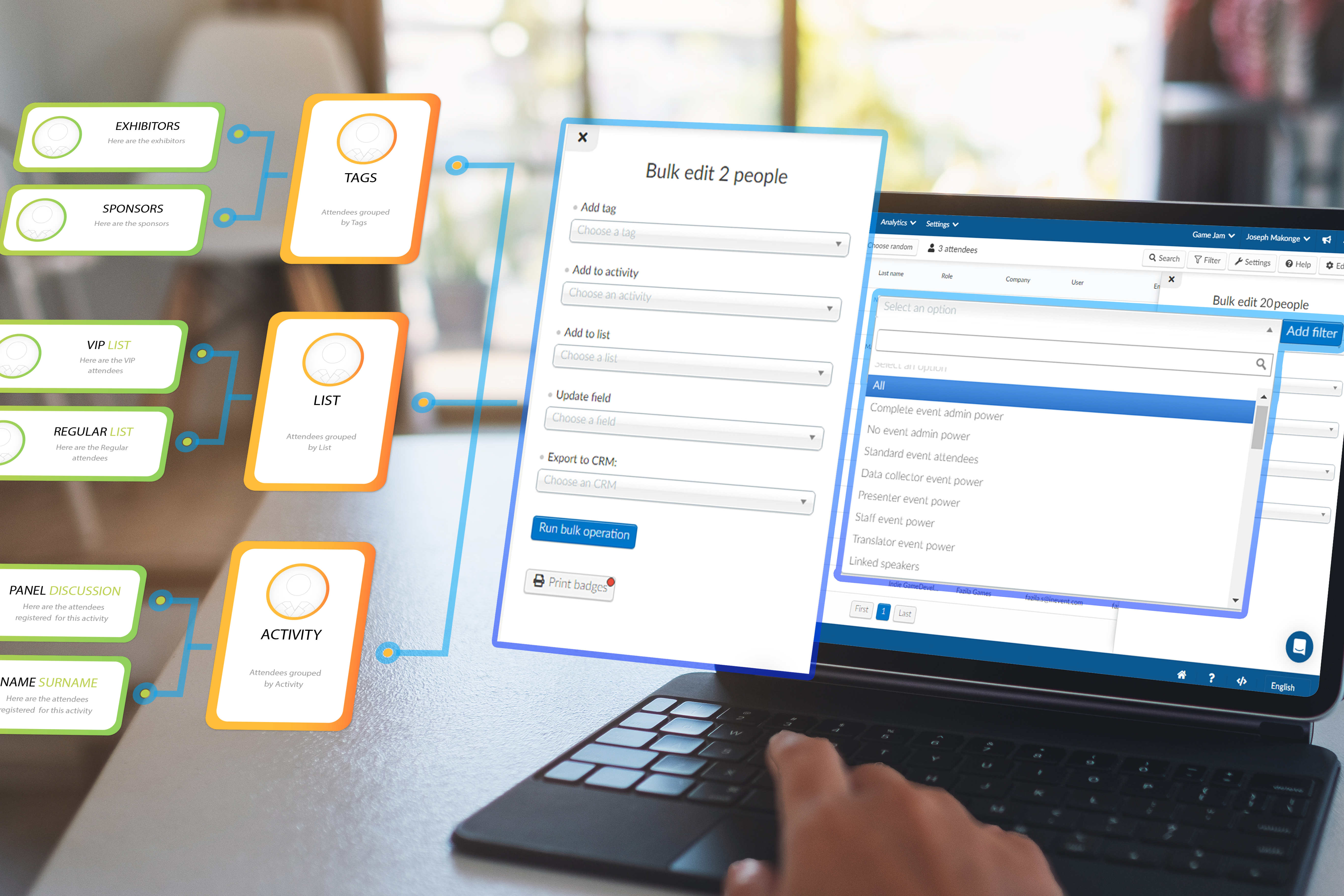

If you’re hosting a single virtual conference each quarter, Hubilo’s engagement-first approach may be enough. But teams running internal town halls, roadshows, partner events, customer summits, and hybrid meetups start to feel the friction.
Common warning signs include:
Rebuilding similar registration pages repeatedly
Manually recreating session and agenda templates
Maintaining separate workflows for virtual and hybrid formats
Jumping between dashboards or systems to piece everything together
InEvent is designed for this level of volume. Its reusable templates, shared workflows, multi-event calendars, and unified data structure make it easier to scale dozens of events without rebuilding your process each time.
Repeating the same setup work — registration forms, websites, emails, agendas — drains time and momentum.
Hubilo helps streamline virtual agendas and offers strong engagement features like polls, chat, gamification, networking spaces, feedback, and analytics.
But when the goal is to automate event creation rather than manually recreate it, InEvent’s AI-driven capabilities take over. The AI Agenda Builder, AI Website Builder, and AI Registration Assistant handle large portions of setup, cutting build time from days to hours.
That shift lets your team focus on strategy, content, and outcomes instead of configuration.
Not every platform is built to handle the complexity, variety, and pace of today’s event programs. InEvent isn’t just for one type of event. It’s designed for teams running everything from intimate internal briefings to large-scale global activations.
Below are some of the clearest signs your team would benefit from InEvent over Hubilo.
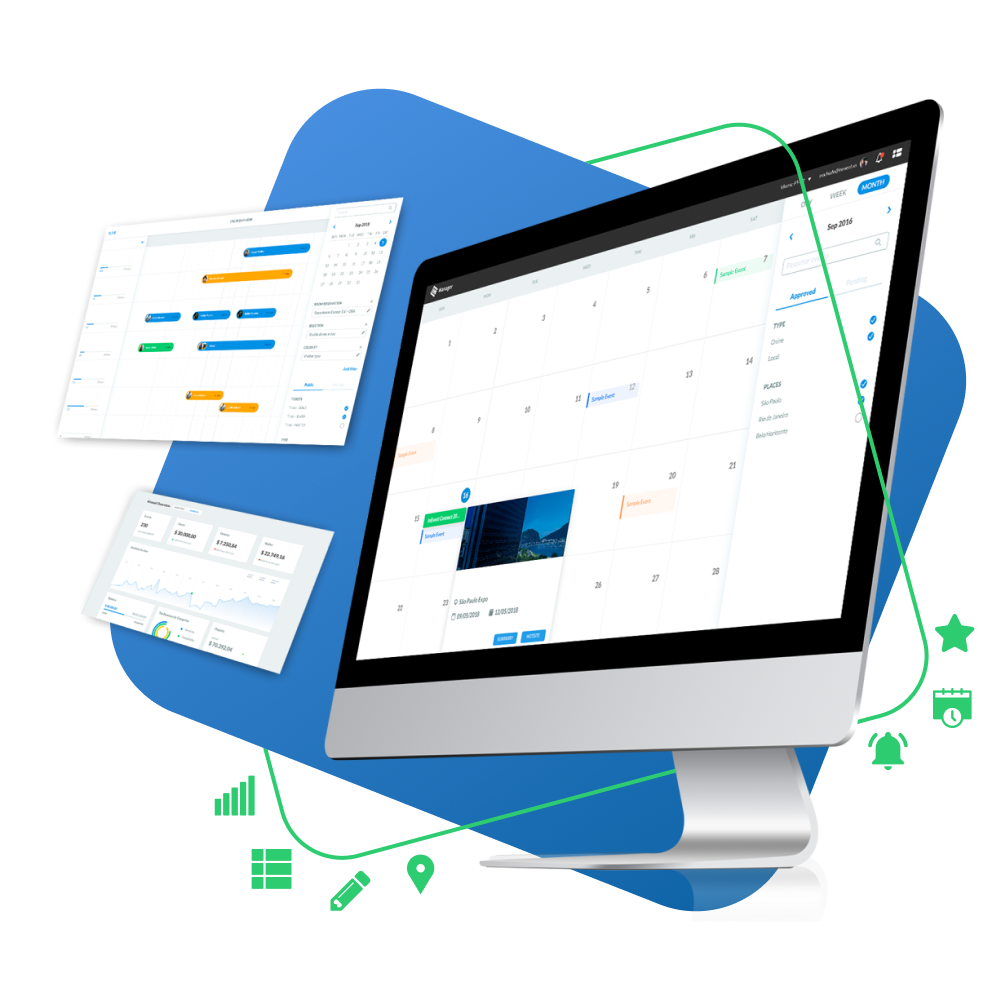
You’re constantly on the move, launching activations in different cities, coordinating with local teams, and needing fast setup without losing polish. InEvent lets you replicate branded microsites, registration flows, and attendee communications with reusable templates, saving hours per event.
Instead of paying for “per event” licenses, you get flexible usage credits (admin or registration-based), making it cost-effective to run 30+ field events without procurement pain each time. Native badge printing, check-in flows, and QR ticketing work out of the box. With Hubilo, these functions either don’t exist or require separate vendor contracts.
If you’re managing leadership off-sites, town halls, department all-hands, or HR-driven engagement programs, security and integration are non-negotiable.
InEvent supports SSO (including Microsoft Azure AD), granular admin permissions, and encrypted data flows—meeting most internal IT and compliance requirements. You can print badges onsite for employees, use the mobile app for interactive agendas and Q&A, and auto-generate post-event dashboards to show department heads engagement insights by session or region.
Hubilo, in contrast, was built primarily for external-facing virtual events. While you can run internal events with it, features like SSO, in-person check-in, and internal analytics feel patched on rather than purpose-built.


Your goal isn’t just to host events. It’s to capture clean leads, enrich contact profiles, and hand off sales-ready data to your CRM.
InEvent connects natively with Salesforce, HubSpot, and Dynamics. But it doesn’t stop at name and email. It passes through session attendance, poll responses, booth scans, and custom form fields into your CRM in real time.
That means your sales team can follow up while interest is hot, and your marketing ops team can score and route leads based on actual intent signals. Hubilo provides some CRM integrations, but these are limited to basic exports or HubSpot syncs, with less flexibility around custom objects or conditional field mapping.
Whether you’re planning events from São Paulo to Singapore, you need a system that’s globally reliable but locally adaptable.
InEvent was built for multinational event teams. You can deploy regional versions of your event portal, control access by region or role, and toggle languages on branded sites. The AI Agenda Builder adapts to any timezone, and admin rights can be segmented to give teams just what they need.
Hubilo offers global support, but its infrastructure and feature sets are less modular, making it harder to roll out parallel programs across departments or business units.
If you manage events on behalf of clients, your platform should adapt to each brand and workflow without incurring costs for every new logo.
InEvent supports full white-labeling: emails, domains, mobile app names, and even post-event dashboards can reflect your client’s brand. You can clone successful event templates, manage user roles, and present insights in client-ready formats—all under one umbrella account.
Hubilo offers some branding flexibility but lacks the full-service agency model. You’ll likely need to spin up individual accounts and negotiate licenses repeatedly, adding operational drag.
When your event program outgrows the basics, you need a platform that won’t slow you down or limit your scope. InEvent meets teams where they are and scales with them. Whether you’re marketing to customers, enabling internal teams, or managing event programs across continents, it’s the infrastructure that matches your ambition.
Cost isn’t just about the number on the contract; it’s also about how that number grows (or explodes) as your team scales. If your event stack needs to serve multiple use cases (internal, external, large, small), the pricing model behind your platform needs to reward that flexibility.
Here’s how Hubilo and InEvent compare when it comes to pricing, predictability, and long-term value.
Hubilo operates primarily on a per-event or annual tiered pricing model, with quotes that vary based on attendee count, feature access, and support level. If you're running one or two major virtual events per year—say, a customer conference and a product launch, it can feel affordable, especially when stacked against agency-run alternatives.
But the model starts to strain as your event calendar fills up.
Planning a partner summit one month, a field marketing activation the next, and an internal offsite the following quarter? That may mean renegotiating limits, upgrading tiers, or purchasing more “event credits”—each time. And because Hubilo’s pricing is often bundled around event count rather than ongoing usage, it creates friction for fast-moving teams who run many small to mid-sized programs across the year.
There's also limited transparency around pilot environments. Teams often need to commit before they’ve tested custom use cases in real-world conditions.
InEvent takes a different approach: modular, usage-based pricing. You pay for what you use, whether that’s tied to admin seats, registration volume, or onsite support. This gives you the ability to scale without renegotiating contracts every time you want to try a new event type or department-led initiative.
Running 30 internal events across different departments with only 3 admins? You pay for the admin usage, not per event. Need to onboard 10,000 attendees across multiple small programs instead of one large flagship? You’re not penalized for splitting your strategy into what works best for your audiences.
Even better: InEvent offers sandbox access during sales conversations. That means you can test real builds, like your registration flows, CRM syncs, or branding, before you commit.
For teams in high-growth mode, InEvent’s pricing gives operational freedom:
No guesswork about per-event surcharges
No penalties for moving fast
No vendor lock-in for experimentation
1 annual customer summit
2 internal off-sites
4 field activations
2 partner webinars
1 end-of-year executive roundtable
That’s 10 distinct event experiences, with different formats, needs, and teams involved.
With Hubilo, you may need to buy multiple event licenses or upgrade to a premium tier, regardless of how similar those events are. With InEvent, you can repurpose templates, track usage centrally, and control cost by choosing admin-based or registration-based pricing depending on your goals.
If you’re doing more than 4–5 events per year, InEvent almost always delivers more value, both in raw cost and operational control.
Hubilo's pricing works for teams with limited, predictable calendars. But if your year looks anything like most growing organizations (multi-format, multi-stakeholder, and multi-region), InEvent’s pricing scales with you, not against you.
You don’t need to pause momentum while waiting for procurement to approve another event license. You can spin up a new event in minutes, confident that it’s covered under your current model. You’re not just paying for access, you’re investing in flexibility.
Not every platform is built for every event strategy. While both InEvent and Hubilo offer robust features, their strengths and limitations show up quickly depending on your goals, team size, and event formats.
Below is a side-by-side comparison to help you understand where each platform fits best, and when it may be time to consider a switch.
|
Category |
InEvent |
Hubilo |
|
Best For |
Multi-format teams that need speed, flexibility, and CRM depth across internal, external, and in-person programs |
Virtual-first teams looking for polished webinar experiences with strong attendee engagement features |
|
Pros |
Native badge printing and onsite check-in Deep integrations with Salesforce, HubSpot, Dynamics Modular pricing model and sandbox access White-label branding across sites, emails, apps Built-in AI tools for registration, agendas, websites Enterprise SSO, granular admin permissions |
Strong engagement UX for virtual events Gamification and chat tools out of the box Quick to deploy for single-track, single-format events HubSpot integration and session analytics Intuitive onboarding for basic use cases |
|
Cons |
Requires initial configuration time to unlock full value Some workflows may feel advanced for smaller, one-off teams |
Limited onsite execution capabilities (no native badge printing or check-in tools) Less control over branding and user roles More difficult to scale operationally across high-volume teams |
If your events are mostly virtual with minimal production or onsite complexity, Hubilo can handle the basics well. But the moment you introduce hybrid logistics, physical activations, or need deeper CRM visibility, InEvent starts to pull ahead.
InEvent was designed for teams that see events not just as broadcasts, but as business-critical touchpoints. With AI-powered flows, reusable templates, and scalable pricing, it removes the bottlenecks that often slow down high-frequency event programs.
Switching platforms can feel daunting but it doesn’t have to be. InEvent provides hands-on onboarding support, a fully accessible sandbox, and migration tools that simplify the move from Hubilo or any other virtual-first platform.
Here’s what the migration typically looks like:
Start by exporting your attendee lists, registration fields, and session configurations from Hubilo. These can be uploaded directly into InEvent’s dashboard using CSV import templates.
Tip: You can also bring over attendance reports, engagement scores, and past event analytics for continuity.
Instead of recreating every landing page manually, use InEvent’s AI Website Builder to auto-generate branded event microsites. Feed in your key event details, and the AI engine creates layouts, content blocks, and registration modules in minutes.
From there, you can tweak styles, apply your custom domains, and embed sponsor sections or speaker bios.
InEvent supports native CRM integrations with Salesforce, HubSpot, and Microsoft Dynamics. Set up your data sync once, and InEvent automatically maps registration data, session engagement, and lead source context back to your CRM.
Bonus: You can track session-level ROI and lead scores natively from your CRM dashboards.
If your upcoming events include onsite components, you’ll want to configure badge templates, printer integrations (including Zebra printers), and check-in workflows. InEvent offers drag-and-drop badge designers, QR code support, and live attendee tracking, all built in.
You can even assign different badge types for attendees, speakers, staff, or sponsors.
Use InEvent’s branded email builder to recreate or enhance your pre-event comms. Want to maintain brand equity? Apply your fonts, colors, and logo to the email templates and mobile app interface.
InEvent supports full white-labeling so your new environment still feels like yours.
Before going live, test your full setup in the sandbox environment. This is your safe space to run dry-runs of registration, badge printing, or even full event simulations.
Need help? InEvent’s onboarding team will guide you through setup, provide migration resources, and even join your internal training sessions to support adoption.
Most teams complete the migration within a few weeks, often faster if you already have your data organized. You’ll not only retain what worked in Hubilo, but also gain far more flexibility, control, and future-readiness with InEvent.
If Hubilo helped you get started with virtual events, that’s a strong foundation. But as your event strategy expands, across formats, teams, and business goals, you need a platform that scales with you.
InEvent isn't just an alternative to HUbilo. It's a unified event operating system for teams that want speed, control, and real business impact, from registration and onsite execution to CRM-ready data and post-event insights.
If you're serious about running more events without adding more tools or more complexitiy, InEvent is built for what's next/
Ready when you are.
1. Does Hubilo support onsite badge printing and check-in?
Hubilo is built as a virtual-first platform. While it supports attendee engagement and some hybrid use cases, it does not natively handle onsite badge printing or end-to-end check-in workflows. Teams running in-person events typically need additional vendors or systems to manage onsite logistics.
2. Can I try InEvent before I buy?
Yes. InEvent offers sandbox access during evaluation, so you can build real registration pages, test workflows, and explore integrations before committing. This is especially helpful if you’re running complex, multi-format, or high-volume events.
3. Does InEvent integrate with HubSpot or Salesforce?
Yes. InEvent integrates natively with Salesforce, HubSpot, and Microsoft Dynamics. These integrations support real-time data synchronization, custom field mapping, and session-level engagement tracking, not just basic exports.
4. Can I white-label InEvent?
Yes. InEvent supports full white-labeling across event websites, emails, mobile apps, and domains. This is ideal for agencies, enterprise teams, or organizations running multiple brands or programs.
5. Can InEvent handle both internal and client-facing events?
Yes. Teams use InEvent for internal town halls, leadership meetings, and employee events, as well as customer conferences, partner programs, and field marketing activations, all from the same platform.
6. Is InEvent suitable for small events or only large conferences?
InEvent scales both ways. You can run small internal meetings or webinars just as easily as large, complex hybrid conferences using the same workflows and templates.
7. How long does it take to get started with InEvent?
Many teams launch their first event within days. More complex programs benefit from onboarding support, but reusable templates and AI-assisted builders significantly reduce setup time.
8. Do I need technical resources to manage InEvent?
No. InEvent is designed for event, marketing, and operations teams. While advanced configurations are available, most events can be managed without developer support.




