


One of our sales representatives will contact you shortly.
Most webinars fail for one reason: organizers treat them like meetings. Meetings tolerate passive attendance. Webinars demand Audience Retention. If you do not build an Interactive Layer, viewers leave in minutes, then your pipeline inherits low-intent leads who never convert.
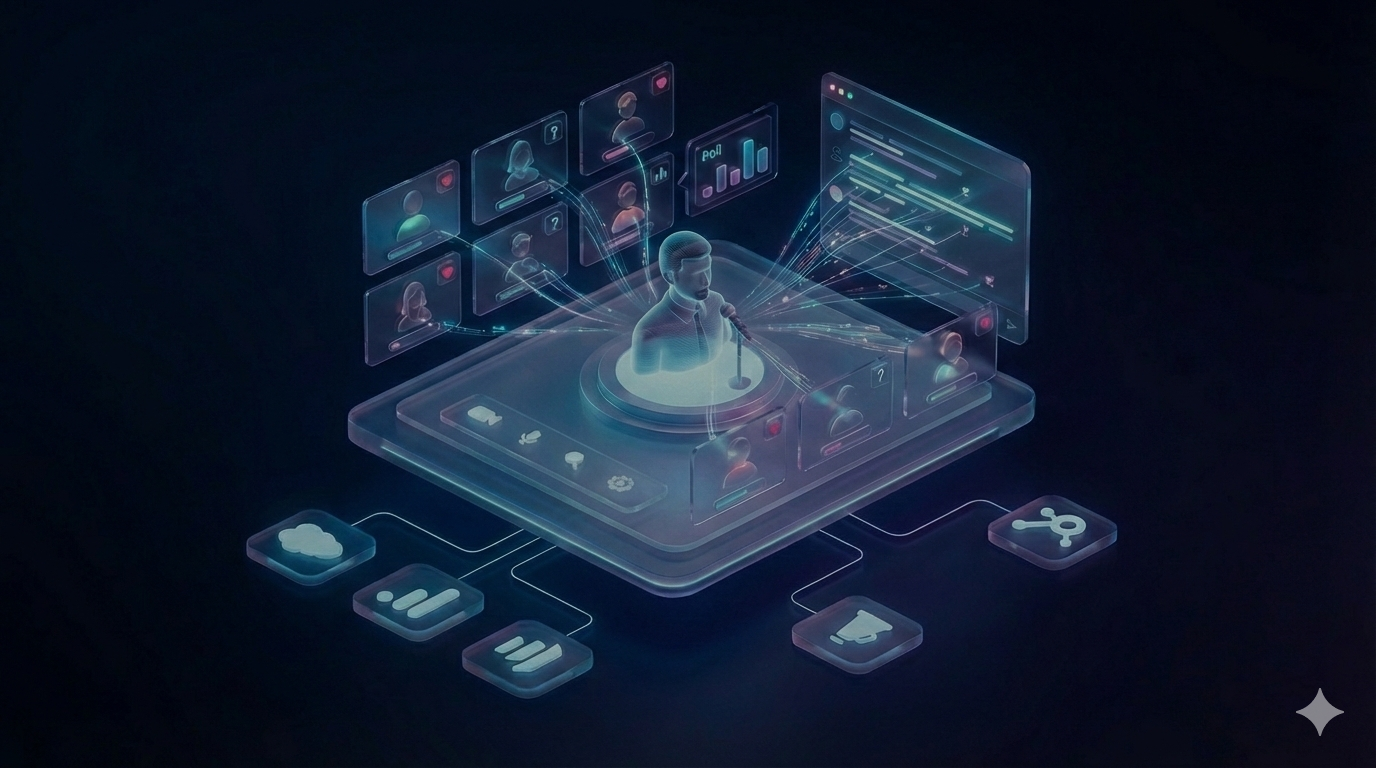
InEvent fixes the ghost-town webinar problem by treating every session like a broadcast with participation engineered into the show. InEvent Live Studio gives you TV-grade production with scene switching, lower-thirds, and overlays. InEvent Gamification Engine turns micro-actions into momentum with points and leaderboards. InEvent Engagement Score converts behavior into a sales-ready signal you can sync to HubSpot or Salesforce for Lead Qualification.
This guide shows how to design webinars that hold attention, pull questions out of quiet audiences, and generate intent you can measure.
Webinar drop-off rarely comes from “bad content.” Drop-off comes from cognitive friction and low perceived agency.
Add a “cold open” that earns attention before you do anything else. The first 60 seconds should deliver a result, not a schedule. Give viewers a quick diagnostic, a surprising stat, or a one-step fix they can apply immediately, then tell them what they’ll be able to do by the end. Pair that with visible progress so people know the session is moving: “Segment 1 of 4,” “Next: live teardown,” “Then: templates.” When value is predictable, drop-off slows.
InEvent makes this easy because you can build the opener as a scene, not a slide. Start with a branded frame, a single headline, and a tight hook, then switch scenes into the first interactive checkpoint. Use a poll within minute two to force micro-commitment, and read the results out loud so the audience feels seen. Finally, set one participation rule: “If you answer two polls and upvote one question, you’ll unlock the resource pack.” You’re not begging for engagement. You’re designing it.
Also cut all housekeeping from the live opening. Put logistics in the confirmation email, pre-roll screen, or a pinned chat message. If you must say it live, do it after the first win, not before. Respect creates retention always.
1) They cannot predict value: A title promises outcomes, but the first minutes deliver housekeeping. Viewers decide fast whether you respect their time. If you open with logistics, you signal that the session will drift.
2) They feel invisible: Grid-view culture trained people to mute themselves and disappear. If the environment does not invite action, people stay passive. Passive viewers multitask. Multitasking kills retention.
3) The format lacks novelty: Screen share plus talking head produces a flat stimulus pattern. The brain habituates quickly. When stimuli remain constant, attention drops.
4) The audience has no job: If you do not assign the audience a role, they default to spectator mode. Spectator mode turns into background noise.
5) The host runs a “content dump: People cannot retain dense information without checkpoints. Checkpoints must be interactive, not just “any questions?”
Zoom works for meetings because meeting success equals “attendance happened.” Webinar success equals “attention stayed,” “behavior happened,” and “intent surfaced.”
You need a system that does three things:
Increase stimulus quality so viewers feel like they are watching a show, not sitting in a call.
Create bidirectional interaction so the audience affects what happens next.
Capture behavior signals so your team separates tourists from buyers.
InEvent Live Studio forces a better webinar standard because it gives you production tools that match how audiences consume content in 2026.
InEvent Live Studio supports:
Dynamic scene switching to control pace
Lower-thirds to anchor context and authority (speaker name, company, segment title)
Video overlays and branded frames to maintain visual identity
Multi-presenter layouts that change by segment, not by accident
A predictable Run of Show that feels intentional
This matters because production quality sets a trust baseline. When the session looks like a broadcast, attendees assume you prepared. Prepared events earn attention. Unprepared events get treated like noise.
Slides do not create engagement by themselves. A Run of Show creates engagement because it structures attention.
A retention-first Run of Show:
Opens with a promise and a fast win
Alternates between content and interaction
Uses short segments with visible progress
Treats Q&A as a live product, not a leftover
InEvent Live Studio lets you execute that structure without duct-taping tools.
Interactivity fails when it behaves like a decoration. “Drop a hello in chat” does not produce durable engagement. Durable engagement requires bidirectional mechanics: the audience does something, and the show changes because of it.
That is what an Interactive Layer does. It sits on top of your broadcast and converts viewers into participants.
Treat every interaction as a branch in the story. Instead of asking one poll and returning to your deck, use polls to choose the next segment. Example: “Do you want the demo for HubSpot routing or the scoring model first?” Then actually follow the vote. That single move proves the webinar is live, responsive, and worth attention.
InEvent helps you run this smoothly with a “prompt ladder.” Start with a one-click poll. Follow with a short chat prompt that uses a constrained format (“reply with 1–3”). Then open Q&A with upvoting and announce a rule: you will answer the top three voted questions at set timestamps (minute 20, 35, 50). That structure prevents the chaotic end-of-webinar Q&A dump and keeps people around.
For B2B webinars, add one “signal capture” moment per chapter: a resource link, a template download, or a comparison checklist. InEvent ties each click to the attendee profile, so your sales follow-up references what they actually chose. Interactivity becomes both engagement and qualification, without feeling like an interrogation.
Finally, pre-write moderator scripts. Your moderator should paraphrase, summarize patterns, and call names when appropriate. When audiences hear their input reflected back, participation rates rise fast and stays high longer.
Bidirectional interaction means:
The audience influences priority, sequence, or depth.
The host acknowledges those signals visibly.
The system makes participation easy and low-risk.
If the host never reacts, interactivity becomes performative and people stop participating. To avoid this, teams must master audience engagement by making the session a two-way street.
1) Low-friction actions: Poll clicks, emoji reactions, quick-choice questions. These build momentum.
2) Medium-friction actions: Chat replies, short prompts, “choose your track,” link clicks. These create intent signals.
3) High-friction actions: Asking a question, joining a breakout, booking a meeting. These qualify leads.
A smart webinar escalates friction gradually. You do not start with “ask a question.” You start with “tap one option.”
Polls work because they create:
Micro-commitment: A small action increases psychological ownership. People stay to see what their answer “means.”
Pattern interrupt: A poll breaks monotony. Monotony causes drop-off.
Relevance calibration: Poll results let the presenter adjust language, examples, and pace.
Social proof: Seeing the distribution reduces uncertainty. People feel part of a group, not alone.
Most teams misuse polls as entertainment. InEvent teams use polls as real-time qualification.
InEvent Polls support questions that classify intent without killing trust.
Use poll types:
Stage polls (awareness): “What best describes your role?”
Pain polls (problem clarity): “Which challenge blocks you right now?”
Constraint polls (implementation reality): “What stops you from fixing it?”
Decision polls (purchase readiness): “When do you plan to make a change?”
Budget polls (qualification): “Which range fits your plan?”
The trick: ask budget indirectly first, then directly later.
Indirect: “What scale are you operating at?” (proxy for budget)
Direct: “Which budget range matches your plan?” (explicit)
InEvent captures those responses and ties them to the attendee profile, which powers InEvent Engagement Score later.
Standard Q&A fails because:
People ask duplicates.
Loud voices dominate.
Moderators waste time sorting.
InEvent Q&A with upvoting fixes that because the crowd curates relevance.
Attendees upvote questions they care about.
The best questions rise to the top.
Moderators stop guessing and start executing.
Upvoting also increases retention:
Attendees stay to see if “their” question wins.
The Q&A becomes a live narrative thread rather than a random pile.
Operational rule: you must commit to answering the top-voted questions. That makes upvoting feel real.
Chat becomes noise when you do not structure it. Treat chat as a diagnostic tool:
Ask one prompt at a time.
Time-box responses.
Summarize patterns live.
Examples:
“Type one word: what outcome do you want by next quarter?”
“Reply with 1, 2, or 3: which workflow matches you?”
Then mirror back: “Most of you chose 2. We will spend more time on that path.”
InEvent lets you keep your webinar chat visible as part of the Interactive Layer without letting it hijack the show.
Emoji reactions work because they provide speakers instant reinforcement without forcing text. They:
Reduce speaker uncertainty
Increase pacing confidence
Encourage continued participation
Use reactions deliberately:
Ask for “claps” to confirm understanding.
Ask for “hearts” to vote for a direction when you want a quick choice.
Use reactions as a low-friction “yes” signal when you do not want chat noise.
A moderator does not just “watch chat.” A moderator:
Converts questions into structured prompts
Removes duplicates
Escalates friction at the right moments
Protects pace and Run of Show
InEvent makes moderation scalable with upvoting and structured interaction tools.
Gamification works when it rewards the behaviors you want. It fails when it feels childish or random.
The brain responds to:
Progress
Competition
Recognition
Anticipation
A leaderboard creates all four.
Use gamification as a pacing engine, not a gimmick. The goal is to keep people doing small actions often enough that they don’t drift into email. Build “engagement beats” every 4–6 minutes: poll, upvote, resource click, mini-quiz, breakout invite. Each beat earns points, and points keep the brain tracking progress.
With InEvent, set up three tiers so the rules feel fair. Tier 1 rewards easy actions (polls, reactions). Tier 2 rewards contribution (chat prompts, upvotes, questions). Tier 3 rewards intent (breakouts, meeting requests, resource downloads). Then attach one meaningful reward to Tier 3, even if it’s simple: a private Q&A, a teardown of their workflow, or a template pack delivered instantly.
Keep the leaderboard visible only at strategic moments. Show it at the end of each chapter with a quick “top movers” callout, then hide it again. This prevents distraction while preserving tension. And always narrate the why: “We’re rewarding the actions that help you learn faster.” When the logic matches the audience’s goals, gamification feels professional, not childish.
If your audience is account-based, run team scoring by company domain. Teams stay longer to beat peers, and sales gets a “most engaged accounts” list for follow-up after the session ends.
People stay when they feel:
They can win
The rules stay clear
The reward feels real
Their actions matter
Gamification increases retention because it turns the webinar from a one-way stream into a scoreable experience. Scoring creates stakes. Stakes create attention.
InEvent Gamification Engine lets you assign points to actions that correlate with intent:
5 points: answer a poll
10 points: ask a question
10 points: upvote a question
15 points: visit a sponsor booth or resource
20 points: book a meeting
25 points: attend a breakout
30 points: watch until the end
This design matters. You do not reward “noise.” You reward behaviors that predict conversion.
A gamified webinar creates a measurable ladder:
Low points = passive consumer
Mid points = engaged learner
High points = high-intent buyer or partner
InEvent ties these actions into behavior tracking that feeds InEvent Engagement Score.
A prize works because it creates:
Closure pressure: People want to see the ending.
Fear of missing out: Not emotional hype, just rational loss aversion.
Social recognition: Being #1 matters even without money.
A prize can be modest and still effective:
A consultation
A swag bundle
A gift card
Early access to a template pack
A donation in the winner’s name
The prize must match the audience. Sales leaders want something different from content managers. Align prize to identity.
Show the leaderboard at:
The start (sets rules)
Midpoint (builds tension)
Last 5 minutes (drives attendance to the end)
If you show it constantly, it becomes noise. InEvent lets you control display timing as part of the webinar production show flow.
Most teams measure webinars with the wrong scoreboard:
Registrations
Attendees
Average watch time
Those metrics describe volume. They do not describe intent.
You need one operational metric: a behavior-based engagement score.
Make Engagement Score operational by tying it to next steps, not reporting. Before the webinar, decide what each score band triggers and write the follow-up assets in advance. That way, when the session ends, your system executes immediately and your team does not “get around to it” a week later.
A simple playbook: 80–100 gets a personal outreach task plus a meeting link. 60–79 gets a tailored recap with the chapter they interacted with most and one strong CTA. 40–59 gets the recording plus a single resource. Under 40 gets a nurture email with the best two clips and a low-friction invite to the next session. InEvent can push the score and underlying actions into HubSpot or Salesforce so sequences, routing, and SLA timers start automatically.
Also use the score to fix the webinar itself. If watch time is high but interaction is low, your run of show lacks checkpoints. If polls are high but Q&A is low, your environment feels risky; add upvoting and anonymous questions. If resource clicks spike early then drop, your CTA is too aggressive. Scoring becomes fuel for iteration, not vanity.
Over time, compare scores by topic, host, and format to predict the pipeline before the quarter ends.
A registrant can be:
A curiosity click
A competitor
A student
A buyer
Attendance alone does not fix that. People can attend and still be passive.
Engagement measures:
Attention (watch time)
Exploration (clicks, resources)
Commitment (breakouts, meetings)
That combination predicts sales readiness.
InEvent Engagement Score turns behavior into one interpretable number.
A practical scoring model weights behaviors by intent strength:
Attention
Minutes watched
Percentage of session watched
Return after leaving
Interaction
Poll participation
Q&A asked
Q&A upvoted
Chat contribution
Exploration
Resource clicks
Sponsor visits
CTA interactions
Commitment
Meeting booked
Breakout joined
Survey completed
Demo requested
InEvent calculates a score per attendee so your team stops guessing.
A single score:
Creates alignment between marketing and sales
Reduces argument about “lead quality”
Speeds follow-up prioritization
Sales does not have time to interpret 12 micro-metrics. Sales wants one ranking.
InEvent pushes engagement signals into your CRM so sales can:
Sort leads by Engagement Score
Trigger sequences based on score thresholds
Personalize outreach based on what the attendee did
Example follow-up logic:
Score 80–100: call within 24 hours, propose next step
Score 50–79: send a tailored recap with the segment they engaged with most
Score 20–49: send highlights and one CTA
Score under 20: move to nurture, do not waste SDR cycles
This turns webinars into predictable revenue motion rather than content theater.
Sales trusts scoring when you explain it:
“This person watched 85% and asked a question.”
“This person clicked the pricing resource and booked a breakout.”
“This person completed the qualification poll and requested the template pack.”
InEvent keeps the underlying actions visible so the score remains credible.
Broadcast webinars keep people passive. Conversation formats create memory, loyalty, and intent.
You shift from broadcast to conversation by adding controlled small-group interaction.
People engage more when:
They get to speak
They get recognized
They feel part of a group
Breakouts provide that. They also surface pain points you cannot capture in a poll.
InEvent Breakout Rooms let you split large audiences into smaller working groups for:
Workshops
Roundtables
Role-based sessions (CMOs, demand gen, RevOps)
Peer discussion
Guided implementation
A scalable pattern:
15 minutes broadcast
10 minutes breakout
10 minutes debrief
Repeat
This prevents drop-off because the webinar stops being linear.
Random 1:1 matching works when you set constraints and timeboxes:
3 minutes per match
A prompt to answer first
One question to ask
A visible timer
This increases retention because it introduces novelty and social stakes. People stay because they anticipate the next match.
InEvent supports structured networking so you create connection without chaos.
Breakout participation signals intent. People do not join breakouts casually.
Track:
Who joined
Who stayed
Who spoke (when supported)
Who requested follow-up
Tie those signals to InEvent Engagement Score and CRM routing.
Engagement rises when people can actually understand and participate.
Global webinars fail when:
Language blocks comprehension
Audio quality blocks comprehension
Captions do not exist
Distribution stays limited to one channel
InEvent supports accessibility features such as:
Real-time captions for clarity and inclusion
Real-time AI audio interpretation for global audiences
These features raise retention because comprehension drives attention. People cannot stay engaged when they miss meaning.
Your audience already lives on platforms like LinkedIn and YouTube. InEvent supports RTMP workflows so you can restream and expand reach while keeping your core engagement experience centralized.
You use this strategically:
Stream publicly for top-of-funnel reach
Drive high-intent audiences into the InEvent experience where you can run interactive tools and capture Engagement Score
Distribution without interaction creates views, not pipeline. InEvent lets you run both layers.
A webinar should not die after the live hour. The best teams treat webinars as compounding assets.
Webinars generate:
A recording
A transcript
Q&A
Poll results
Audience objections
Conversion signals
Most teams throw that away or bury it in a drive link.
InEvent Video Hub turns recordings into searchable, gated assets you can use for:
Lead capture
Sales enablement
Customer education
Partner training
This matters because the on-demand audience often includes high-intent buyers who could not attend live. If you treat on-demand as second-class, you lose revenue.
The first 5 minutes of most webinars destroy retention:
“Can you hear me?”
“We will wait for a few more people.”
“Where is the deck?”
InEvent lets teams trim awkward openings and publish clean assets faster. Cleaner assets increase completion rates, and completion rates increase conversion.
A retention-first repurposing plan:
Cut 3 short clips as awareness content
Publish one gated “full recording”
Send a segmented follow-up based on Engagement Score
Create one sales deck from top questions
Create one blog post from poll insights
Build one nurture sequence for low-score registrants
InEvent supports this because it captures the interaction data that tells you what mattered.
If you want high-engagement webinars, stop optimizing for attendance and start optimizing for participation.
Run this structure inside InEvent:
Build a tight Run of Show with short segments and planned interaction
Use InEvent Live Studio to deliver TV-grade pacing and visual authority
Deploy the Interactive Layer with polls, upvoted Q&A, and reactions
Activate InEvent Gamification Engine to sustain attention through the finish
Convert behavior into InEvent Engagement Score for real lead qualification
Use breakouts and networking to shift from broadcast to conversation
Publish the recording through InEvent Video Hub to compound results
This is how InEvent turns ghost-town webinars into interactive events that generate pipeline you can defend.
Answer: No. InEvent runs webinars in the browser with a WebRTC-based experience. Attendees join without installing software, which reduces drop-off at the join step and increases overall audience retention for first-time participants.
Answer: Yes. InEvent supports up to 17 presenters on screen at once, which enables panel formats, live debates, and TV-style segments. Use InEvent Live Studio scene switching to keep layouts dynamic and prevent visual fatigue.
Answer: Yes. InEvent supports simulive sessions that play pre-recorded content while keeping live chat and interaction active. Simulive protects production quality, reduces speaker risk, and still enables bidirectional engagement through polls, Q&A, and gamification.
Answer: Yes. Interactive tools produce measurable behaviors like poll answers, Q&A participation, and resource clicks. InEvent Engagement Score converts these actions into an intent signal, which improves lead qualification and helps sales prioritize outreach by readiness.




