


One of our sales representatives will contact you shortly.

The old way is still common: exhibitors rent a clunky grey scanner from the venue, pay hundreds per unit, queue at the service desk, and hope the battery survives the day. It is friction in the one workflow that should be effortless: capturing interest at the moment it happens.
Hardware scanners create predictable failure points:
Cost stacking: Per-device rental fees, deposit policies, replacement fees, shipping, and on-site support add up quickly.
Staff friction: The best booth staff are rarely the most patient with “training time.” If it is not obvious, it does not get used.
Availability constraints: Last-minute staffing changes happen. Hardware does not scale with surprise demand.
Battery anxiety: A scanner that dies at 2 pm turns peak traffic into a missed opportunity.
Inconsistent capture: Different devices, different configs, different exports, different formats. Sales ops pays the price.
Worst of all, hardware rentals normalize a slow, fragile process. Leads get trapped inside a device, then exported later, then cleaned later, then imported later. By the time the sales pipeline sees them, the moment is gone.
InEvent flips the model:
Download the app on iOS or Android
Assign staff access via exhibitor licenses
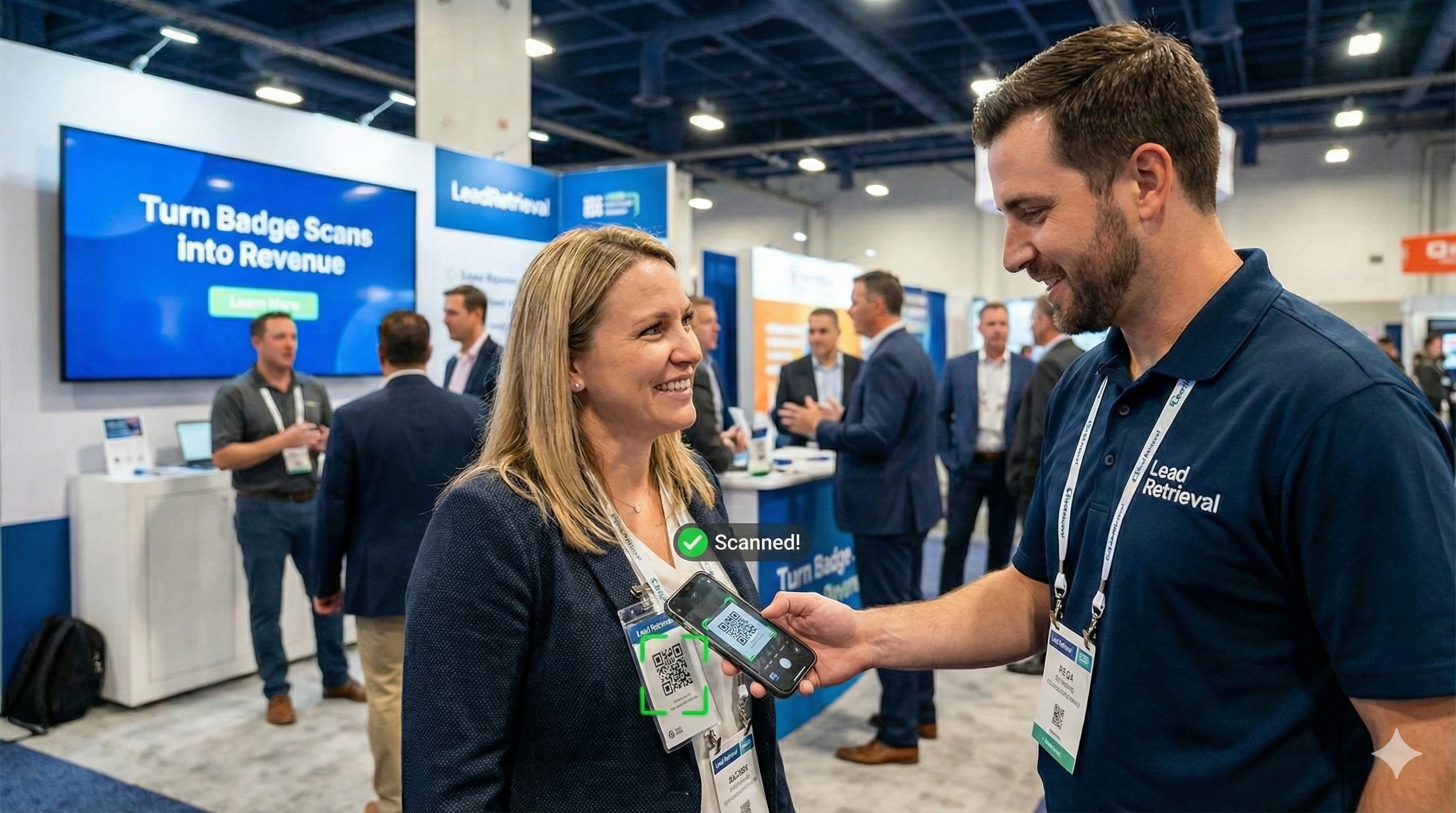
Scan attendee badges using the phone camera
Add qualifiers, notes, and follow-up actions in seconds
Instant sync to the cloud and CRM when online
BYOD is not a “nice-to-have.” It is the only model that scales across booth sizes, staffing variability, and real-world event conditions. When the lead retrieval tool is on the device your staff already knows, training drops and usage climbs.
1. Speed at the booth: Phone-based badge scanning reduces the “awkward pause” that kills conversation flow. Scan, qualify, and move forward without breaking eye contact.
2. Lower total cost: Eliminating rented hardware removes a direct line item and reduces hidden overhead (support tickets, lost devices, replacements, logistics).
3. Higher adoption: If every rep can scan, more conversations become captured opportunities. Adoption beats perfection. A perfect workflow nobody uses is worthless.
4. More coverage: Smaller exhibitors that never rent scanners can still capture leads professionally. Larger exhibitors can equip more staff without multiplying rental costs.
5. Standardization for organizers: One platform. One data structure. One exhibitor experience. One support model.
Yes. InEvent allows exhibitors to use their own smartphones (iOS and Android) as professional lead retrieval scanners. This BYOD model eliminates hardware rental costs, deploys in minutes, and requires minimal training for booth staff to scan and qualify leads.
A serious lead retrieval app must behave like enterprise software:
Role-based access: Control which staff can scan, edit, export, or integrate.
Auditability: Track who scanned what and when, so follow-up ownership is clear.
Event-level controls: Organizers can enforce a consistent lead form and qualifiers across exhibitors if desired.
Data hygiene: Required fields, picklists, and qualifier standards reduce garbage-in that breaks CRM workflows.
BYOD is only risky when the platform is weak. With a purpose-built exhibitor workflow, BYOD becomes safer than hardware, because it is easier to deploy, easier to support, and easier to keep consistent.
Exhibitors do not wake up thinking about “lead retrieval.” They want a faster path to revenue:
Capture contact data reliably
Add context immediately
Route it to the right owner
Trigger follow-up while the event is still happening
BYOD removes delays and expands coverage. More scans plus better context equals more qualified leads. More qualified leads flowing into the sales pipeline faster equals higher conversion.
Every organizer has heard it: “The convention center WiFi is down.” Every exhibitor has lived it: “We cannot sync anything.” The worst outcome is not inconvenience. It is doubt. Staff stop scanning because they assume the data will not save.
A lead retrieval app must treat internet access as optional.
Bad connectivity creates chaos:
Staff hesitate to scan because they cannot confirm capture
Data entry gets postponed “until later”
Notes get written on paper or in personal apps
Leads become fragmented and unusable
Follow-up slows down, and cold leads pile up
You do not need perfect WiFi. You need a workflow that does not depend on WiFi.
InEvent uses offline capture so the booth can keep operating even when connectivity is unreliable. Scans and data entries are saved locally on the device, then synchronized when connectivity returns.
Offline mode is not only for disaster scenarios. It matters in real venues where connectivity is inconsistent by aisle, by hall, by hour, or by provider.
Manual exports are a reliability trap. If a process depends on a person remembering to upload data at the end of the day, it will fail at scale.
InEvent’s approach is built around Instant Sync when a signal is available:
Capture lead data offline
Queue records for synchronization
Auto-sync in the background when the device reconnects (4G or WiFi)
Preserve timestamps and ownership for reporting and follow-up
Yes. The InEvent Lead Retrieval App functions offline to capture badge scans, notes, and qualifiers locally on the device. When internet connectivity returns, the app automatically syncs stored leads to the cloud and can forward them to integrated CRM workflows without rework.
Offline capability prevents two costly outcomes:
1) Missed scans during peak traffic: Peak traffic is when you meet the highest-intent prospects. That is the worst time for scanning to “pause.”
2) Lost context: The scan alone is not the win. The win is capturing what the buyer said, what they asked for, and what the next step should be. If notes get delayed, they get diluted.
Offline protects the integrity of your sales pipeline. It keeps the data complete, timely, and usable.
If staff must stop and troubleshoot, the system is not field-ready. The standard is simple:
Can reps scan continuously?
Can they add qualifiers in seconds?
Can they trust that the lead is saved?
Can sales ops trust the data structure?
Offline plus auto-sync is what makes that trust possible.
Connectivity issues are a common source of exhibitor complaints. Offline capability reduces:
“Scanner not working” tickets
“We lost our leads” panic
End-of-show export failures
Format and file corruption issues
Less firefighting improves exhibitor satisfaction and reduces on-site support costs for organizers.

A badge scan is not a qualified lead. It is proof of contact. Qualification is what turns contact into pipeline.
Most exhibitors return with a list of names and little else. Sales teams then guess who is serious, who needs nurturing, and who was just being polite. That guesswork is expensive.
Qualification at the booth solves this because it captures intent while it is fresh.
After scanning, the app can prompt staff with a qualifier form aligned to the exhibitor’s sales motion. Examples:
Interest level: Hot / Warm / Cold
Budget: Approved / Exploring / Unknown
Timeline: 0–30 days / 31–90 days / 90+ days
Product interest: Product X / Product Y / Services / Partnership
Role: Decision-maker / Influencer / User / Student
Next step: Demo / Quote / Send deck / Book meeting
Qualifiers do three jobs immediately:
Prioritize follow-up so the highest-value conversations move first
Reduce CRM clutter by separating real pipeline from noise
Enable reporting that actually helps improve ROI year over year
Exhibitors often want “lead scoring,” but they do not want another platform. Qualifier-driven scoring gives a practical path:
Assign point values to qualifier responses
Sort leads by score within the event
Trigger different follow-up flows based on score bands
This is not theoretical. It is how you prevent a rep from spending Monday chasing low-intent contacts while high-intent prospects book with competitors.
Typing long notes at a booth is slow. Booths are loud. Conversations are fast. Staff need a capture method that fits reality.
Voice notes allow reps to:
Dictate a quick summary immediately after the scan
Capture nuance that would never get typed
Preserve details like objections, constraints, and internal politics
Voice notes attached to the lead profile reduce “memory decay” and improve follow-up quality.
A pipeline-ready record includes:
Contact identification (from badge scanning)
Qualification context (intent, timeline, product)
Ownership (who scanned it)
Next step (what to do)
Timestamp (when it happened)
That is what turns trade show activity into revenue discipline.
The fastest way to waste a trade show is to collect leads and delay action. CRM integration is where ROI becomes measurable.
The common workflow is broken:
Scan leads into a rented device
Export an Excel file after the show
Email the file to someone
Clean duplicates
Import into CRM
Route to owners days later
Every day of delay reduces conversion. Buyers do not pause their intent because your export process is slow.
InEvent focuses on moving lead data into operational tools:
Salesforce for sales pipeline ownership, routing, and reporting
HubSpot for workflows, nurturing, and lifecycle stages
Marketo for event-driven attribution and scoring logic
When leads sync while the event is still happening, sales ops can:
Assign follow-up in real time
Trigger sequences based on qualifiers
Book meetings for day two while day one is still active
Monitor which reps are capturing qualified leads and which are not
Instant sync is not just “export faster.” It means:
Leads appear in the destination system quickly enough to act on today
Fields map cleanly to CRM objects and properties
Qualifiers and notes are preserved, not flattened into a single text blob
Ownership and source event attribution are included
The point is operational continuity: the trade show should not be a data island. It should be a live input into the sales pipeline.
Trade show ROI improves when:
Time-to-first-touch drops from days to hours
Qualified lead rate increases through consistent qualifiers
Meeting set rate rises because the follow-up starts immediately
Pipeline velocity improves with better prioritization
Even a modest improvement in time-to-first-touch can change outcomes. Many exhibitors lose deals not because they lacked leads, but because they lacked speed.
A lead retrieval app is not just an exhibitor tool. For organizers, it is a product line with clean margins and high attach rates.
Organizers can purchase exhibitor lead retrieval access from InEvent and resell it to exhibitors. A simple example:
Organizer cost: $50 per license
Exhibitor price: $150 per license
Margin: $100 per license
This works because the exhibitor is comparing it against:
Hardware rental costs
The cost of missed leads
The cost of delayed follow-up
The cost of messy data that sales ops cannot use
A software license tied to revenue outcomes is an easier sell than hardware logistics.
Exhibitors buy lead retrieval when it is framed correctly:
“Capture more qualified leads with less friction”
“Get data into CRM instantly”
“Keep scanning even when WiFi fails”
“Standardize booth performance across staff”
If the pitch is only “scan badges,” price sensitivity increases. If the pitch is “pipeline and follow-up speed,” the value is clearer.
Organizers win when they do not become the fulfillment team. A self-service exhibitor workflow should enable:
Exhibitors purchasing their own licenses
Assigning licenses to staff members
Managing staff access without organizer intervention
Accessing exports and reports without support tickets
This is how lead retrieval becomes scalable revenue rather than a support burden.
When lead retrieval is standardized:
Exhibitors get a consistent experience year to year
Sponsors get cleaner reporting for ROI narratives
Organizers can offer analytics on engagement and booth performance
Post-show reporting becomes more credible
A strong lead retrieval program increases exhibitor retention by reducing the common complaint: “We did not get enough value.”
Yes. InEvent supports badge scanning using common QR code and barcode formats, enabling exhibitors to capture leads quickly with phone-based scanning. This universal approach reduces dependence on proprietary hardware and works with a variety of attendee badge designs and printing vendors.
Yes. Exhibitors can export captured leads to CSV for spreadsheet-based workflows, including contact data and qualifiers. This provides a reliable fallback for teams that require offline analysis or want a parallel data copy for internal reconciliation.
No single price fits every show because pricing depends on license volume, organizer packaging, and exhibitor tiers. InEvent uses exhibitor license tiers so organizers can align pricing to booth packages and staff counts while preserving margin and adoption targets.
Yes. Exhibitors can purchase licenses and assign them to staff through a self-service workflow, reducing organizer overhead. Staff permissions can be managed on a per-person basis, supporting teams with multiple reps and ensuring leads are correctly attributed for follow-up.
Yes. InEvent supports custom qualifiers and structured lead notes so exhibitors can segment leads by intent, timeline, and product interest. This enables practical lead scoring and prioritization, ensuring the highest-intent prospects move into the sales pipeline first.
Yes. The app continues capturing leads offline by storing scans, notes, and qualifiers locally on the device. When connectivity returns, it automatically syncs captured leads to the cloud and can resume integrated workflows without requiring manual exports.
Yes. InEvent supports real-time lead data workflows that reduce delays between badge scanning and CRM availability. This allows sales ops to route and act on leads while the trade show is still active, improving time-to-first-touch and conversion rates.
No. A phone-based scanning workflow is familiar and fast to learn because it mirrors everyday mobile behaviors. The app is designed for quick scans, immediate qualifiers, and minimal steps, reducing the training burden common with rented scanner devices.
Yes. Organizers can enforce a consistent qualifier structure across exhibitors if desired, improving data quality and reporting. Standardization helps exhibitors compare performance fairly and helps organizers deliver stronger post-show ROI reporting to stakeholders.




