


One of our sales representatives will contact you shortly.
Universities rarely fail at hosting events. Universities fail at governing events. Most campuses run a patchwork of tools that grew out of departmental urgency: the Law School picks one app, Athletics runs another, Admissions buys a virtual platform, Alumni Relations builds its own registration stack, and central IT inherits the security, procurement, and integration debt.
Fragmented event technology creates predictable institutional risk.
Data governance risk: Departments capture student and alumni data in separate systems with inconsistent consent, retention, and access controls. InEvent ends the “shadow event database” pattern by consolidating identity, permissions, and reporting —addressing the same challenges described in event data and analytics best practices.
Brand fragmentation: Each department improvises templates, emails, domains, and check-in screens. InEvent enforces brand standards through controlled themes, reusable assets, and centralized approvals, avoiding the inconsistencies that arise when teams rely on disconnected tools highlighted in why organizations outgrow single-purpose event software.
Operational inefficiency: Every department rebuilds the same workflows: registration, badge printing, QR check-in, email reminders, and post-event reporting. InEvent eliminates rework through shared configurations and standard operating models, reducing the manual overhead often discussed in event marketing performance frameworks.
Integration sprawl: Each tool demands its own CRM sync, SSO setup, analytics layer, and support contract. InEvent reduces integration surface area by standardizing on one enterprise platform, applying the same logic used in event-driven lead generation systems.
Security blind spots: Departments run plugins and attendee lists through unmanaged accounts. InEvent gives the CIO a single control plane for access, auditability, and security posture.
InEvent solves the “one campus, many departments” problem through a multi-account architecture that maps to how universities actually operate.
InEvent Sub-Accounts let central IT create a parent environment that enforces standards while giving departments space to run independently. You can treat the parent account as the university enterprise layer, then allocate sub-accounts to faculties, schools, institutes, centers, athletics, advancement, and admissions, mirroring the federated operating model described in how to scale engagement across events and communities.
1) Central IT sets the campus foundation in InEvent: InEvent lets the CIO define global items once: authentication rules, approved domains, data policies, integrations, tracking standards, and brand assets. InEvent then applies those standards across sub-accounts.
2) Departments run with autonomy inside InEvent guardrails: Each faculty operates inside its own InEvent Sub-Account. The Law School can schedule events, build registration pages, manage lists, and run check-in without touching Athletics’ work. InEvent still keeps those operations inside the same governed enterprise environment.
3) The university scales without multiplying risk: InEvent supports multiple event types across multiple units without turning into multiple ungoverned systems. InEvent lets IT grant role-based access at the exact scope needed: university-wide admin, faculty admin, event manager, check-in staff, or view-only analyst.
4) Central leadership gets unified reporting in InEvent: InEvent consolidates activity across sub-accounts into executive-level reporting. The CIO can view adoption, event volume, attendance, conversion, engagement, and integration health without chasing spreadsheets from departments.
Universities need clean separation of duties. InEvent supports that separation through roles and granular access.
CIO / Central IT: InEvent enterprise configuration, SSO, security policies, global integrations, governance reporting.
Faculty Admins: InEvent sub-account settings, templates, staff access, departmental integrations (within policy).
Event Owners: InEvent event configuration, agendas, registration, emails, mobile app setup, check-in workflows.
Student Ambassadors: InEvent limited roles for scavenger hunts, session support, lead capture, and onsite assistance.
Advancement Ops: InEvent CRM field mapping, engagement scoring review, donor segmentation dashboards.
InEvent reduces accidental exposure by letting you assign least-privilege access, then audit activity centrally.
Universities must protect institutional identity while supporting localized messaging. InEvent gives you both.
InEvent provides centralized themes and templates for event pages, email designs, badges, and certificates.
InEvent enables brand-approved content blocks that departments reuse without redesigning every time.
InEvent supports domain governance and URL structure strategy so the campus presents a cohesive digital front door.
Your Admissions Dean runs high-volume recruitment events with a consistent brand and fast iteration. Your Alumni Director runs donor programming with a consistent look and tracking. Your CIO stops policing dozens of tools.
Procurement teams want fewer vendors. Risk teams want fewer systems handling PII. Finance teams want predictable licensing. InEvent supports that reality with an enterprise approach that standardizes the campus event stack.
InEvent also simplifies staff training. You train once on InEvent workflows, then you replicate across departments. You stop restarting onboarding every time a department switches platforms.
Yes. InEvent utilizes a Hub-and-Spoke architecture that allows universities to manage unlimited departmental sub-accounts (e.g., Law, Medicine, Athletics) under a single enterprise license, ensuring centralized data governance and consistent branding.
When you run InEvent as the university standard, you unlock a campus operating model:
One identity layer: InEvent SSO and role control.
One data layer: InEvent registration, attendance, engagement, consent, and exports.
One experience layer: InEvent Live App and branded web experiences.
One integration layer: InEvent sync into Salesforce, Blackbaud, Microsoft Dynamics, and analytics pipelines.
One operations layer: InEvent check-in, badge printing, capacity controls, and onsite workflows.
That operating model lets universities scale events without scaling chaos.
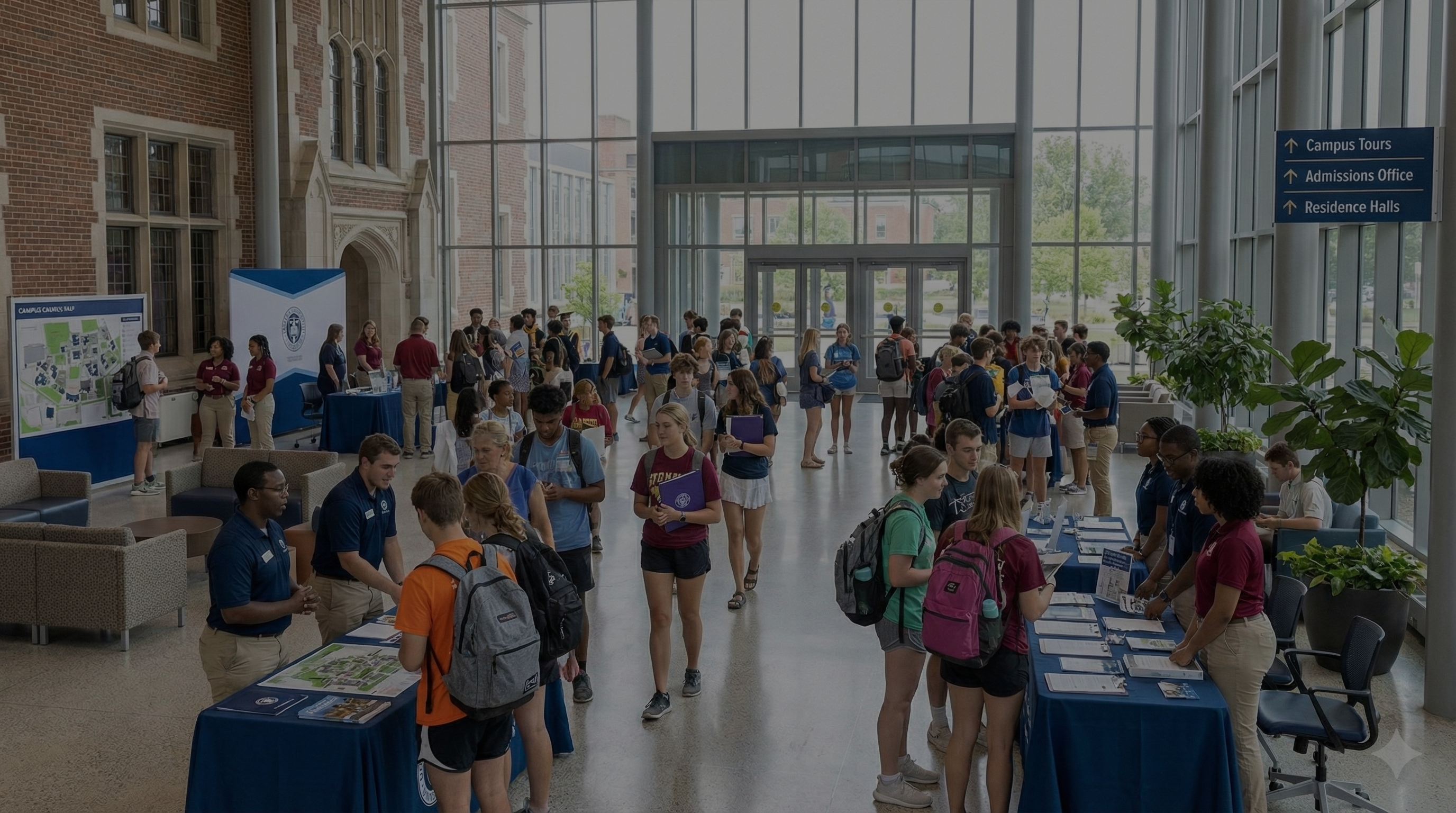
Admissions teams compete on experience. Gen-Z students judge institutions through digital signals: speed, personalization, mobile usability, and clarity. A campus can host a world-class tour and still lose a student if the event experience feels outdated. InEvent gives admissions teams a mobile-first recruitment engine that combines onsite flow, virtual reach, and measurable engagement.
Accepted students and prospective applicants want an event that feels like modern product design:
They want one QR code, not five check-in tables.
They want schedules that update in real time.
They want interactive campus exploration, not passive brochures.
They want content that works for international time zones and remote decision-makers.
InEvent meets those expectations through the InEvent Live App, the InEvent Virtual Lobby, and admissions-grade engagement tracking.
InEvent supports gamification that admissions teams can deploy without custom development. You can run QR scavenger hunts that guide students through the campus narrative you want them to learn.
Admissions leaders do not want random campus wandering. Admissions leaders want guided exposure to differentiators: financial aid clarity, career outcomes, student life, research access, and support services. InEvent turns that strategy into a measurable flow.
Example: “Find Your Fit” Scavenger Hunt using InEvent Live App
InEvent places QR codes at key booths and locations: Financial Aid, Career Services, Housing, Student Life, Honors Program, Athletics, and the relevant academic department.
Students open the InEvent Live App and scan codes to earn points and unlock milestones.
InEvent awards badges and triggers prompts based on behavior, such as “Book a 1:1 with an admissions counselor” after the student visits Financial Aid and Housing.
InEvent tracks completion rates by segment: domestic vs. international, intended major, first-gen, transfer, graduate, and scholarship candidates.
InEvent converts exploration into a structured funnel, and InEvent gives admissions teams a defensible story about event ROI.
Admissions teams need signals that correlate with enrollment decisions. InEvent captures useful behaviors:
InEvent tracks session attendance and dwell time.
InEvent tracks booth visits through QR scans.
InEvent tracks content consumption in the InEvent Virtual Lobby.
InEvent tracks questions submitted, meetings booked, and CTA clicks.
You can use those signals to prioritize outreach. InEvent lets admissions staff identify high-intent students who engaged deeply but did not submit an application, then trigger targeted follow-up.
International and out-of-state students often cannot attend onsite open days. They still expect a premium experience. InEvent solves the reach problem through the InEvent Virtual Lobby, which supports live streams, sessions, sponsor-style booths for services, and structured networking.
InEvent hosts a branded virtual environment that mirrors the campus narrative.
InEvent supports live keynotes, department breakouts, and student panels.
InEvent enables 1:1 meetings with counselors and faculty representatives.
InEvent provides real-time chat and moderated Q&A for safety and control.
InEvent tracks engagement by attendee and by content segment.
If your admissions strategy includes geographic growth, InEvent becomes the operational engine. You can replicate the same virtual open day model by region, program, or language.
Admissions events break when check-in breaks. InEvent supports fast onsite operations:
InEvent enables QR check-in for students and guests.
InEvent supports badge printing where needed for staff routing and session access.
InEvent supports capacity rules for tours, labs, and small-group faculty meetings.
InEvent supports push notifications for schedule changes and room updates.
The InEvent Live App reduces staff load. The InEvent dashboard reduces ambiguity. Admissions leaders get control.
Alumni events succeed when development outcomes follow. Alumni Relations needs more than attendance counts. Advancement teams need engagement intelligence that flows into donor systems and informs strategy. InEvent connects alumni experiences to fundraising reality through CRM integrations, engagement scoring, and measurable post-event conversion.
Alumni Relations often runs on lagging indicators: headcount, anecdotal sentiment, and generic surveys. Development officers need a sharper picture:
Who showed up consistently across the year.
Who engaged with high-value content.
Who responded to giving prompts.
Who booked meetings, joined councils, or volunteered.
InEvent delivers those signals and pushes them into your CRM—following the same data-driven approach outlined in event data and analytics for performance measurement.
InEvent supports integration pathways that align with how universities run advancement data operations:
InEvent Salesforce integrations for institutions that manage development, alumni engagement, and campaigns in Salesforce.
InEvent Microsoft Dynamics integrations for universities that standardize on Microsoft ecosystems.
InEvent Blackbaud connectivity through API and Zapier workflows for donor profile updates and engagement syncing.
InEvent reduces manual exports and eliminates “event data limbo” where insights never reach the people who solicit gifts.
InEvent captures structured data that advancement teams can map cleanly:
InEvent registration fields and segmentation tags.
InEvent attendance status and session participation.
InEvent content consumption time for live and recorded streams.
InEvent meeting bookings, booth visits, and CTA interactions.
InEvent survey responses and NPS-style scores where appropriate.
That dataset becomes useful only when it arrives in the CRM. InEvent prioritizes that flow.
InEvent Engagement Scoring helps Alumni Relations and Development prioritize outreach by behavior, not guesswork.
Example: Homecoming Weekend Donor Prioritization with InEvent
InEvent tracks who attended the reunion dinner in person.
InEvent tracks who watched the State of the University stream and for how long.
InEvent tracks who clicked “Support Student Scholarships” during the livestream.
InEvent identifies alumni who engaged across multiple touchpoints, then marks them as “warm” based on scoring thresholds.
A major gifts officer can then focus on high-signal alumni rather than calling down a list sorted by graduation year.
InEvent supports an advancement-grade workflow:
InEvent collects clean registration data with validation rules.
InEvent matches attendee records to CRM IDs where possible.
InEvent sends attendance and engagement fields into Salesforce, Blackbaud, or Microsoft Dynamics.
InEvent triggers follow-up tasks based on behavior, such as scheduling outreach for high-engagement alumni.
InEvent supports reporting that ties programming to downstream actions.
InEvent lets Alumni Directors prove influence with real metrics.
Yes. InEvent integrates with Blackbaud Raiser’s Edge and other university CRMs via API and Zapier, allowing alumni engagement data such as event attendance and donation prompts to sync automatically to donor profiles.
With InEvent, Alumni Relations can answer questions leadership always asks:
Which programs drive the highest engagement by cohort.
Which chapters generate the most volunteer actions.
Which content formats produce the strongest conversion to meetings and gifts.
Which segments respond to which messages and experiences.
InEvent turns alumni events into a measurable program, not a series of disconnected weekends.
Commencement stress concentrates in one place: families. Graduation ceremonies carry emotional weight, and families expect the institution to deliver a high-quality experience. Most campuses still publish huge photo galleries and force parents to hunt manually. That approach signals operational neglect. InEvent fixes the family experience with AI photo discovery and tight ticket governance.
A single commencement can generate thousands of photos. Photographers upload them. Parents search by scrolling. The experience collapses.
Parents waste time.
Social sharing stalls.
University reputation takes a hit in the exact moment families feel most emotionally engaged.
InEvent solves this with InEvent AI Photo Match.
InEvent AI Photo Match enables family members to find only the photos that contain their graduate. InEvent turns a chaotic gallery into a personalized experience.
Parents upload a selfie through the InEvent experience.
InEvent AI Photo Match identifies matching faces in the event photo set.
InEvent delivers a curated gallery that includes only the graduate’s photos.
InEvent removes friction and protects privacy better than open browsing.
Commencement creates high-volume social content. InEvent AI Photo Match increases the probability that families will share professional photos quickly. That sharing drives organic visibility and alumni pride.
InEvent also supports operational discipline: the institution avoids ad hoc photo sharing channels that leak images and create complaints.
Commencement also breaks when ticketing breaks. Most institutions enforce strict ticket limits: four per family, assigned seating, or prioritized access. InEvent handles those constraints through capacity rules and controlled distribution.
InEvent enables ticket policy enforcement:
InEvent sets per-household or per-graduate ticket caps such as “4 tickets per family.”
InEvent controls ticket allocation windows and prevents over-issuance.
InEvent supports QR-based entry validation for tickets and credential types.
InEvent supports onsite scanning workflows that match tickets to entry lanes.
InEvent reduces conflict at the gate. InEvent reduces security risk. InEvent reduces staff burden.
Commencement often spans multiple ceremonies: undergraduate, graduate, doctoral hooding, college-specific events, and honors ceremonies. InEvent Sub-Accounts and event templates let you standardize quickly across all ceremonies while keeping separate ticket policies.
InEvent supports:
InEvent multi-event scheduling and attendee segmentation.
InEvent QR check-in for different ceremony types.
InEvent communication sequences for families, graduates, and staff.
InEvent treats graduation as a controlled program, not an annual scramble.
Higher education carries strict obligations around student information, identity, and accessibility. Universities cannot treat event technology as “just marketing software.” InEvent aligns with enterprise expectations through security posture, compliance readiness, and identity integration.
Universities operate under FERPA expectations and internal governance that often exceeds FERPA. CIOs must ensure:
controlled access to student-related records,
secure authentication pathways,
audited administrative actions,
minimized duplication of sensitive data across vendors.
InEvent supports that posture through enterprise security and governance capabilities.
InEvent holds ISO 27001 certification, which signals a structured information security management system. InEvent also supports single sign-on, including SAML configurations and common higher-ed identity patterns such as Shibboleth.
InEvent lets the university:
enforce centralized authentication through InEvent SSO,
reduce password sprawl across departments,
manage access through institutional identity providers,
support least-privilege role assignment inside InEvent.
Universities must support accessibility across digital touchpoints. InEvent supports accessibility expectations aligned with WCAG 2.1 AA, helping institutions serve users with disabilities across registration, content, and mobile experiences.
InEvent helps universities reduce compliance exposure and deliver better experiences to every attendee.
Universities do not need another point solution. Universities need an institutional platform that supports admissions growth, alumni outcomes, and ceremonial excellence without compromising governance.
InEvent delivers that platform through:
InEvent Sub-Accounts for “one campus” governance with departmental autonomy
InEvent Live App for modern, interactive admissions and student experiences
InEvent Virtual Lobby for global reach and virtual open days
InEvent CRM integrations and InEvent Engagement Scoring for advancement outcomes
InEvent AI Photo Match and InEvent Capacity Management for commencement excellence
InEvent ISO 27001 certification, InEvent SSO, and WCAG-aligned accessibility support for enterprise readiness
If you want one system that central IT can defend, departments can adopt, and leadership can measure, InEvent fits the higher-ed reality.
Yes. InEvent supports enterprise procurement workflows, including payment via university purchase orders, allowing finance teams to route contracts through standard approval chains while maintaining predictable licensing, invoicing documentation, and vendor compliance requirements across departments and sub-accounts.
InEvent works with procurement processes that involve vendor onboarding, security review, and contract controls. InEvent also supports standardized licensing so departments stop purchasing separate event tools. InEvent helps the CIO consolidate spend into an enterprise agreement, then allocate InEvent Sub-Accounts internally.
No. InEvent does not replace Canvas or Blackboard because InEvent focuses on events, engagement, and attendee experiences; however, InEvent integrates with LMS ecosystems for course-related events, webinars, orientations, and training workflows that need registration, attendance tracking, and communications.
InEvent complements LMS platforms by handling high-volume event operations that LMS tools do not optimize: check-in, badge printing, multi-session agendas, virtual lobbies, engagement scoring, and CRM sync. InEvent also supports audiences beyond enrolled students, including prospects, alumni, donors, and parents.
Yes. InEvent supports white-label branding, including custom domains and URL structures, allowing universities to present a consistent institutional front door for events while maintaining centralized governance, consistent templates, and controlled experiences across multiple departments and campuses.
InEvent helps universities standardize domain strategy. InEvent supports branded registration pages and consistent email identity so attendees trust communications. InEvent reduces phishing risk by keeping event traffic inside approved domains.
Yes. InEvent supports multi-campus operations through InEvent Sub-Accounts and standardized templates, allowing universities to manage regional campuses, international programs, and partner institutes under one governed enterprise environment while still enabling local teams to execute independently.
InEvent enables campus-specific branding variants when needed while preserving institutional standards. InEvent also supports time-zone aware agendas and virtual access through the InEvent Virtual Lobby.
Yes. InEvent supports role-based access control that lets universities assign granular permissions for central IT, departmental admins, event managers, student ambassadors, and vendors, ensuring each user accesses only the InEvent features and data necessary for their responsibilities.
InEvent helps the CIO enforce least privilege across departments. InEvent also supports controlled onboarding for temporary staff, including commencement volunteers and admissions ambassadors.
Yes. InEvent supports enterprise security posture and controlled data access, enabling universities to configure permissions, authentication, and governance practices that align with FERPA expectations while limiting unnecessary exposure of student-related data across departments and external tools.
InEvent helps universities reduce tool sprawl, which often creates larger privacy risk than any single platform. InEvent also supports centralized oversight so IT can maintain consistent controls.
Yes. InEvent supports single sign-on through SAML-based configurations and common higher-ed identity patterns such as Shibboleth, allowing universities to centralize authentication, reduce password sprawl, and manage staff access to InEvent through institutional identity governance.
InEvent gives IT a predictable approach: one identity integration, then controlled access across InEvent Sub-Accounts.
Yes. InEvent integrates with Salesforce and Microsoft Dynamics through native and API pathways, and InEvent supports Blackbaud connectivity through API and Zapier workflows, allowing universities to sync attendance, engagement signals, and donation prompt interactions into donor and alumni profiles.
InEvent reduces manual export cycles. InEvent also supports mapping fields to match institutional data definitions, including cohort tags, chapters, programs, and affinity groups.
Yes. InEvent supports hybrid execution by combining onsite check-in workflows with the InEvent Virtual Lobby, allowing universities to serve in-person attendees and remote participants through one event configuration while tracking engagement consistently across formats and segments.
InEvent enables consistent messaging, unified agendas, and consolidated reporting for hybrid events. InEvent helps universities expand reach without splitting platforms.
Yes. InEvent enables phased rollouts through InEvent Sub-Accounts, reusable templates, and standardized onboarding, allowing universities to start with priority units such as Admissions, Alumni Relations, or Commencement teams and then scale adoption across the campus enterprise environment.
InEvent supports governance-first deployment. InEvent lets central IT set standards, then replicate success patterns across departments rather than rebuilding each time.
A typical university rollout follows a governance-first path:
Central IT configures InEvent identity, security baseline, and brand standards.
Admissions launches a flagship recruitment program using the InEvent Live App and InEvent Virtual Lobby.
Alumni Relations connects InEvent CRM integrations and enables InEvent Engagement Scoring for donor prioritization.
Commencement deploys InEvent Capacity Management and InEvent AI Photo Match to improve family experience.
The CIO expands InEvent Sub-Accounts to additional faculties with standardized templates and training.
This rollout approach delivers quick wins that leadership sees immediately while building an enterprise foundation that scales.




