


One of our sales representatives will contact you shortly.
Event professionals know the pressure of post-event reporting all too well.
After months of planning, running the event, and keeping everything on track, you sit down to measure impact and what do you get? A clunky export. A few scattered graphs. Gaps in the story. Your team is left stitching together spreadsheets from registration, check-in, app engagement, and maybe some sponsor reports, if you even got them.
Most platforms weren’t built to give you a full view. They were built for execution, not visibility. That’s the difference with InEvent.
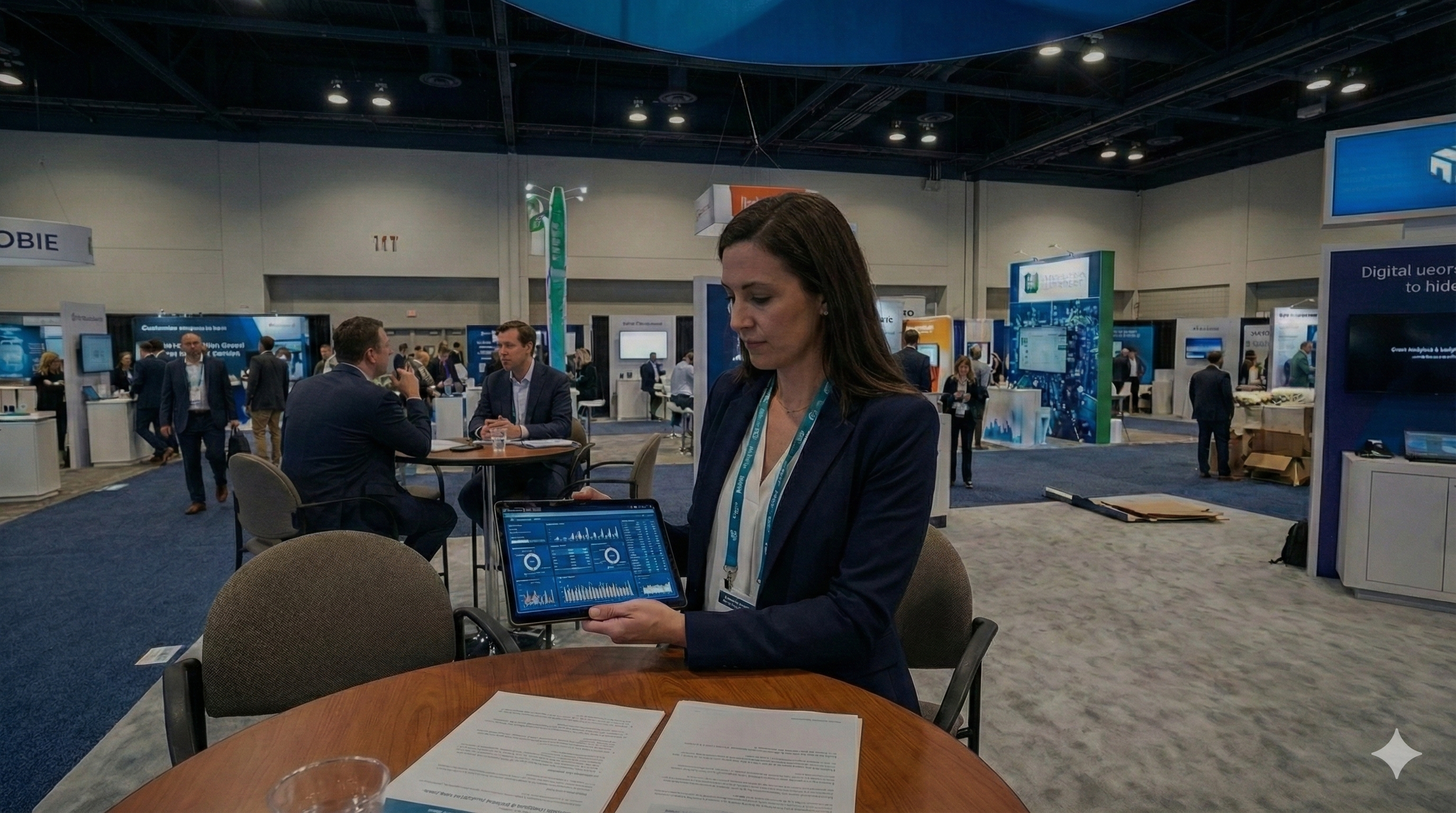
InEvent is an all-in-one event analytics and insights platform built to help you understand what actually happened, while it’s happening. From check-in flows and session attendance to booth traffic and audience engagement, every data point is captured and visualized in real time.
You see what’s working. You fix what’s not, all before the event ends.
At a recent event, People Driven Technology, post-event data was fed directly into their sales pipeline via Salesforce, allowing their reps to follow up same day.
If you’re tired of flying blind after your event ends, it’s time to upgrade.
Event data isn't just about looking back. It’s about knowing what to do next.
A true event analytics and insights platform helps you understand every stage of your event (before, during, and after). It pulls in data from your registration forms, check-in flows, session attendance, sponsor booths, mobile app interactions, and even your CRM. Then it connects the dots for you.
This isn’t just a “dashboard.” And it’s not just a post-event export that collects dust in a folder.
An insights platform answers real questions event teams ask every day:
Which sessions kept people engaged?
Where did people drop off during check-in?
Did that VIP actually show up?
Which sponsor activations drove the most leads?
Which attendees are most engaged, and should we follow up with them now?
If you’re relying on spreadsheets, native Zoom reports, or piecemeal exports from different tools, you already know the struggle. It’s slow. It’s fragmented. And it rarely tells you the whole story, especially when your marketing or sales team needs answers now.
That’s why platforms like InEvent are built differently.
InEvent gives you a real-time, centralized view of what’s happening across your entire event, whether it’s a single webinar, a global hybrid summit, or a multi-track in-person conference. All the insights flow into one place, with no manual stitching or guesswork.
And because it’s integrated with systems like Salesforce, HubSpot, and Microsoft Dynamics, the data doesn’t just sit in a dashboard. It powers decisions, drives sales follow-ups, and informs your next event while this one is still in motion.
Event analytics should answer real questions—not create more of them.
InEvent’s analytics platform gives you event intelligence you can act on.
Below are the real metrics that teams care about, broken down by use case, with examples of how event professionals use them to make smarter decisions, faster.
Understand who signed up, when, and why.
Track total registrations over time, by source (email, LinkedIn, partners, etc.)
See drop-offs in form completion—spot friction in your UX.
Monitor conversion rates from website visits to registrations.
Break down audience segments: job titles, industries, regions.
Don’t just know who registered, know who actually showed up and for how long.
Track check-in times and no-show rates by audience segment.
Session-level attendance: who stayed, who dropped off early, and where.
Concurrent session tracking for multi-track events.
Compare registered vs actual attendance across locations or dates.
See where your content hits or misses.
Q&A submission volume per session
Audience sentiment and emoji reactions
Questions answered vs ignored
Track who’s connecting, when, and how often.
Tap-to-network data (smart badge or QR)
Message volume between attendees
Profile views and favorites
Top networkers vs lurkers
Example: At a pharma event, InEvent data showed that attendees from smaller biotech firms were 3x more likely to initiate networking than big pharma reps. The team used this to shape VIP lounge access and roundtables at the next event.
Prove ROI to every exhibitor and sponsor.
Foot traffic at booths (via NFC badge taps)
Dwell time per visitor
Lead capture volume per rep
Engagement with sponsored sessions or content
Measure what happens after your event ends.
On-demand session views
Replay completion rates
Late-stage registrations (post-live)
Content shares/downloads
Tie attendance to revenue finally.
Track which attendees became SQLs
Connect form fills to CRM journeys
Report sponsor ROI (leads, meetings, follow-ups)
Compare cost-per-attendee across formats
What makes InEvent different is this: you don’t need to stitch this data together manually.
Every tap, click, question, and lead is logged automatically and visible in your dashboard, live. And if you're using Salesforce, HubSpot, or Dynamics, the data is synced directly to your CRM.
So whether you're answering to your CMO, your CFO, or your event team, you’ll have the proof in hand.Event data can feel overwhelming, especially if you're used to pulling reports from five different platforms and trying to line them up in a spreadsheet. InEvent removes that chaos. Everything is tracked natively, automatically, and in real time.
Here’s exactly how it works, step by step.
As soon as someone registers for your event, InEvent begins collecting actionable data.
UTM parameters, referrer links, and campaign tags are logged automatically.
Every registrant gets a unique ID tied to their profile.
You’ll see which channels drive the most conversions—without setting up custom dashboards.
Once the attendee arrives (virtually or in person), their entire journey is tracked.
Check-in time and location
Sessions they attend (and for how long)
Booths they visit
Questions they ask, polls they answer, contacts they exchange
Because InEvent’s smart badges and mobile app are deeply integrated with the platform, these actions don’t need manual triggers. Every tap, scan, or click is logged instantly.
InEvent’s analytics dashboard updates in real time. You don’t need to export a CSV or wait for a post-event report.
You’ll get:
Live check-in numbers
Drop-off rates during sessions
Engagement scores by attendee or group
Heatmaps of sponsor activity
Most connected attendees
InEvent connects directly with CRMs like Salesforce, HubSpot, and Dynamics.
Leads from sessions or booths are auto-synced with your CRM.
Marketing and sales can track which attendees became MQLs or closed-won deals.
Sponsors get real-time visibility into lead quality—not just quantity.
All your data is already clean. That means:
No deduplication.
No manual formatting.
No stitching together exports from different tools.
You can export by session, by day, by attendee type—or slice and dice it directly inside the platform.
Most event platforms treat analytics like an afterthought, a tab you visit after everything’s over. The reports are late, the numbers don’t align, and you’re left doing manual cleanup for days. InEvent is built differently.
Here’s how we stand apart and why it matters for your team.
At InEvent, insights don’t wait until your event ends. You get live metrics as your event unfolds, including:
Check-in surges at the venue
Session drop-off rates minute-by-minute
Booth traffic counts for sponsors
Poll responses and Q&A activity during key moments
Hot leads as they engage with your content
This matters because your team can actually act on the data—switching speakers, opening more doors, or alerting sponsors if traffic is lagging.
Some platforms rely on external tools like Google Data Studio or Tableau to “show” analytics. Not InEvent.
Every data point lives inside the platform:
Registration and ticketing
Onsite check-in
Session attendance
Mobile app usage
Booth interactions
Post-event surveys
That means zero data stitching, no risky integrations, and nothing gets lost in translation.
Proof point: People Driven Technology used InEvent to run events across six offices. By having registration, check-in, and lead tracking all in one place, their marketing team cut reporting time in half—and sales picked up leads the same day.
InEvent doesn’t just count attendance. It understands how people engage and lets you react automatically.
Attendee joins a VIP session → flag them as high-value
Lead visits a booth twice → alert sales in real-time
Poll completion rate drops → notify moderators
These behavioral triggers can drive emails, CRM updates, gamification points, or even sponsor notifications.
For example, a global insurance client could set up a rule that awarded points only if attendees stayed in a session for more than 10 minutes.
Running 10+ events a year? You shouldn’t have to download 10 separate Excel files.
InEvent gives you rollup analytics across:
Multiple events
Event types (e.g., webinars vs trade shows)
Geographic regions
Audience segments (internal vs external, VIP vs general)
You’ll finally have a single source of truth for how your event program is performing, year-over-year and quarter-by-quarter.
Built-in filters make it easy to compare and contrast.
CMOs care about pipeline, sales wants hot leads, ops wants logistics and headcount and your execs want highlights.
InEvent lets you create dashboards for each stakeholder group, with:
Different data points
Custom visualizations
Role-specific permissions
Bonus: You can export these dashboards, schedule recurring reports, or embed them into Notion or your internal wiki.
InEvent gives you more than visibility. It gives you clarity, confidence, and control, so you can justify spending, prove ROI, and improve every event moving forward.
Your team doesn’t need another platform. It needs answers. InEvent delivers those at every stage of the event (live, post-event, and everywhere in between).
You’ve seen the dashboard. Now let’s talk about how real teams like yours could actually use it. These scenarios are based on the most common buyer roles we work with.
They’re practical examples of how analytics move from passive reports to actionable decisions.
Imagine a field marketing manager running a 6-city roadshow. Each stop includes a product demo, a mini keynote, and a branded booth experience.
Here’s how they could use InEvent:
Tag every city’s landing page with UTM parameters to track source and conversion rates.
Use NFC badges to log attendee check-in and booth visits without manual scanning.
Measure dwell time at demo stations to see which product lines drew the most attention.
Compare leads captured across regions and filter by company size or industry.
With InEvent, they can answer: Where should we double down next quarter? Which city brought the highest-intent leads? What sessions triggered the most follow-up requests?
An internal communications team at a global company runs quarterly all-hands meetings, broadcast virtually and held in person at HQ.
They could use InEvent to:
Track attendance and drop-off rates by office and department.
Use polls and emoji reactions to measure sentiment during leadership Q&As.
Identify which content segments had the most or least engagement.
Feed participation data into their internal L&D dashboards.
With InEvent, they could find out: Which offices are most engaged? Are remote teams interacting equally? Where should we personalize messaging or improve clarity?
An agency is managing a hybrid summit for a B2B tech client. They need to prove value, not just attendance.
Here’s how they use InEvent:
Set up branded dashboards for the client with views for sessions, speakers, and sponsors.
Track session retention and engagement (Q&A, polls, notes) per attendee segment.
Provide lead scoring based on content interaction + booth visits.
Export reports that segment attendees by job title and interest tags.
With InEvent, the agency gives their client something far more powerful than a spreadsheet: a clear narrative of what worked, what didn’t, and why they should hire them again.
The sponsor manager for a healthcare conference is securing renewals — and upsells — for next year.
Here’s how they use InEvent:
Share real-time dashboards with sponsors showing booth visits and average dwell time.
Use badge tap heatmaps to visualize booth zones with the most interaction.
Track content attendance from sponsor-hosted sessions or branded lounges.
Highlight top leads captured and segment them by company size or seniority.
Instead of saying “your booth was busy,” they can say “you had 1,022 qualified badge taps, 117 new contacts, and 34 leads spent over 10 minutes with your reps.” That’s what closes deals.
A regional sales manager attends an in-person customer summit and wants to act quickly.
Here’s how they use InEvent:
Get instant notifications for high-value attendees who visited a product booth or attended a pricing session.
Export lead details straight to Salesforce, tagged by session attended and interests.
Prioritize follow-up based on engagement depth: how many taps, how long they stayed, how much they interacted.
Collaborate with marketing using shared dashboards to coordinate campaigns post-event.
With InEvent, sales isn’t stuck waiting for “lead lists.” They’re already emailing the warmest prospects while your competitors are still debriefing.
Check out how companies like Sony, PDTIC, and Agora used InEvent’s analytics to drive everything from internal alignment to pipeline revenue. Every team is different but the need for real-time, integrated insights is universal.
Explore More Case Studies
Enterprise-ready analytics start with trust. InEvent gives you complete control over who sees what, how data is used, and how attendees are protected.
If you’re part of legal, IT, or compliance or reporting to someone who is, you know data privacy isn’t optional. It’s non-negotiable. InEvent was built with that reality in mind.
Every interaction tracked on the InEvent platform (from registration to check-in, polls, booth visits, and networking) is fully opt-in. Attendees can see what data is collected and give explicit permission for engagement tracking. No hidden pixels. No surprise exports.
You also get pre-built workflows to manage:
Consent capture at registration
Data deletion requests
Right-to-access requests
Not every user needs access to the same data. InEvent makes it simple to define roles across your team and limit visibility by job function or event.
Examples:
Your marketing team can access session engagement and CRM integrations.
Your sponsor partners can only view badge taps and leads at their own booth.
Your IT admin can view platform activity logs and export audit trails.
All actions are logged, timestamped, and available for review, so if anyone needs to know who accessed what and when, you’re covered.
InEvent uses secure, encrypted cloud servers hosted on Microsoft Azure. This means your data is protected with enterprise-grade standards, redundancy, and uptime SLAs that match even the most risk-averse organizations. SSO, SAML, and SCIM are supported out of the box.
Whether you're planning for SOC 2, ISO 27001, or internal security reviews, InEvent’s data controls are built to scale. You don’t need workarounds or middleware to make your legal team comfortable.
[Read our full security documentation]
Not all event analytics are created equal. Here's what you really get with InEvent compared to most legacy or single-use platforms.
Most platforms offer "analytics" that amount to post-event exports, static PDFs, or disconnected spreadsheets. They look good in slides, but they don't help your team move faster, improve engagement, or close the pipeline.
InEvent was built to provide you with more than just lagging indicators. It’s a real-time decision system for your entire event lifecycle.
|
Feature |
InEvent |
Other Platforms |
|
Real-time Dashboards |
Live data flows from check-in to CRM |
Often delayed or updated post-event only |
|
Session & engagement tracing |
Tracks attendance, reactions, drop-offs |
Limited to attendance or manual scans |
|
CRM sync & attribution |
Native Salesforce, Hubspot, Dynamics integrations |
Requires manual exports or middleware |
|
Multi-event rollups |
Cross-event dashboards for year-round visibility |
No aggregation across events |
|
Role-based dashboards |
Tailored views for marketing, sales, ops, sponsors |
One-size-fits-all reports |
|
Native, not bolted-on |
Analytics built into registration, check-in, app |
Added via third-party BI tools or manual data pulls |
With InEvent, your data isn’t just something you look at after the fact — it’s something your team uses during the event to adapt, respond, and win.
Most event platforms keep data locked in. Or worse, they require someone to spend days cleaning spreadsheets before anything can be used by sales, marketing, or ops.
InEvent connects your analytics to the systems your team already uses, in real time.
Salesforce
→ Track event leads directly in contact and opportunity records
→ Attribute pipeline and closed revenue to sessions, booths, or badges scanned
→ Automate lead scoring based on actual event behavior
HubSpot
→ Sync attendee activity into contact timelines
→ Trigger nurture flows or follow-ups based on event interactions
→ Segment by registration source, session engagement, and more
Marketo
→ Power smarter campaign targeting based on in-event actions
→ Build event-based engagement journeys for MQLs and SQLs
→ Use session participation and dwell time as triggers
Dynamics 365
→ Align event data with sales activities and pipeline metrics
→ Centralize registration, attendance, and CRM insights for enterprise-wide visibility
Google Analytics
→ Track traffic sources and attribution for event websites and landing pages
→ Match UTM and referrer data to conversions and registrations
Slack / Internal Dashboards
→ Push key updates in real time (e.g., session check-in counts, booth activity spikes)
→ Keep leadership and remote teams in the loop without waiting for a post-mortem
Switching platforms doesn’t have to slow you down. We make it easy to get started and even easier to keep going.
Moving to a new analytics system can feel like a lift. But with InEvent, you get more than a login and a help article.
You get a team.
Here’s what to expect when you onboard with InEvent:
Dedicated Support Specialist: One point of contact who knows your events and goals inside out.
Custom Onboarding: We help map your data, set up dashboards, and configure reports to match your workflows.
CRM & System Integration: Salesforce, HubSpot, Dynamics 365 — whatever you’re using, we help you connect the dots.
Historical Data Import: Bring in past event data for comparison, benchmarking, and year-over-year insights.
Cloning & Templates: Recurring event series? We’ll set up templates to make replication easy, with consistent analytics baked in.
Proactive Troubleshooting: From pre-event checks to real-time monitoring, our support is there before you even know you need it.
And if you ever want to go deeper, our help center has step-by-step guides and live chat support when you need it.
Most teams only see the data after the event is over, when it’s too late to act.
InEvent flips that script.
With real-time dashboards, live attendee insights, and session-level tracking, you don’t have to wait for a post-event report to know what’s working. You can adjust session timing, boost traffic to sponsor booths, identify drop-off points, and engage hot leads, all while your event is still happening.
That’s the difference between hosting an event… and optimizing it.
Whether you're running internal town halls, client-facing activations, conferences, or partner programs, InEvent helps your team make smarter decisions, faster.
Don’t settle for reactive. Run your events with clarity, confidence, and control.
[Book a Demo]Still have questions? You’re not the only one. Here are some of the most common ones we get.
1. Can I track hybrid events?
Yes. InEvent was built for hybrid from day one. You can track in-person check-ins, session entries, and booth taps alongside virtual engagement like session views, chat, and poll activity.
2. Do I need custom reports?
No. InEvent comes with real-time dashboards and flexible reporting out of the box. But if you need custom logic or specific formatting, our team can help you build it.
3. Is this available for single events?
Yes. Whether you’re running one high-stakes event or a full calendar, InEvent’s analytics scale to fit.
4. Does it work offline for in-person tracking?
Yes. Our smart badges and NFC check-in features work without Wi-Fi. All data syncs securely once you’re back online.
5. Can I track sponsor ROI and lead scans?
Absolutely. You’ll see booth traffic, badge taps, dwell time, and leads collected — all mapped to sponsor profiles and ready for post-event reporting.




