


One of our sales representatives will contact you shortly.
If I had to describe a typical Tuesday night to you during a city council event, would it sound familiar to you?
Council meets at 7 PM. You've spent two days assembling agenda packets and printing meeting binders — which is fine, that's your job. But tonight also has a public hearing on a proposed zoning change. And thirty-seven residents have told you they want to speak.
Some are coming in person. Some want to join by video. A handful sent written comments by email — buried between vendor invoices and a reminder about next month's budget workshop that you haven't even started planning.
Your system for tracking all this? A paper sign-in sheet for the room. A Zoom link for the remote crowd. Index cards with names scribbled on them that you'll hand to the council chair when he asks "who's next?" And a prayer that the WiFi holds.
After the hearing, your city manager will ask: "How many residents participated tonight?"
And you'll do what you always do. Count the paper sheet. Scroll through the Zoom participant list. Give your best guess.
Here's the thing. The agenda and minutes part of your job? There's great city council meeting software for that. eScribe, CivicPlus, iCompass — these tools handle the clerk's workflow and they do it well.
But the other part — the citizen-facing, public engagement, hybrid participation, "37 people want to testify and half of them are on video" part? That's an event management challenge. And no traditional council meeting tool was built for it.
That's the gap this guide is about. And that's the gap InEvent closes.
I'm going to walk you through what's actually happening in this space right now, where the traditional tools stop, what your council really needs to cover, and how InEvent fills the missing layer — without replacing anything you already use.
Let's get into it.
I want to give credit where it's due, because the tools that already exist in this space have earned their place.
eScribe — now part of OnBoard — serves over 400 municipalities across North America. Their agenda management, meeting packets, and automated minutes save clerks dozens of hours every month. CivicPlus integrates agenda management with codification and your municipal website, which is a pretty clever combination. iCompass has been a trusted name in local government for years. OpenMeeting handles electronic roll call, voting, and speaker tracking for councils and school boards.
These tools solve the inside problem. The clerk's workflow. Agenda creation. Meeting packets. Minutes. Vote recording. Public records.
And honestly? If that's all you need, you're covered. Pick one of those tools and go.
But I've spent a lot of time looking at what city councils actually do in a given month. And the inside-the-meeting workflow is only one layer.
There's a whole other layer that involves the public.
When 40 residents want to testify at a public hearing, someone has to manage their registration, queue them to speak, track time limits, and handle the fact that half are in the room while the other half are dialing in from their kitchen. That's not an agenda management problem. That's an event management problem.
When your council holds a community budget workshop at the recreation center — 200 people, a Spanish-language interpreter, live polling on spending priorities — and the WiFi cuts out halfway through? That's not a meeting software problem. That's an event operations problem.
When the city manager asks how many citizens engaged across all council events this quarter — not just who sat in chambers, but who registered online, who watched the livestream, who submitted written comments — your meeting management tool can't answer that. It was never designed to.
That gap between the clerk's workflow and the citizen experience is real. And it's growing.
InEvent sits in that gap. It doesn't replace your eScribe or CivicPlus. It handles everything those tools were never built to do — citizen registration, hybrid participation, speaker queues, multilingual communications, onsite check-in at off-site events, and engagement analytics that turn "we held a meeting" into "here's exactly how our community showed up."
Which brings me to a question that reshaped how I think about this entire category.
What does a city council actually run in a month?
I asked that question and then went down a rabbit hole. And what I found is that every vendor in the city council meeting software market defines the category the same way: agenda + minutes + voting + public records.
That's like defining a restaurant as "a kitchen." It's not wrong. But it misses everything that faces the customer.
Because if you look at what councils actually manage, formal sessions are just the beginning. Your council runs events — lots of them — and each one has different operational needs that meeting management software doesn't touch.
Nobody's published a clear breakdown of these event types. So I'm going to. Because once you see the full picture, the technology question changes completely.
1. Regular council sessions — the public access layer
Your twice-monthly meeting. The agenda side is handled. But "public access" in 2026 means more than posting a PDF on the website and unlocking the chamber doors. Residents expect to register for in-person seats when capacity is limited, watch a quality livestream if they can't make it, ask questions through a digital channel, and find the recording afterward without calling your office. That's an event experience layered on top of your meeting workflow.
2. Public hearings — the highest-stakes event you run
Zoning changes. Utility rate adjustments. Budget adoption. Land use permits.
This is where civic trust gets built or broken. Residents register to testify. Some show up in person. Some join by video. The clerk manages a speaker queue — ideally with time limits on screen so everyone can see the process is fair. Written testimony needs collecting and distributing to council members before the hearing starts. And afterward, you need hard numbers: who registered, who spoke, how, and for how long.
Most municipalities run this with email, phone calls, and a paper sign-in sheet. It works until it doesn't. And when a contentious hearing draws 80 speakers, the seams tear open.
I'll go deeper on this in a dedicated section below — it deserves it.
3. Community budget workshops
Held at community centers or rec facilities — not council chambers. A hundred to three hundred residents in a room with presentations, Q&A, and live polling. "If you had to prioritize one infrastructure project, which would it be?" Multilingual support for communities where significant portions speak Spanish, Mandarin, or Vietnamese. Post-event surveys. Engagement reports for the city manager.
These events need registration, check-in, polling, multilingual capability, and offline functionality. Because rec center WiFi is... let's just say it's optimistic.
4. Neighborhood town halls and community forums
District-specific. A council member meets constituents about local issues. Smaller, more informal — but you still need registration, attendance tracking, and documentation. If you want the deep dive on this specific format, we've written a full guide to municipal town hall software.
5. Planning and development presentations
A proposed development. An environmental impact review. A new transportation plan. These draw a mix of residents, developers, city staff, and sometimes press. Document sharing — often through secure channels, since not everyone should see everything — plus public comment collection and sentiment polling.
6. Intergovernmental and municipal conferences
Regional meetings with neighboring councils, county commissioners, or state municipal league events. These are full-scale conferences with registration, credentialing, multi-track agendas, networking, and sometimes travel coordination. They need event management infrastructure. Your agenda software can't run a 200-person municipal conference.
7. Civic education and community programs
Youth councils. Citizen academies — those multi-week programs that teach residents how local government works. Government day events. School visits. Recurring event templates, public registration with accessibility compliance, and certificate generation for program graduates.
Here's my point: if your city council meeting software only handles type 1 and part of type 2, you're leaving six other event categories to spreadsheets and email.
And those six categories? That's where most of your public engagement actually happens.
Now, one of those categories is moving faster than the others — and it's creating the most urgency. Let me explain.
Several states have updated their Open Meeting Act statutes to allow — or require — hybrid participation options for public meetings.
The logic makes sense. If a working parent can't get to council chambers at 7 PM on a Tuesday, or an elderly resident can't make the drive, or someone with a disability faces physical barriers to the building — they should still be able to participate in their local government. That's not controversial.
What is a problem is how most councils are implementing "hybrid."
And I'll be blunt: it's a Zoom link posted on the website 30 minutes before the meeting starts.
The issues pile up fast. Remote participants can't queue to speak the way in-person attendees do. There's no unified registration — you end up with a paper sign-in sheet AND a Zoom participant list that nobody reconciles. You can't tell who actually engaged versus who left the window open while making dinner. Audio quality depends on whoever has the worst microphone. And when Zoom crashes mid-hearing — which it does — there's no backup plan.
That's not hybrid. That's hoping it works out.
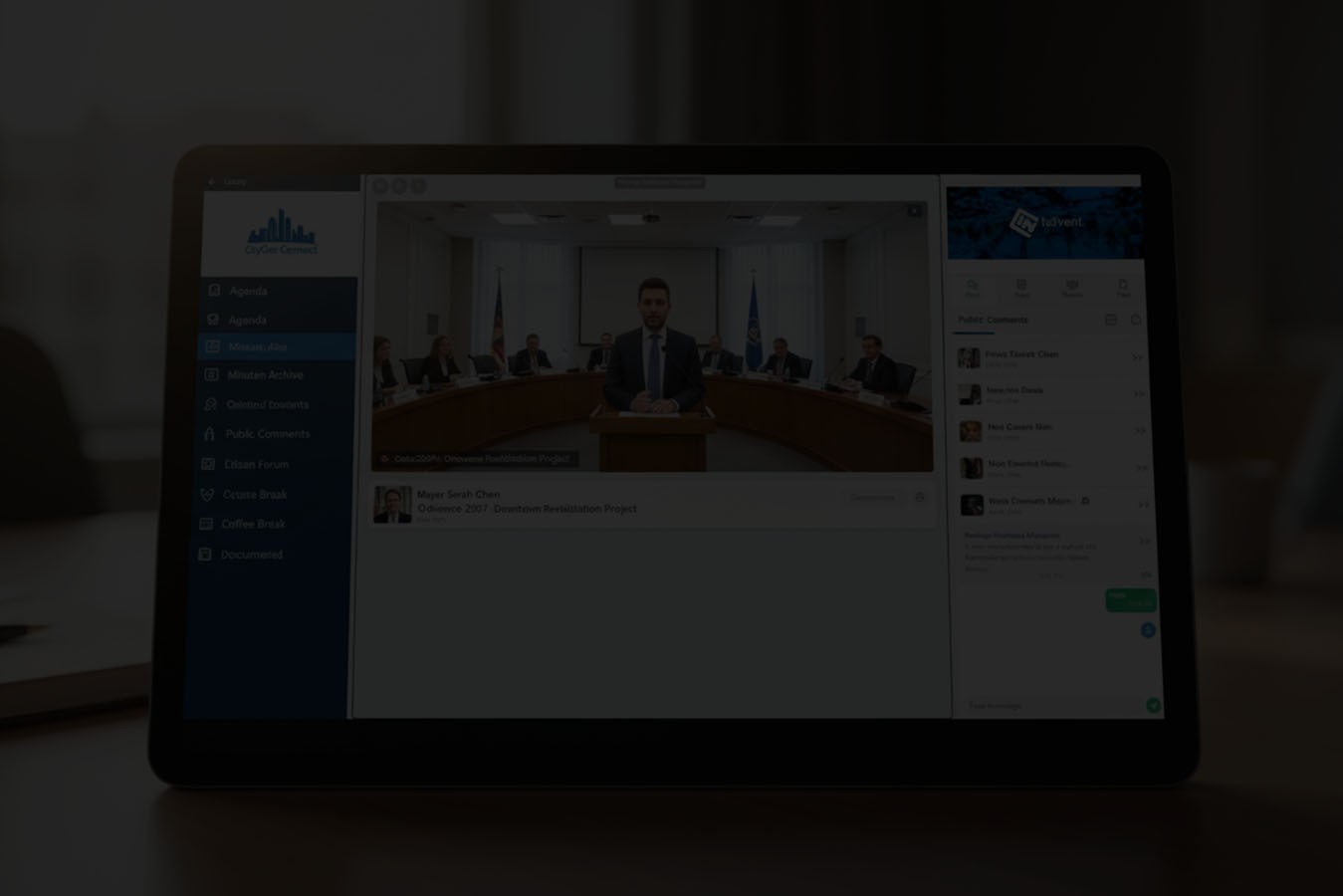
Real hybrid council meetings need a unified system. One registration link, whether you're attending in person or by video. A single speaker queue that manages both audiences. Live polling that captures input from the room and the screen. Chat and Q&A moderated by staff. Recording with timestamped public comments for the official record. Accessibility features — closed captioning, screen reader support, WCAG-AA compliance. And analytics that combine both audiences into one participation report.
InEvent was built for hybrid from the ground up. Not bolted on. Not "we added a Zoom embed." The platform runs in-room and remote participants through the same interface with shared agendas, unified speaker queues, real-time polling, and combined attendance records.
There's a difference between "we offered a hybrid option" and "we delivered a hybrid experience." Your residents can feel the difference. And so can your council.
But hybrid is only half the story. The event where the public engagement stakes are highest — and where the technology gap hurts the most — is the public hearing. Let me walk you through what that looks like when it's done right.
I'm giving public hearings their own section because this is where the pain is sharpest. And where the right software makes the most visible difference.
What most hearings look like right now:
A resident finds out about a hearing from a legal notice in the local paper. Or a sign posted on a vacant lot. They show up to council chambers, find the sign-in sheet, and write their name. They sit down and wait. They have no idea when they'll be called. Thirty minutes go by. An hour. They start wondering if they should've just sent an email.
If they want to testify remotely? They email the clerk — who may or may not see it in time. They get a Zoom link. They unmute and hope someone notices.
The clerk manages everything with paper cards and a running clock. Time tracking is manual. Written testimony arrives by email, fax (yes, that still happens), or hand-delivered paper. After the hearing, the city manager asks "how many people participated?" The clerk counts the sheet and approximates.
It works. But it doesn't inspire trust. And for the resident who took time off work, arranged childcare, and waited 45 minutes to give a three-minute statement — the experience feels disorganized. Even if the process was perfectly legal, it didn't feel fair. And in public governance, how things feel matters almost as much as how they work.
What technology-enabled hearings look like:
Residents register online. They pick "in-person" or "remote." They choose which agenda item they want to address. They upload written testimony if they have it. They get a confirmation email with an estimated slot time.
At the hearing, the clerk manages a digital speaker queue. In-person and remote speakers are interleaved by registration order — not by who raised their hand first or who the clerk happened to see. Each speaker gets a timed slot displayed on screen, visible to the room and the remote audience. Written testimony is already in council members' hands before the first speaker takes the mic.
After the hearing, the system generates a report: 52 residents registered. 38 spoke — 24 in person, 14 remote. 14 submitted written testimony. Average speaking time: 2.8 minutes. Total hearing duration came in 12 minutes under projection because the queue was managed efficiently.
That's the difference between checking a legal box and earning civic trust.
InEvent handles the full workflow: online registration with in-person or remote selection, speaker queue management with time tracking, document submission through secure channels, hybrid session management, and post-hearing analytics exportable for the city manager's report.
And all of those capabilities come with a compliance layer that municipal procurement requires. Which is where this goes next.
If you're in procurement, IT, or the city attorney's office, this section is for you. Because features don't matter if the platform can't survive your compliance review.
You've got the compliance context. Now let me show you exactly how the platform maps to the council scenarios I described earlier — because features only make sense when you can see where they solve your specific problems.
Instead of "We held 12 public meetings this quarter," you report: "847 residents participated across 12 events. 312 in person. 535 remote. 94 gave public testimony. Average engagement time: 47 minutes."
That's data that supports better decisions. And it's the kind of reporting that earns your program its next year of funding.
Post-meeting summaries drafted in minutes. Citizen communications in multiple languages. AI transcription for first-draft minutes your clerk can review and refine. Q&A moderation that flags and groups similar questions during live sessions — so your moderator isn't reading the same parking complaint eight times.
Now, because I've mentioned several other tools throughout this guide, let me put them all in context. Honestly.
This isn't a zero-sum choice. For most municipalities, the right setup involves more than one tool. Here's how the landscape actually breaks down.
eScribe (OnBoard) is the gold standard for the clerk's internal workflow. Four hundred municipalities. Agenda management, meeting packets, automated minutes, public portal, video streaming, closed captioning. If your primary challenge is streamlining how your clerk prepares for and documents council meetings, eScribe is a genuinely strong pick. I'm not going to pretend otherwise.
Where it stops: there's no public hearing registration system. No speaker queue for citizen testimony. No hybrid participation beyond basic streaming. No multilingual communications. No event management for community workshops, budget forums, or civic programs. No engagement analytics beyond meeting records.
CivicPlus is another solid option for agenda and meeting management, with the bonus of codification integration and a public portal connected to your municipal website. Their Live Meeting Manager handles voting and speaker tracking during the formal session. Same limitation as eScribe: built for the clerk's workflow, not the citizen-facing experience.
OpenMeeting does a decent job for the meeting itself — electronic voting, agendas, speaker tracking, minutes. Used by councils and school boards. But there's no enterprise compliance stack (no SOC 2, no FAR, no NDAA), no offline check-in, no multilingual capability, no AI tools, and no registration system for public-facing events.
Granicus is primarily a video streaming and archiving platform. Not meeting management. Not event management. Just streaming. And frankly, a lot of municipalities are moving away from it — the City of La Palma, for instance, documented saving about $7,000 a year by switching their streaming infrastructure to CivicPlus.
Cvent, Bizzabo, EventsAir are enterprise event platforms built for corporate conferences. They could theoretically power a municipal conference, but they don't understand open meeting compliance, public comment workflows, or the dynamics of government events. And they don't have a single page of content about local government. Not one.
InEvent doesn't compete with your agenda management software. It handles the layer that those tools were never designed for: citizen registration, hybrid participation, speaker queues, multilingual communications, onsite check-in at off-site events, engagement analytics, and the full range of council events — from public hearings and budget workshops to civic education programs and municipal conferences.
Government compliance stack: FAR, NDAA Section 889, SOC 2 Type II. Offline-capable for community centers and rec facilities. 180+ languages. And the same platform used by NASA, the SEC, the FDIC, and the U.S. Department of Commerce — scaled and priced for municipal budgets.
If eScribe or CivicPlus handles your clerk's workflow well, keep using them. They've earned that trust. But when a resident tries to register for a public hearing, testify remotely in Spanish, or attend a budget workshop at the rec center — and your clerk is still managing it with paper and email — that's the gap InEvent was built to close.
I know municipal procurement has its own pace. Budget cycles. IT security reviews. Council approval. RFP processes. So here's what the deployment actually looks like, honestly — no "up and running in minutes" promises.
Most municipalities are fully operational in two to three weeks.
Here's what this comes down to.
Your residents want to register for a public hearing without calling the clerk's office. They want to testify remotely when they can't make the drive. They want the agenda in Spanish if that's what they speak at home. They want to attend a budget workshop at the rec center and know their input was counted. They want to find last Tuesday's meeting recording without three clicks and a dead link.
These aren't unreasonable expectations. These are the same expectations they have for booking a dentist appointment or reserving a library book online.
Your council has good tools for the internal workflow — agendas, minutes, voting records. That part is handled. But the citizen-facing experience? The registration, the hybrid participation, the multilingual access, the engagement data? That's the part that's still running on paper sign-in sheets and best guesses.
InEvent closes that gap. Citizen registration. Hybrid sessions. Speaker queues. Multilingual access. Onsite operations that work offline. Engagement analytics that turn "we held a meeting" into "here's exactly how our community engaged." Government-grade compliance for procurement. Enterprise infrastructure — scaled and priced for municipal budgets.
Every municipality is different. Different meeting schedules, different community demographics, different compliance requirements, different budget realities. That's why we start with a conversation — a walkthrough mapped to your specific meeting calendar, your event types, and the engagement goals your council cares about.
And if InEvent isn't the right fit for you? I'd genuinely rather you find the tool that is. This gap between meeting management and public engagement is real. Closing it matters more than which platform closes it.
But if you've read this far, you already see the gap. Let's talk about closing it.
1. What is city council meeting software?
It's software that helps local governments manage council meetings and the events around them. Traditional tools focus on the clerk's workflow — agendas, minutes, voting, public records. Event-focused platforms like InEvent add the citizen-facing layer: public hearing registration, hybrid participation, speaker queue management, multilingual communications, and engagement analytics.
2. Can this software handle hybrid public hearings?
Yes. InEvent manages hybrid hearings with unified registration (in-person or remote), a single speaker queue for both audiences, live streaming with moderated chat and Q&A, document sharing, recording with timestamping, and post-hearing analytics. Remote and in-person participants use the same system — not separate tools stitched together.
3. Is the platform accessible and ADA-compliant?
InEvent is WCAG-AA compliant across registration, the mobile app, and the virtual lobby. That includes closed captioning, screen reader compatibility, keyboard navigation, mobile-responsive design, and multilingual support in 180+ languages with auto-detection.
4. How does InEvent differ from eScribe or CivicPlus?
eScribe and CivicPlus are excellent at the clerk's internal workflow — agenda creation, minutes, codification, meeting packets. InEvent handles the citizen-facing event layer: public hearing registration, hybrid participation, speaker queues, multilingual access, onsite check-in at community events, and engagement analytics. They're complementary. Many municipalities use both — one for the internal process, one for the public experience.
4. Does it work offline at community centers and other off-site locations?
Yes. Offline check-in caches attendee data on the local device. Registration verification and attendance tracking continue without internet. Data syncs automatically when connectivity restores. This is essential for workshops, town halls, and forums at schools, recreation centers, churches, or libraries where WiFi is unreliable.




