
Award winning products

A comprehensive list with all InEvent features on its platform

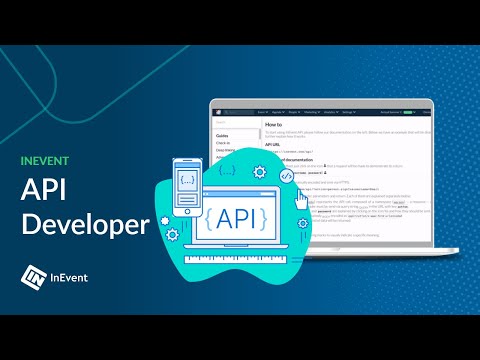
API developer integration

Update any information directly with the InEvent platform

Access to the API and its documentation allows any external system (such as your website or CRM) to connect directly to our platform, being able to perform updates safely and easily. Examples include adding a new attendee, changing the details of an event, or any of the more than 500 operations available.
White label branding

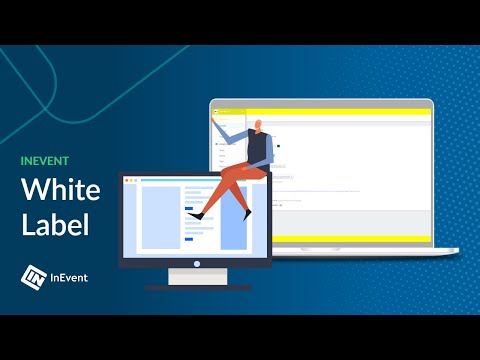
Create your website, app or system with your brand, colors and names

When you create an app, website or badge kiosk with an already built product with your identity, we are using a white label process, vital to increased engagement with attendees, offerings to sponsors and brand recognition for customers. The white label selection comes without any InEvent branding. You may find examples of this at:

Branded images and colors
Registration and landing pages with your colors, logos and background images.

Custom domains
Use your domain so customers are accessing your website directly instead on InEvent.

Custom email sender
Set your own email or domain when sending out the emails to your attendees or guests.

Custom CSS
Upload your own source code to customize the experience even further.

Branded mobile app
Mobile app published directly on your app stores with personalized images.

Kiosk mode
Kiosk mode available for guests using your cover image and unique color selection.
Branding with CSS

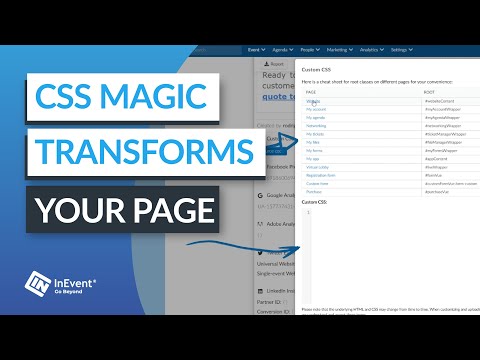
Add Cascading Style Sheets to your website landing page

Powerful customization can be added to your event as you have access to native CSS. With our code editor, you can upload your rules to the platform and apply them in real time to the landing page, website, Virtual Lobby, sessions and more!

This requires a technical person that understands and can develop code using CSS, Cascading Style Sheets.
Multi events system platform

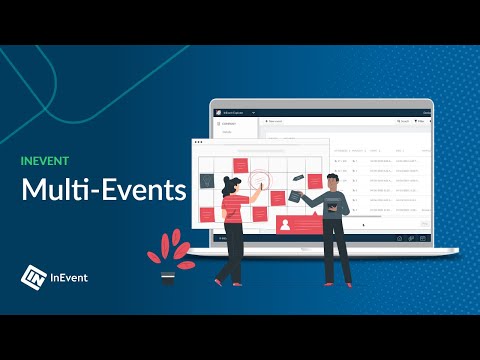
Add multiple events inside the same platform

A list of all your events on the platform. Allows you to place multiple events, with different permissions, sorted in a list separated by dates, names or visibility. Each event is separated from each other and can be navigated by each participant independently. Access to an event does not necessarily give access to another event. Events can be hidden, private or public.
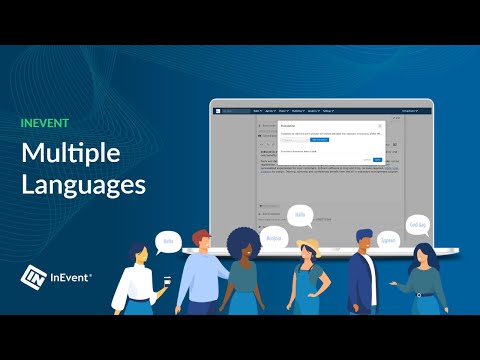
Availability in multiple languages

Your event automatically translated into other languages

If you have organized an event with multiple different nationalities, then you know the importance of thinking about your attendees language. With InEvent you can have builtin native translations and out of the box support for custom translations. Event managers can quickly add as many translations as needed on the event description, sessions, speakers, registration forms and much more. Multiple languages can be added to the same event, and even headings can be translated. Today we have support for several languages, such as English, French, Spanish and German, and we are adding new languages as our customers need them.
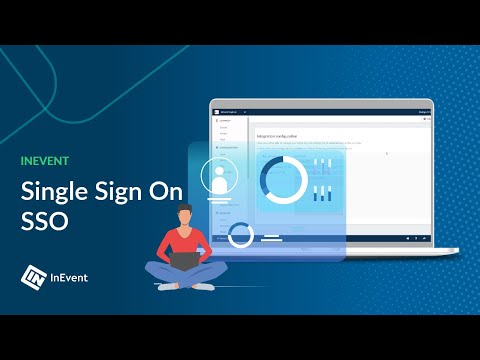
Single Sign On (SSO)

Provide a single login endpoint for your entire organization

Using SAML 2.0, organizations can integrate InEvent solution with their current enterprise federation. Login can be the same used on your central repository, which can be any SAML 2.0 protocol solution, including Microsoft AD or Amazon IAM. Authentication occurs using encrypted connections and is limited to your organization specific endpoint.
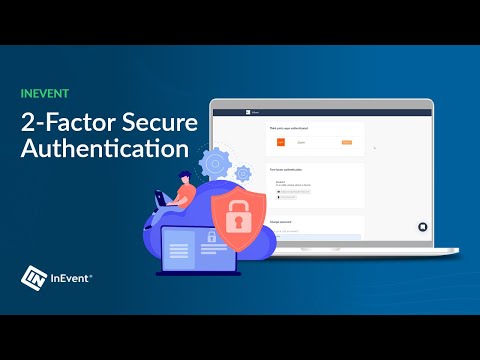
2-factor secure authentication

Protect your organization with an additional authentication layer

Provide an additional layer of security at your organization using simple 2-factor authentication. This option will be available to your administrators, based on your setup choice, every time its is required to login at the platform. Additional operations, such as generating sensitive reports, will also require a secondary validation. Options include email and SMS based codes.
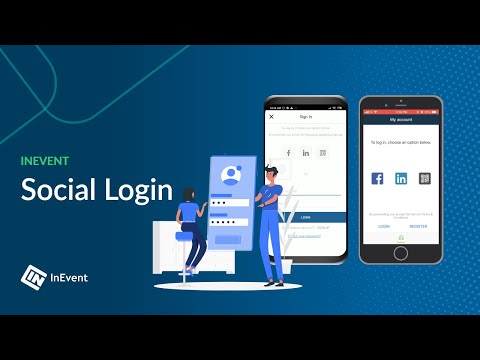
Login with social networks

Attendees simplified login via Facebook, LinkedIn and Twitter

The time has come for you to login to the app event and attendees are too tired to register? With InEvent app is easy. We have added login via social networks, integrated with Facebook, LinkedIn and Twitter. The rest you already know: click, confirm, enter. Very simple, isn’t it?
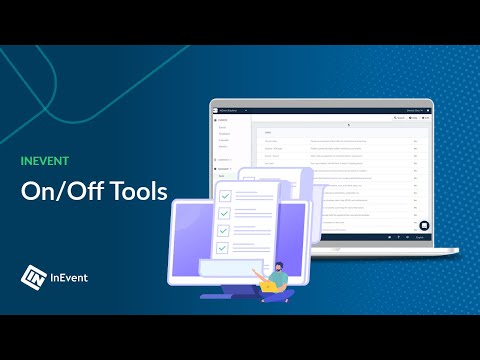
Tools on off personalized for event

Control which tools are available for each of your events!

With a robust platform, it is important to customize the tools for each of your events. Tool control lets you define different levels of managers, from global tools (for all events) or event-specific controls, such as schedules, participant lists or lodging logistics. This control allows the director has security tools that follow your business rules and makes it easier for the analyst or partner to register dynamic information at the event. For each scenario, a specific set of tools will be available in your event.
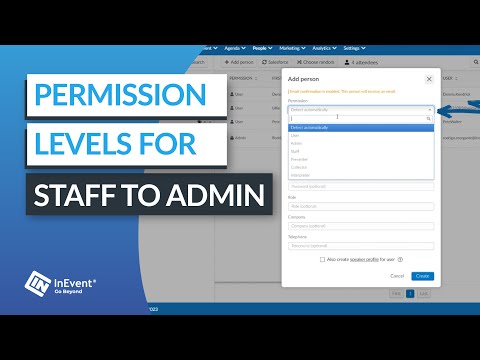
Permission level management

Choose the level of access that each person will have on the event

Use the InEvent platform to assign permissions for your most common users, such as user, admin, staff, presenters, speakers and more. The system allows for easy configuration with your favorite and most accessible permissions.
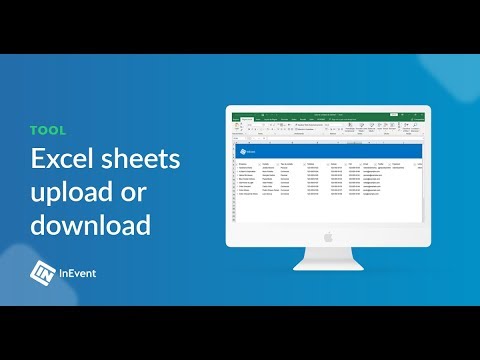
Spreadsheets import, upload and export

Import and export thousands of data directly to the system

Standard spreadsheets simplify your data import, with support for multiple Excel versions. You can send a spreadsheet multiple times until all your data is fully imported. You can also export as many reports as you need, getting all your relevant lists and information. Many file formats are supported, such as xls, xlsx, csv, ics and many more.
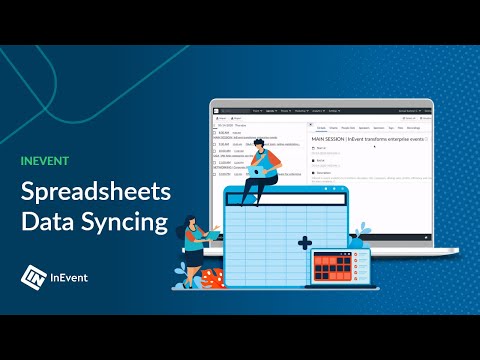
Spreadsheets data syncing

Sync your spreadsheet information without deleting previous data

Updates to attendee information can occur throughout the event, automatically synchronizing new data readily available to the participants. Syncing is not only for attendees, but also for the agenda, speakers, sponsors, hotels, rooms and more. The tool lets you upload new information without having to change individual data line by line, creating an easy way to continuously update data.
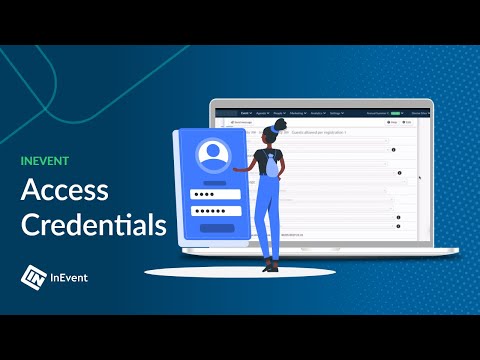
Secure access code for event unlock

Control the access of each attendee in your exclusive event

To prevent anyone to access the data from your event, you create access codes that must be granted so the attendee can get access to the event. You can also set custom invitations by email, giving access directly to the event with just one click. This level of protection enhances the security of your event data, protecting it from unknown threats, malicious users and also competitors.
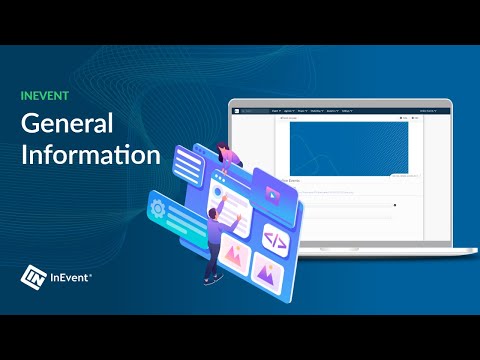
Event details and information

Image, description, dates, location and all the information about your event

In the event information, you can add all the details that participants should know, as the venue, description, organization name, cover, ads and contact channels. All of these are available offline to be easily accessible at any time.

Easy navigation with Waze and Maps

Native integration with major browsers to get to your event

With the precise location of the event, your attendees can browse maps (via Google, Waze or maps.me) to arrive at your event without delays or complications.
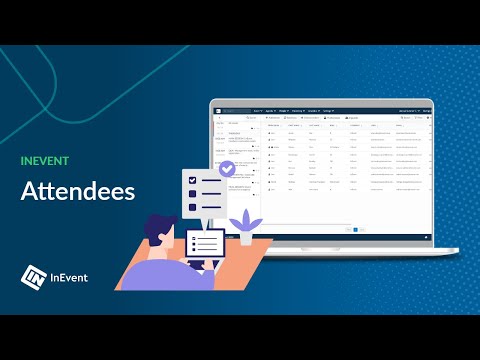
Attendees management software

Manage all your attendee data and fields

All of your attendee information will be available in a single place, including custom fields created exclusively for your event. You can search, filter, add metadata, delete, and edit information. The organization by activities for the whole event can happen with a simple change of buttons, with ease for registration and exclusion of new agendas.
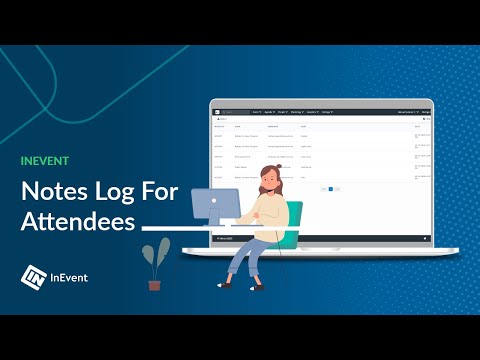
Notes log for attendees

General history of the staff communication with the attendee

With the tool to add quick notes, your organization will be able to know which interactions happened with each attendee, from enrollment, RSVP confirmation, flight changes, unplanned guests updates, and more! This log can then be exported in a single file, allowing you to view the entire base of your event in an integrated way.
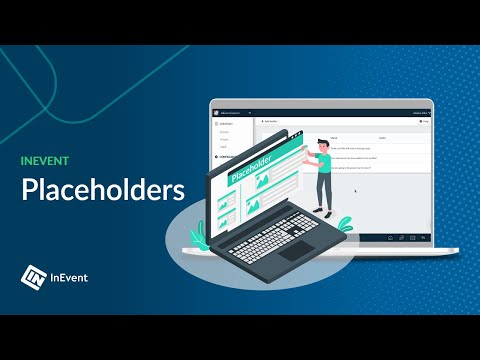
Flexible event placeholders

Create specific fields to personalize your attendee experience

Your event may include special wording to cater to your selected audience. With all the extra information required for your participant, such as corporate identities, calendar dates, travel information and personal data, it's very important that the communication and terms used are reflected on the platform too, including landing pages, forms and also mobile apps. With InEvent, you can select which fields would you like to have on the attendee experience, creating a personalized and unique experience for your event.
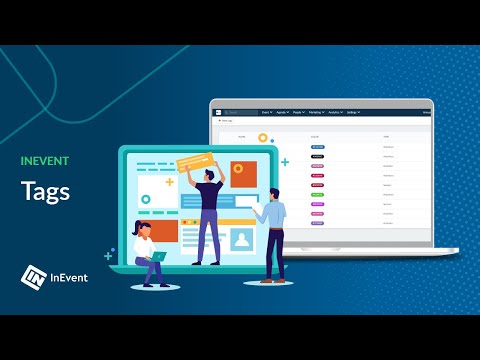
Searchable tags for categories

Segmentation, search for networking professionals, reports and more

Use various topics and tags related to your event to categorize and label your content, speakers, sponsors, attendees and sessions. These themes are the tags of interest for attendees to choose and segment event activities, networking, content and more items for their personal experience. Tags can have different colors for each type you create on the platform.
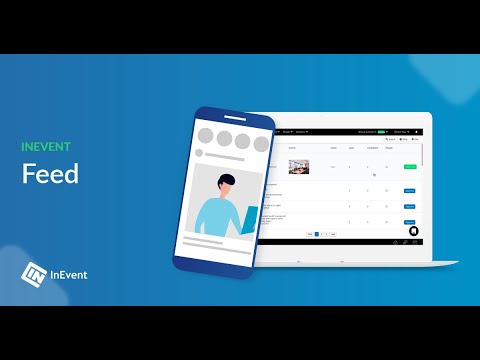
Interactive premium feed

A full feed with posts, pictures, videos, likes and comments!

The feed, or timeline (as called in other applications), is very popular nowadays, because it allows you to interact with others attendees in real-time. You can send messages, links, images, videos, and also like and comment on others’ posts. Also, you will see several updates of the event, such as photos and files uploaded by the organizer, posts made on Facebook and hashtagged messages on Twitter. Possibilities to interact are endless!
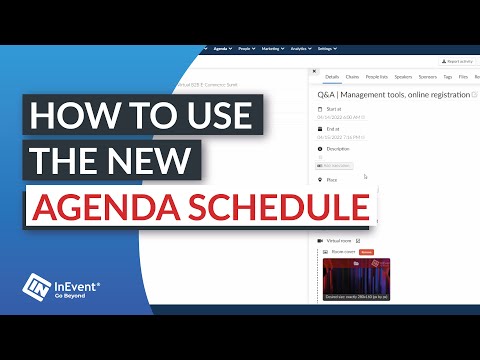
Schedule management solution

Powerful tools to have control over your event agenda

A long event agenda requires a powerful solution for its management, facilitating everything from scheduling to possible conflicts during the day of the event. In the platform it is possible to create the list of activities of the event, with name, description, location, capacities, speakers, sponsors, materials, etc, besides additional possibilities of personalization. This allows you to define visibility lists, VIP accesses, simultaneous times, equal sessions, search filters and more. All the details are also updated by the application and can be viewed by the public offline.
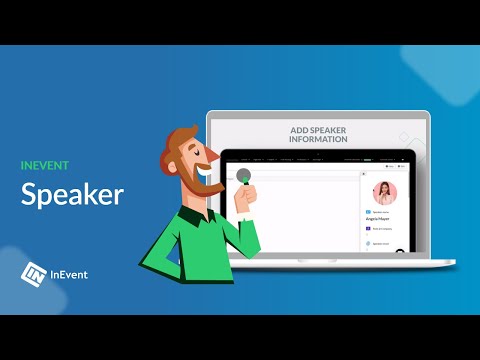
Speakers management

Manage speakers files, content and agendas

For events’ attendees, some of the exciting things is to know the speakers and to exchange contacts with them. With InEvent’s app, an attendee can filter by name, select the speaker, see his data (such as position, contacts he provided, bio information) and even what activities he will speak. For admins, we write the speaker's name, change his photo and title, add email and links to social networks (in this case Facebook, Twitter and Linkedin) and to add a description of the speaker. Another way is by using the button import through an Excel file, if you want to import all automatically.

Sponsor management software for events

You can seamlessly connect sponsors and exhibitors with your audience, ensuring maximum exposure and ROI by simplifying management and maximizing the value for all participants.

Streamline sponsor engagement

Streamline sponsor engagement

Enhance sponsor visibility and interaction for more engaging and profitable events.

Simplify exhibitor management

Simplify exhibitor management

Effortlessly track exhibitor performance and organize event spaces for a smoother experience.

Insights and real-time data

Insights and real-time data

Gain a deeper understanding of your audience and stay informed with event analytics.

Customize branding

Customize branding

Personalize event branding to make sponsor and exhibitor presence more impactful

Streamlined management of sponsors and exhibitors

Experience the ease of managing sponsors and exhibitors with intuitive tools designed for efficiency. Adding, importing, and managing sponsor and exhibitor information becomes hassle-free.

  • Simple tools to quickly add and update sponsor and exhibitor.

  • Effortless import options for bulk data, saving time and effort.

  • Comprehensive management dashboard for real-time oversight.

Streamlined management of sponsors and exhibitors
Increased visibility for sponsors and exhibitors

Increased visibility for sponsors and exhibitors

Offering additional layers of exposure, you can share valuable data from sponsors and exhibitors with attendees, creating a more connected event experience.

  • Easy access for attendees to view sponsor and exhibitor information.

  • Customizable ad options to suit various sponsor and exhibitor needs.

  • Frequent and strategic ad placements to increase visibility

Optimized lead capture for greater ROI

Boost the return on investment for sponsors and exhibitors with advanced lead capture tools. Efficient collection of attendee information is key for effective follow-ups and building lasting relationships. Seamless CRM integration and insightful analytics help in refining lead generation strategies for better outcomes.

Optimized lead capture for greater ROI
Enhance experiences for sponsors and buyers alike

Enhance your events, maximize revenue

Elevate your event management with solutions that not only simplify sponsor and exhibitor engagement but also significantly boost their visibility and lead capture. Our approach is designed to generate more revenue for your events and provide sponsors with a higher return on their investment. Create more efficient, engaging, and profitable events effortlessly.

Take the first step towards transforming your event management

Contact us to learn more about how we can help elevate your sponsors and exhibitors' experience.

InEvent High Perfomer Spring 2025 InEvent Easiest Setup Spring 2025 InEvent Fast Implementation Mid Market Spring 2025 InEvent Best Requirements Mid Market Spring 2025 InEvent Best Estimate Roi Mid Market Spring 2025

Why our customers love InEvent

InEvent Michelle Nicole McNabb

“InEvent is a tremendous Virtual Event Platform for customer support and pricing. My team loves the value that InEvent provides to sponsors and to attendees through virtual sponsor booths, an interactive app, and many networking opportunities. Also, I greatly appreciate that InEvent continues to improve their platform and add really meaningful and beneficial features. Furthermore, their support team is incredible.”

Ashley Thomas Whitesides - Partnership Manager at Hallo

The complete platform for all your events

Pedro Goes

goes@inevent.com

+1 470 751 3193

InEvent InEvent InEvent InEvent

We use cookies to improve your website experience and provide more personalized services to you across our platform.

To find out more about the cookies we use, see our Privacy Policy.

Speakers management

Manage speakers files, content and agendas

For events’ attendees, some of the exciting things is to know the speakers and to exchange contacts with them. With InEvent’s app, an attendee can filter by name, select the speaker, see his data (such as position, contacts he provided, bio information) and even what activities he will speak. For admins, we write the speaker's name, change his photo and title, add email and links to social networks (in this case Facebook, Twitter and Linkedin) and to add a description of the speaker. Another way is by using the button import through an Excel file, if you want to import all automatically.

Customized ads display

Ads in full screen within the application

Who organises large-scale events knows the importance of delivering value to the sponsors of the event. Sponsoring companies recognize the value of a plan well made, fit for your brand and focused on audience who are seeking. With that in mind, we created the ad functionality into the app, to increase the options for disclosure of automatic marks and tracking associated public.

Files sharing and download

Sharing, search and download of documents

With the upload of files and documents, you will be able to submit scientific articles, sponsors’ catalog and even presentations for your participants. These documents can be searched in a dedicated section of the event or the activities, being saved on the app for offline usage.

Event photos gallery

Share, download and save photos from your event

In a dedicated area of the app, you can share all the photos from your event, taken by a professional photographer. These photos can be downloaded, saved or shared on social networks.

Digital Secure Pass

Provide an unique secure pass to each corporate event attendee

A secure pass is a feature widely used to provide functionality and security at corporate events check-ins. The secure pass works as an official credential of your corporate event.

Through InEvent's secure pass and ticketing solution, you can also provide information to corporate event attendees. The information contained in the secure pass will also be stored in the QR Code and your corporate event management platform.

  • Attendees Identity: add to the secure pass the corporate event attendees name, company, and role;
  • Types of corporate event tickets: With the secure pass you can separate tickets by specific categories, such as Simple Ticket, VIP Ticket, Gold VIP Ticket, etc. Thus, it is also possible to highlight the access gate on the secure pass at the corporate event according to the ticket category;
  • Flight: in the case of corporate events that gather attendees from multiple locations, its flight information can also be contained in the secure pass;
  • Lodging: in the secure pass add information about the hotel in which the corporate event attendee will be staying, such as name, address and check-in time;
  • Transfer: information on transfer transportation can also be informed to the corporate event attendee through the secure pass. Add to the secure pass transfers dates and times, as well as the type of the car, its plate, and the driver’s name;
  • QR Code: individual and encrypted QR Code contained in the secure pass. The QR Code is generated automatically whenever a new attendee is added to InEvent’s corporate event platform and is made available through the secure pass. The QR Code on the secure pass can only be read by InEvent corporate event platform system.

You can send to your corporate event attendees the digital secure passes both by email and by the event App. Secure passes are synchronized with InEvent's corporate event platform and any changes can be synched bidirectionally. Your secure passes are automatically updated.

In addition to encryption, the digital secure pass relies on other security features from both the corporate event attendees’ devices - email and smartphone - as well as the corporate event management platform. A secure pass is an excellent addition to the security of your corporate event.

Recent materials

  • All categories
  • E-books
  • Articles
  • Videos
  • Webinars

Event photos gallery

Share, download and save photos from your event

In a dedicated area of the app, you can share all the photos from your event, taken by a professional photographer. These photos can be downloaded, saved or shared on social networks.

Places for event meetings

Add location and room management to your meeting scheduling

Add your room locations to a single dashboard where you can control and visualize all current activities and sessions. You can also map locations to your map and easily find all the navigation information your need. You can also connect your places to meeting rooms at your experience center venue to easily match available spaces to calendar date and time requests.

Templates for events

Create templates to duplicate, copy or create new events

Templates are easy to use settings that allow you to create your most common events with just one click. Details such as location, preferred website, confirmation emails, budget structure and personalized labels are copied to each event that you create, keeping your look and feel and selected preferences. You can work with multiple templates and name them accordingly, with unlimited templates for your choice.

Zapier no-code integration

Connect to your favorite solutions using drag and drop tools

Zapier integrations allow you to connect the InEvent platform with over 1500+ platforms without a single line of code. Using drag and drop, you can link your InEvent registrations, surveys, flights and much more with your preferred marketing CRM, catering company, AV provider or else to create seamless data workflows. You can get notifications, emails, synchronizations and new favorite solutions without expensive custom development work.

Permission custom profiles

Create unique customized permission profiles with mapped endpoints

Different stakeholders hold varied functional areas within the event, from general organizers to event promoters. Across multiple profiles, access levels can be specified by system masters to optimize and maintain control over the organization compliance and event success, defining the powers and limitations of each person. InEvent allows configuration through the API level, regulating which modules are authorized for each profile. Logging and audits are also available for your team compliance. You can deploy principle of least privilege (POLP) easily using mapped endpoints on the platform, granting granular access to admin users.

Google Analytics report integration

Get all your customer and visitor information on reports

InEvent will map all the sections of your website, landing page, registration form and purchase page and send these clicks automatically to your linked Google Analytics ID. You will be able then to manage all your analytics using Google Analytics console to find insights such as buying behavior, funnel optimization and other statistics to improve your event delivery and survey satisfaction. Easy, simple, reliable and yet powerful, the integration allows you to get up and running in less than 30 seconds.

Domain personalization

Select and use your domain for your website and email marketing communications

Using a custom and personalized domain when setting up your landing page or sending an email allows your customers to quickly recognize your brand and feel safe with the email they are receiving.

Social pixel integrations

How to upload tag managers ID in your event details

Measure the effectiveness of your event landing page with the InEvent social integrations feature! Connect your event details and learn how to get better results and conversions on your event landing page.

  • Facebook Pixel ID
  • Google Analytics ID
  • LinkedIn Insight Tag
  • Adobe Analytics Tag
  • Intercom Tag ID
Watch our new tutorial and learn how to set up this InEvent feature and enhance your corporate event experience.

Facebook pixel integration

Get all your customer and visitor information on reports

You now can integrate your Facebook Pixel ID with an event, and the following events will be sent to Facebook:

  • Every time an user accesses a purchase, form or website page;
  • Every time an user adds tickets to cart;
  • Every time an user finishes its purchase;
  • Every time an user finishes a registration form;

CRM for event management

Easy integrations, effective sorting, and engaging communication.

Our lead management feature is designed for ease and effectiveness. It helps you neatly organize guest information, making grouping and communicating with attendees simple. Suitable for events of any size, it transforms every interaction into an opportunity, enhancing your event's success and value.

Transform your event experience

Gather guest info with ease

Gather guest info with ease

Quickly collect guest details using user-friendly tools. This ensures every important attendee is noted, enhancing your event connections.

Smartly organize attendees

Smartly organize attendees

Efficiently group attendees based on their interests or role. This smart sorting helps you target your communication effectively.

Effortless post-event communication

Effortless post-event communication

Easily stay connected with guests after your event with simplified follow-up and thank-you systems to keep engagement thriving.

Track event success

Track event success

Measure your event's impact with clear analytics. Understand attendee responses and use these insights for planning even better future events.

Seamless CRM integration

  • Out-of-the-box code-free integrations with industry-leading CRM solutions.

  • Two-way data sync for centralized lead management.

  • Instant lead capture with real-time tracking for improved event engagement and follow-up strategies.

Seamless lead integration
Customized lead engagement

Customized lead engagement

  • Tailor your communication to meet each guest's specific interests.

  • Effective audience segmentation to target your messages appropriately.

  • Responsive strategy adaptation based on attendee feedback and interactions.

Actionable insights and reporting

  • Analyze attendee engagement for deeper attendee insights.

  • Understand attendee preferences through behavior analysis.

  • Drive event improvements using data-driven decision-making.

Actionable insights and reporting

Designed for events, loved by users

InEvent is ranked as a top category perfomer by G2, Capterra, and more. Discover our event inventory management solution today.

Check what our customers have to say

InEvent Rich Feldman

Finario

Rich Feldman, Head of Marketing.

“Finario boosted marketing with InEvent's Salesforce integration, allowing them to capture and nurture leads, yielding unprecedented engagement and retention.”

  • CRM-synced lead management.

  • Elevated attendee engagement.

  • Data-driven insights.

InEvent Mark Gobel

Sana Commerce Summit

Mark Gobel, Event Manager.

“InEvent's platform enabled Sana Commerce's largest virtual summit, bringing together over 700 attendees and 25 simultaneous sessions.”

  • Over 700+ attendees.

  • Personalization via customizable email builder.

  • Actionable insights with detailed analytics.

InEvent Ben Pidskalny

SW Event Technology

Ben Pidskalny, Vice President.

“Partnering with InEvent's helped SW shift to profitable virtual events, boosting attendance, satisfaction, and significant revenue.”

  • Hosted record-breaking virtual events.

  • Six-figure virtual event earnings.

  • Instant platform support and updates.

Facebook pixel integration

Get all your customer and visitor information on reports

You now can integrate your Facebook Pixel ID with an event, and the following events will be sent to Facebook:

  • Every time an user accesses a purchase, form or website page;
  • Every time an user adds tickets to cart;
  • Every time an user finishes its purchase;
  • Every time an user finishes a registration form;

Virtual Lobby Classic

Host your private meetings, tradeshows or conferences online

The InEvent Virtual Lobby works with any device, without the need to download apps, with branding, sponsor and room capabilities. The platform works on all modern browsers and allows you to share video and camera for live communication. Conference sessions can happen live, bringing the power of your conference or trade show in a dynamic and interactive lobby. Your event and sponsors can also attract leads and generate revenue for their companies using the InEvent Virtual Lobby solution.

Virtual Lobby NEO

The perfect solution for gorgeous virtual events!

Discover an amazing virtual event solution that will amaze you and your attendees from start to finish. With a beautifully designed product, the InEvent Virtual Lobby NEO can deliver the engaging real experience you need for your events without losing the personal touch of an event. NEO allows for multiple breakout rooms, virtual rooms, online events, meetings, private chats and group chats, all in one single platform!

Attendance Continuing Education

Attendance tracking software for Continuing Education units

For continuous education and development, it is necessary for organizations to ensure their professionals were in attendance, often from the beginning to the end of their appropriate sessions, to earn their credit hours. The InEvent platform effectively tracks attendance in different courses and seminars. Our continuing education tracking system will track each person in attendance, recording in/out times as well as duration of stay. The reports will provide the attendee name, date, and time of each session in near real time to ensure that participants meet the criteria to earn their credit hours. The platform is able to track the following:

  • Continuing legal education (CLE)
  • Mandatory or minimum continuing legal education (MCLE)
  • Continuing education unit (CEU)
  • Continuing professional development (CPD)
  • Continuing education credit (CEC)
  • Continuing professional education (CPE)
  • Continuing medical education (CME)
  • Continuing education & training (CET)
  • and many others

Certificates of attendance

Award certificates to boost your attendees’ professional calibre and positively brand your public image

Every workplace requires a healthy reward system to commend employees for astounding performances, especially at workshops, webinars, and onboarding training. Employees need to feel appreciated for hitting targets and attaining milestones. Issuing them certificates is one remarkable way to motivate them to yield more positive results for your company.

The Attendee Certificate feature enables you to customize certificates from the available templates or upload your company’s template, as well as scheduling the certificates to be sent to all attendees, right after the program to save you the stress of sending them individually. This will also help with your employer branding. So why not give it a try? By subscribing to InEvent plans, you have full access to the attendee certificate feature.

Create multiple attendance certificates for your attendees with different “accomplishments” and look & feel. You are able to:

  • Select themes;
  • Customize the company logo;
  • Change the background image;
  • Customize all its contents with different wording and also dynamic contents;
  • Customize the look & feel completely;

You can send the certificate via email and attendees can view, download and print.

Custom certificates

Award your attendees with your very own branded certificate

Easily create custom certificates to award the attendees of your webinars, video conferences, virtual training and virtual and hybrid events. Raise the production value of your product and guarantee your clients satisfaction with a certificate they can proudly flaunt!

Leading abstract management software for your event

Explore dynamic ways to collect, review, email, and publish your materials online.

Submission form

Personalize your abstract and session submission process with ease. Our offering of 10,000+ configuration options lets you tailor submission periods, topics & modes to your event type without needing customization or development.

  • Collect speaker information and content submissions using a customized Submission form.

  • Send targeted invitations, confirmations, reminders, and alerts via email.

  • Prospective speakers can submit abstracts, sessions or papers from any device with a responsive form.

Abstract management and session review

InEvent's Abstract Management Software streamlines submissions reviews with simple, automated features for multiple rounds of blind review, scoring reports, and more. Review abstracts, session proposals, videos, and presentations with ease.

  • Customized dashboards that brings all the information you need at a glance.

  • Give reviewers access to the platform to provide ratings and notes.

  • Track real-time scores, votes, and comments.

Publish abstracts online

Enable attendees to access event materials through a mobile-optimized, searchable interface. Also, provide flexibility in content visibility and a built-in Q&A for communication with presenters before the event.

  • For attendees to access, publish your final choices of event materials, such as abstracts, posters, and presentations.

  • Create a detailed agenda for your event, including sessions and breakouts.

  • Seamlessly connect your event planning and management to the InEvent platform for streamlined organization and coordination.

Reporting & statistics

Keep control of your data with our abstract management software. Get detailed meeting statistics and pull reports on any of your collected data.

If you are considering abstract management for your events, sign up for a demo today to see how InEvent abstract management feature can enhance your next event at a fraction of the cost other event management software offers.

Start running your call for abstract submissions now.

See how it works

Watch this Abstract Management full tutorial video to find out how easy it is.

Custom certificates

Award your attendees with your very own branded certificate

Easily create custom certificates to award the attendees of your webinars, video conferences, virtual training and virtual and hybrid events. Raise the production value of your product and guarantee your clients satisfaction with a certificate they can proudly flaunt!

Automatic artificial intelligence translation

Enable multi-language communication at every attendee touchpoint

Experience the efficacy of multilingual translation at its peak with our cutting edge Automatic AI Translation feature. Upscale your accessibility strategies during your event by converting your live streaming audio content into translated text-based communication on the platform. In addition, customize the text on your activities, event details, forms, speaker’s mini-bio and website to enable attendees interpret your communication in their native language.

Website for event landing page

Page with all your event information

Create a personalized website for each event, containing all the information needed for your attendees. The layout of the website can be customized by choosing the required font, appropriate colors and mandatory links to the event's identity, such as direct links to the registration form. The website can support your own domain, which automatically updates as you edit your information on your management platform. Plus, your website may be accessible to the general public or only privately to registered participants. Finally, it can be integrated with your current website through dynamic plugins, which will load only the information needed for a certain section, such as event map, calendar, speakers, sponsors, etc.

Registration forms

Create flexible event registration forms

Customize your registration form to quickly collect valuable data such as attendee's role, company, email address and interests. Add as many questions as needed in each event and select the type of answer you prefer for each, including multiple choice, plain text, options list and others. You can follow all submissions, check analytics and reports all in the same company dashboard.

Custom survey forms

Get relevant information from your attendee with custom flows

Customized with the visual identity of your event, forms can be created for various purposes. With custom fields, they can gather general information about the participant, register his enrollment, assist in selecting and setting his agenda, confirm RSVP, and many other things. Fields can be of different types, like multiple options, plain text, numeric, file, identity, passport, etc., as well as can be marked as required or not. Entries can be exported in spreadsheets in real time and managed through the web manager.

Custom lists for guest management

Control your segmented lists across the event

Lists with several participants, containing their name, email, position, company and customizable fields on your event platform. These lists can be used for various purposes, such as validating which guests can or can not access the event, filling out the event registration form, limiting access to event activity tracks, moving between sessions, creating hotel rooms, hotel confirmations and much more. Lists can be copied, exported and generated as blocks on batch updates, unlocking unlimited possibilities in your event marketing system.

Invitation lists dashboard

Control your invite list across the event

Create an automated invite list with all leads collected from your campaigns and pre-fill their information before sending your invitations out. Control all your invitees in a single screen. Add assistant emails for your VIP leads so their assistants receive the invitation as well. You can run mass operations through the list, adding a portion of your list directly to the event or to different custom lists. Upload leads from different Excel spreadsheets you have and also leverage from our Marketo and Salesforce integration to import directly from a campaign / program or a smart list.

Waitlist registration management

Collect unlimited registrations on your waitlist

Enable registrations to be added to the waitlist when capacity has been reached. Admissions can later be managed individually or in batch, allowing for a queue approval and CEO selection. The event can have a specific capacity for general attendees and also general invitations, so you keep control of all your operational numbers and stats.

RSVP automatic confirmation

Integrated channels to confirm, inform and obtain the information from your attendee

Need to confirm the presence of participants for your event? With InEvent’s RSVP you may request confirmation of your participant through different channels, such as SMS, calls and e-mail. All data received are available on a single platform, where you can review and manage your information using mobile confirmation tools. You can also control and check-in your guests using our access control mobile feature.

Email blaster tool

Invite and communicate with your audience using InEvent email intelligence

The email marketing communicator allows you to create your drag and drop email campaigns very easily! Use smart segmentations or custom email lists to select attendees for your business, such who didn't receive emails, who already registered and more. Email subscribers can also display certificates for each attendee, personalized using your drag and drop layout. You can also collect forms and setup reusable email templates for repeatable events. Email campaigns can be sent directly using the client's custom domain, so they will have their personalized name and personalized emails, improving their email delivery rates, responses and openings. You can also create pre-scheduled emails campaigns with automatic triggers.

Magic Links

Attendees can magically link click and get access immediately to Virtual Lobby

Participants have a few options on how to access the Lobby, the simplest one is by using the magic link. The magic link is a unique link that invites attendees to join the Lobby without having to go through the login page. Once they click on their magic link, they will be taken directly into the Lobby.

Text messaging service

Send invitations, reminders and messages to attendees cell phones

Send participant-specific information, message or data using fast and reliable text messaging providers. Among the various attendees, notifications can be separated into different individualized lists, facilitating the automated message sender. Messages can contain dynamic links to automate your event marketing automation workflow. Your event system can provide receipts upon delivery and also customize your sender name.

Event Ticket Management Software

Discover why InEvent is the go-to choice for corporate event ticket management and how we can simplify the ticketing process for all your events.

background

Customizable Ticketing

Design your event tickets to align with various audience segments and event categories, guaranteeing personalized experiences for attendees.

Efficient Discount Management

Empower your marketing with dynamic discount options, making attracting and retaining a diverse audience easier.

Seamless Payment Integrations

Provide your attendees with a variety of secure and convenient payment options, streamlining their purchase journey.

Ticket Management Features

Customizable Ticketing

Tailor Your Event with Customizable Ticketing Options

Explore our customizable ticketing options for any event. Engage your attendees with tickets that are more than just a pass and make them a part of the experience.

  • Craft tickets that resonate with your event's theme.

  • Update and modify with ease, keeping your event dynamic.

  • Personalize the attendee experience with unique ticket designs.

Simplify Transactions

Simplify Transactions with Seamless Payment and Coupon Integration

Connect seamlessly with popular payment gateways for secure transactions. Use our intuitive system to create and manage discounts, simplifying your sales strategy and enhancing buyer satisfaction.

  • Trustworthy payment processing with leading gateways.

  • Effortless discount management for targeted promotions.

  • Monitor sales impact in real-time for strategic adjustments.

Gain Valuable

Gain Valuable Insights with Comprehensive Event Analysis

Make data-driven decisions with comprehensive analytics. Understand your audience better and refine future events with insights into ticket sales trends and attendee preferences.

  • Analyze ticket sales for strategic planning.

  • Gain insights into attendee demographics for targeted marketing.

  • Track revenue streams to measure event success.

Enhance Experiences for Sponsors

Enhance Experiences for Sponsors and Buyers Alike

Immerse in an event experience that leaves both sponsors and attendees delighted. Ensure a smooth ticket-purchasing journey and offer detailed event information, raising satisfaction for all involved.

  • Simplify the ticket buying process.

  • Provide comprehensive event details for informed attendance.

  • Boost overall attendee and sponsor contentment.

Experience Secure Ticketing Platform with InEvent

Enjoy the confidence of hosting events with our secure ticketing platform. It's not just about transactions – it's about providing a safe, worry-free experience for you and your attendees.

G2 awards
sourceforge awards
AICPA SOS
Privacy Shield

Trusted by Event Professionals Worldwide

When every second counts, trust the solution that event professionals rave about. Join others who’ve experienced smoother check-ins, happier attendees, and more time to focus on what truly matters.

Text messaging service

Send invitations, reminders and messages to attendees cell phones

Send participant-specific information, message or data using fast and reliable text messaging providers. Among the various attendees, notifications can be separated into different individualized lists, facilitating the automated message sender. Messages can contain dynamic links to automate your event marketing automation workflow. Your event system can provide receipts upon delivery and also customize your sender name.

Ticket coupons promo codes

Boost your ticket sales with coupon codes

Coupons are useful for adding special ticket discounts to your event sales or provide limited promo codes. You can upload your own coupon names to the InEvent platform. You can also for your staff or VIP guests that can get special discounts for their event registration. Staff can redeem their cupons online when registering for the event.

Tickets integration with Eventbrite

Your event sales of all types of tickets

Your Eventbrite tickets can include their date of purchase, purchased tickets, registration emails and more. Any participant who purchases a ticket on the Eventbrite website will already be registered on the InEvent platform. The integration works automatically, only needing to follow a step by step to synchronize the data automatically with safety and agility. You can send all InEvent tickets to Eventbrite, as well as send from Eventbrite to InEvent. All tickets and participants are synchronized, including personalized responses on the participant form. Subsequent edits, such as deleting or editing a participant, will also sync automatically!

Marketo Integration

Automate your event marketing and close more deals.

Marketo Integration

Introducing InEvent and Marketo – the perfect partnership to help you automate your event marketing and close more deals. With this powerful integration, you gain access to data-driven insights that allow you to optimize campaigns, drive conversions, increase ROI and boost your event marketing efforts like never before. Unlock the potential of your events with InEvent and Marketo, the leading event management system trusted by innovative companies all over the world.

Advanced event and marketing analytics with InEvent’s market integration

You can easily monitor the success of your events, track campaign progress, measure return on investment (ROI), and gain a deeper understanding of your customers' behavior.

This allows you to optimize your marketing strategies and reach your target audience more effectively. Access powerful analytics to make data-driven decisions and maximize your event marketing results.

Unleash the power of marketing automation

The detailed reports are accessible in real-time through the InEvent event platform or via Marketo reporting systems, enabling complex segmentation filters to manage the individual relationships developed with each attendee.

Connect InEvent with Marketo and boost your marketing potential

Reach more customers and drive conversions with an automated event marketing strategy. You can turn data insights into actionable campaigns to help optimize lead generation and ROI.

Marketing teams can build closer relationships with attendees for long-term success, perfect for scaling up your business. Use our seamless integration to fuel your event marketing automation and get the most out of your efforts.

Quick How-Tos

Ready to unlock the power of integration?

Tickets integration with Eventbrite

Your event sales of all types of tickets

Your Eventbrite tickets can include their date of purchase, purchased tickets, registration emails and more. Any participant who purchases a ticket on the Eventbrite website will already be registered on the InEvent platform. The integration works automatically, only needing to follow a step by step to synchronize the data automatically with safety and agility. You can send all InEvent tickets to Eventbrite, as well as send from Eventbrite to InEvent. All tickets and participants are synchronized, including personalized responses on the participant form. Subsequent edits, such as deleting or editing a participant, will also sync automatically!

Salesforce out the box integration with InEvent

Pull and sync your leads, contacts and campaigns with your events

Salesforce Integration

Powering your customer relationships

InEvent is disrupting and optimizing corporate event management. And Salesforce is the most used CRM in the world.

Naturally, leading companies and agencies are adopting the use of both services to have an accelerated, consistent sales pipeline.

InEvent + Salesforce cloud integration can shape a whole new way of creating a customer centric 360-degree view of your event attendees. Get more results out of your customer database, mitigate risk and enable a frictionless sales process.

What is Salesforce?

Salesforce is a CRM, or Customer Service Management platform. It allows marketing and sales teams to manage applications, leads, new and current customers, deals, and digital marketing.

Salesforce integartion with InEvent

What is InEvent?

InEvent is an enterprise event management platform that helps companies to generate leads, gain new customers, close deals faster and bring smarter approaches to corporate event management.

Does InEvent integrate with Salesforce?

Yes, seamlessly. InEvent + Salesforce integration has been a long awaited feature. And since mid 2019, it’s finally possible via a plug and play, one button integration.


How does InEvent + Salesforce integration work?

Designed for fast deployment, InEvent + Salesforce connector is easy to implement. It provides direct, in-app access, without the need of importing and exporting spreadsheets. Plus, developers can benefit from direct access to a richly documented API.

InEvent integration optimizes the management of corporate events from Salesforce

The Integration between InEvent and Salesforce includes leads synchronization through Salesforce Marketing Cloud, global synchronization with InEvent CRM and integration of feed objects into the Chatter module.

You can view your entire customer life cycle in single or multiple events, tracking which person went to more events (or fewer), events someone participated in, and how many resources were spent on that person at your events. Integrations with the InEvent platform work two-way, so data is synchronized to your Salesforce database will also appear on the InEvent platform.


Short Videos

InEvent & Salesforce features

Workflow:

Salesforce allows you to automate project management with a variety of possible actions, such as field updates, email submissions, tasks and records creation, along with creating publications on Chatter, Salesforce's social network.

Reports:

You can get custom reports from the simplest to the most complex. Salesforce provides a wealth of information and options in the analytics panel.

Access:

You can access Salesforce on any device, including smartphones. It has an app for iphone, which provides access to contacts, leads and tasks.

Contacts Management:

You can have a complete view of your customers, with information such as activity history, important contacts, and internal discussions related to each account. You can engage in customer targeting, and with a Salesforce Professional license, you can have private accounts and contacts.

Leads Management:

Salesforce enables leads to be tracked from the first contact to the deals closure. It is also possible to integrate them with SEO strategies and Google Adwords campaigns to analyze where the most qualified leads come from.

Marketing:

In the platform, one can manage all email marketing campaigns and know the results of each one. With Pardot Marketing Automation the sales and marketing teams can work together on leads qualification.

Social media:

Social Media Marketing enables users to analyze, publish and engage with the target audience.

Sales:

Tracking the sales pipeline becomes simpler with Salesforce. In addition, you can analyze and understand the interaction of potential customers and connect them to the sales team quickly through personalized marketing campaigns.

Customer Service:

Reaching customers is simpler with the customer support integration using apps or websites.

Chatter:

The free corporate social media for Salesforce users. There, it is possible to form groups, share documents and integrate platforms with other social media. Chatter is also accessible via mobile, it allows the team to share ideas and opinions, fostering collaboration. You can, for example, receive updates on the progress of any document — pdf, .ppt or .doc — and track the life cycle of a customer request or a sale.

Validation Rules:

To make sure that report generation will not contain incorrect data, you can determine whether the data entered on the platform is valid or not. An example is when a new opportunity arises and its specific origin requires validation. It is then possible to create a determinant to be fulfilled. Therefore, the alert will only be triggered when the opportunity has its origin pre-established

Security:

Salesforce’s security model covers features such as profiles, roles, setting permissions, sharing settings and more. All these security possibilities that Salesforce offers is of great value for data maintenance, especially in the wake of the General Data Protection Regulation (GDPR).

Pros

01

Salesforce’s user interface brings a vast possibility of customization without the need for coding knowledge

02

The news feed and social media function provide the same information to all devices in the same enterprise suite, without additional costs

03

The ability to use the app via smartphones is very convenient, enabling mobility for professionals

04

Excellent tracker of opportunities and contacts, allowing the integration between sales and marketing teams

Cons

01

Salesforce customization can be complicated and hard to learn. The administrator needs attention when setting up required fields, access and reports.

02

Price may be high for smaller companies. The most popular version — Enterprise — starts US$150 per month per user. Cheaper CRM solutions, such as Microsoft's, gain an advantage due to the price tag.

03

Its reports are not friendly to less experienced professionals compared to competing software. Even reports with the most basic informations may appear daunting

Rich Feldman, Head of Marketing @ Finario
"

There appears to be a general expectation that with Zoom, you can just have people appear on screen, throw up some PowerPoint slides, and that'll be all good. But it doesn't have to be that way. And I think that's what ultimately attracted us to InEvent, because it had this nice blend of quality video, sound, and native integrations with systems we already used, such as Salesforce. When it added those studio features, that's what really tipped our choice in their favor.

Rich Feldman, Head of Marketing @ Finario

"

Tickets integration with Eventbrite

Your event sales of all types of tickets

Your Eventbrite tickets can include their date of purchase, purchased tickets, registration emails and more. Any participant who purchases a ticket on the Eventbrite website will already be registered on the InEvent platform. The integration works automatically, only needing to follow a step by step to synchronize the data automatically with safety and agility. You can send all InEvent tickets to Eventbrite, as well as send from Eventbrite to InEvent. All tickets and participants are synchronized, including personalized responses on the participant form. Subsequent edits, such as deleting or editing a participant, will also sync automatically!

Microsoft Dynamics and InEvent

Automate your lead generation and analytics with our integration

Build InEvent together with Microsoft Dynamics marketing and event modules. Using our out of the box platform integration, you can sync in real time the leads between your organization, but also include analytics, metadata, polls, questions, emails and much more. We are an award winning partner with one of the most advanced solutions in the event industry for Microsoft customers.

Salesforce community integration

Get information from your Chatter community in your corporate feed

Are your corporate feeds scattered across different social networks within Salesforce? With the Chatter integration, your corporate network can be synchronized in real time with the corporate feed of your event, bringing text, images, videos and other items for a unique experience with your participants. You will never need to access multiple applications to share and receive the information you need, as your entire community will be segmented for read/write with your InEvent event.

HubSpot marketing integration

Sync your leads, contacts, attendees, emails, sessions and more with HubSpot

Optimize Events and HubSpot Sync

Save a great deal of time by leveraging the HubSpot integration feature. It'll enable you to transfer data bidirectionally, ensuring a more effective way to manage the data of your clients, leads, and attendees all at once! It also guarantees you a faster way to add lists of attendees and invitees to your recurrent sessions directly from HubSpot.

Install Product
HubSpot

Short Gallery

Click on each video to watch a quick tutorial.

Want to know what's in it for you?

Here's what you stand to gain:

  • You become an adept professional who attains premium results from leveraging the benefits of CRM and audio-visual technology unification.

  • You get to prioritize and examine customer insights that enable the development of strategies to generate leads and close more deals during your recurrent marketing and sales meetings.

  • You'll be equipped with all the features you need to host successful webinars, trade shows and exhibitions with end-to-end storage of attendee data for future reference.

  • You can automatically extract data and analytics from your HubSpot account to plan and host recurring events.

Salesforce community integration

Get information from your Chatter community in your corporate feed

Are your corporate feeds scattered across different social networks within Salesforce? With the Chatter integration, your corporate network can be synchronized in real time with the corporate feed of your event, bringing text, images, videos and other items for a unique experience with your participants. You will never need to access multiple applications to share and receive the information you need, as your entire community will be segmented for read/write with your InEvent event.

Stripe payment ticketing gateway

Process credit card payments on the registration page or purchase form

The integration with Stripe allows you to collect payments securely directly at your event registration main screen. The money is sent directly to your merchant account and InEvent does not charge any additional fees per transaction. You have control over your fees, net terms and also settings.

Paypal integration for tickets

Sell your tickets nationally and internationally

Paypal supports more than 200 countries in 25 currencies. Your tickets can be sold across the world providing reach for worldwide customers receiving guests from multiple backgrounds. Our integration allows your ticket to be sold in different currencies and converted to your home currency with minimal effort.

Authorize.net payment invoice integration

Easy and swift payment solution for events and webinars

Every event planner needs a payment gateway solution with advanced fraud detection, security of buyer data, an account reporter, invoicing, and checkout systems integrated into the event software for ticket sales. With Authorize.Net payment gateway integrated into the InEvent platform, you can amp up your attendees’ buyer experience while prioritizing their data security. You also stand to gain a massive ROI from providing valuable experiences in real-time for attendees at your in-person events and hybrid events. It’s a win-win solution for every event planner and attendee.

Pay.gov payment integration

InEvent is approved and integrated to pay U.S. Federal Government Agencies

InEvent is an approved U.S. contractor for processing payments through Pay.gov, the official payment platform of the U.S. Department of Treasury. Registrants can attend events in person or virtually by paying the applicable registration fee via Pay.gov. Pay.gov is the only approved source of payment by the U.S. Department of Treasury, and all payment data is processed and reconciled directly with Treasury’s financial systems.

InEvent’s registration system interfaces seamlessly with Pay.gov to collect attendee information such as name, email address, phone number, company name, and company entity. InEvent can generate payment receipts and provide registrants with a registration QR code.

While InEvent does not directly communicate with IBC (Interior Business Center) or the Treasury, Pay.gov automatically handles all reporting and reconciliation with these entities. Through our integration, we can pass along transaction identifiers (e.g., payment confirmation numbers, timestamps, and payer details) received from Pay.gov, which federal agencies can use for auditing and Treasury reconciliation.

Pay.gov supports payments to federal agencies using a U.S.-held bank account (via ACH Debit), credit or debit card, or digital wallets such as PayPal or Amazon Pay.

Sponsors booths

Manage your sponsor and exhibitor booths experience dashboard

The Sponsor / Exhibitor experience center can manage the whole life cycle of sponsors and their associated products. Sponsors may have a dedicated landing page with their current sponsorship packages, booth information, travel and hotel details, deliverable checklist, task assignment, planning and preparation calls, raffle, awards and sweepstakes registration and meeting requests management. These modules work integrated with other features available on the event platform. The products are available only to registered sponsors, who can have defined deadlines to perform their activities or upgrade current products.

Custom source landing pages

Create custom pages using your source code

Our landing page manager allows you to create custom pages, exactly with the layout and content that your event needs. These sites can be created from ready-to-go templates or from your own source code, with html, javascript, css and images files. Each event can have multiple different websites (one for your partners, another for collaborators, etc.) that access different addresses to get information and register for the event.

Scheduled business meetings

Request, confirm and manage meetings requests at your event

Appointments are key to meet people, conduct business on site or online and connect buyers and sponsors at events. In addition to networking, you can set up meetings using our self-service booking appointment system. You can request more info, confirm or reject a meeting, add check-in options and assign automatic survey forms. You can also create separate quotas or level packages for different types of sponsors. Mobile access is available using the direct in person button on the attendee profiles event mobile app. Meetings can be conducted online or in-person, directly through the platform, without the need for third party video apps or plugins.

Intranet events directory

Private and secure site for your employees registration and events

Build your internal intranet to access all available events, facilitating navigation, access to employees, human resource management and endomarketing. You can track logs and page hits, highlight events, place specific descriptions, and manage with your own domain.

Assistant email copy cc

Send email communications with your guests assistants copied

Guests can have particular communication settings for different events. Specially at private dinners and events, it is required to copy their assistants on every email sent. Using our platform, guests can have a permanent appointed assistant. The information can be uploaded with the invite or by the attendee when registering on the platform. All emails will have a cc option from this point on, enabling easier registration management and confirmation.

Wallet integration

Store, display check-in all tickets easily

Apple Wallet and Google Wallet allows you to hold your most common tickets in a one stop shop app. You can easily find your passes and show their QR Codes at the event location for easy check-in and registration! This assistant can help you quickly show your ticket confirmation when arriving at the venue for a smooth attendee experience.

Pipeline event management

Oversee your entire event enrollment and sales cycles

All your events, whether paid or free, can be viewed in registration pipelines, tracking which stage is each person is at your event. You can track revenue and sales goals, as well as activate the various participants who have not yet completed their subscriptions. Search is available to find participants at different stages of your registration pipeline.

Calendar with Outlook, Google and Apple

Calendar invitation automatically generated for your event

Your guests confirmation can be easily integrated with multiple calendar options. Would you like to offer them an easy way to add your event to their calendars? This powerful reminder allows them to add your event to their Outlook, Google Calendar or Apple Calendar. A separate .ics file can also be downloaded to any third party calendar platforms for instant reminders.

Cvent integration on registrations

Send your registrations from Cvent to InEvent automatically

Cvent registration system can sync automatically with the InEvent platform, bringing the custom fields from your registrations. With the InEvent and Cvent integration, you can use Cvent registration systems to collect and sell your registrations, and automatically bring the attendees to the InEvent Virtual and Hybrid event meeting platform. You can select which fields you want to sync and which events you want to add to the sync process. Leverage the power of the integration to use the best event platform for your annual subscription!

Unique access link for every attendee

Secure your event gateway with Magic Links

Ensure that only registered attendees have access to your events with InEvent’s Magic Links. Upon completion of registration, attendees can access their links from their email or registration form, which would usher them into the event straightaway! Decide whether you want the Magic Links to be visible to your attendees prior to the event date. You can as well choose whether you want the magic links enabled or disabled, as it’s available on all plans. Experience organized entry with the power of Magic Links.

Fundraising auction solutions

Charity and non-profits benefit from fundraising solutions

InEvent fundraising platform of event management tools helps automate time-consuming tasks for fundraising events, allowing you more flexibility to focus on your non-profit organization. Fundraising goals can climb annually and InEvent efficiently can scale donations for non-profits and charities with our tools. Thousands of non-profits use InEvent platform to help their organization achieve their fundraising goals and retain donors year after year.

Enable a live broadcast on the platform to receive live donations and fundraising goals, tracking in real time financial goals with online or in-person events. InEvent event management suite can take your fundraising goals ready with our silent auction tools, displaying progress in real time and interactive displays for attendees of our fundraising. Ideal for societies, universities and other organizations.

Email custom domain newsletter

How to create and send custom domain emails for your events

You can customize your emails to have what you configured as the standard for your events. You can add your brand to your emails so that whoever receives them knows they came from you. Your attendees and invitees will receive your email with the “sender” of your choice.

After the customization, emails can be sent from your domain using integration with your DNS and InEvent servers. The “DKIM” and the “Return-Pat” parameters must be configured in your DNS server so the platform can access your email address.

Statistics for each email can be seen after the email was sent, showing actual results of openings, clicks, and bounces.

Active Prospect marketing integration

Source your event leads with Active Prospect

Source leads and optimize pipeline from your events

InEvent is a powerful event management platform that enables businesses to create, manage, and promote their events. The platform comes equipped with a range of features that streamline the entire event planning process, including registration management, ticketing, event promotion, attendee engagement, and more.

Active Prospect, on the other hand, is a lead generation platform that specializes in capturing and validating leads in real-time. The platform helps businesses improve their lead quality by verifying the contact information of leads, ensuring that they are accurate and up-to-date.

Active Prospect

Want to know what's in it for you?

By integrating InEvent with Active Prospect, businesses can take advantage of both platforms to source high-quality leads from their events. Here's how it works:

  • Event Registration: InEvent's registration management feature allows attendees to sign up for the event by providing their contact information. This information is then stored in the InEvent platform.
  • Lead Capture: Active Prospect's lead generation technology can be integrated with InEvent to capture the contact information of attendees as they register for the event. InEvent's real-time lead capture technology sends the information provided by attendees to ensure its accuracy.
  • Lead Scoring: Active Prospect's lead scoring technology can be used to assign a score to each lead based on its quality. This helps businesses prioritize their follow-up efforts and focus on the most promising leads.
  • Lead Follow-Up: Once the event is over, businesses can use the contact information captured by Active Prospect to follow up with attendees and convert them into customers.

Email custom domain newsletter

How to create and send custom domain emails for your events

You can customize your emails to have what you configured as the standard for your events. You can add your brand to your emails so that whoever receives them knows they came from you. Your attendees and invitees will receive your email with the “sender” of your choice.

After the customization, emails can be sent from your domain using integration with your DNS and InEvent servers. The “DKIM” and the “Return-Pat” parameters must be configured in your DNS server so the platform can access your email address.

Statistics for each email can be seen after the email was sent, showing actual results of openings, clicks, and bounces.

Oracle Eloqua marketing integration

Power events with Oracle Eloqua

Automate your event marketing stack communication

InEvent is an event management platform designed to help businesses and organizations plan, organize, and execute various types of events. It offers a range of tools and features to streamline the event planning process, enhance attendee engagement, and gather valuable insights.

Oracle Eloqua is a comprehensive marketing automation platform designed to help businesses automate and manage various aspects of their marketing campaigns. It provides tools to streamline communication, nurture leads, and gather insights to optimize marketing strategies.

Want to know what's in it for you?

Both InEvent and Oracle Eloqua Marketing Automation serve different purposes within the broader spectrum of event management and marketing automation. InEvent focuses on creating engaging and interactive event experiences, while Oracle Eloqua specializes in automating and optimizing marketing campaigns to drive lead generation and customer engagement. Businesses can take advantage of both platforms when integrating them together. Here's how it works:

  • Event Registration: InEvent's registration management feature allows attendees to sign up for the event by providing their contact information. This information is then stored in the InEvent platform.
  • Lead Capture: Oracle Eloqua's lead generation technology can be integrated with InEvent to capture the contact information of attendees as they register for the event. InEvent's real-time lead capture technology sends the information provided by attendees to ensure its accuracy.
  • Lead Scoring: Oracle Eloqua's lead scoring technology can be used to assign a score to each lead based on its quality. This helps businesses prioritize their follow-up efforts and focus on the most promising leads.
  • Lead Follow-Up: Once the event is over, businesses can use the contact information captured by Oracle Eloqua to follow up with attendees and convert them into customers.

Email custom domain newsletter

How to create and send custom domain emails for your events

You can customize your emails to have what you configured as the standard for your events. You can add your brand to your emails so that whoever receives them knows they came from you. Your attendees and invitees will receive your email with the “sender” of your choice.

After the customization, emails can be sent from your domain using integration with your DNS and InEvent servers. The “DKIM” and the “Return-Pat” parameters must be configured in your DNS server so the platform can access your email address.

Statistics for each email can be seen after the email was sent, showing actual results of openings, clicks, and bounces.

Attendees live map

How to understand your attendees location

Curious to know where your event attendee is watching your content? With the Attendees Map feature by InEvent, you can check in an interactive map everything you need for your event strategy.

Full detailed statistics report

Complete customized reports with your event data and insights

Reports are your event's official log with results, actions and live data. Parked reports allow you to select different sources of information to create customized reports for your event. Through simple graphics and detailed explanations, you will be able to quickly glance at your event global objectives. Events can have multiple reports, with different views and charts, providing in-depth highlights on specific segments of your CRM database. Reports can then be shared with your managers and other stakeholders by email or private links and engage further improvements on your event pipeline.

Live event analytics

Real time platform to automate, measure and capture ROI

Analytics are the best way to capture the results of your event. Here you will be able to discover important statistics, crossing information with different sources of data. You can compare different locations with segments of customers, addressing the most important regions and tiers. Additional sources of information, such as current tickets sales, sponsors which are generating most leads or attendees who are engaging with each other can be captured in real time among our more than 50 modules. To measure your ROI after the event is now easier than ever.

Analytics and report solution for events

Powerful analytics for virtual events and attendees

Access your Virtual Lobby event reporting dashboard to track current sessions, dates, hosts, topic, attendee names, count of attendees, attendance length and more. Your ability to track attendees per session and also for all the sessions they have engaged online is unlimited.

Attendees journey report

Consolidated report with all activity from attendees

Attendees perform multiple different activities through different days. Understanding how analytical data is being synchronized is essential for running reports and bringing the most relevant data for your attendees. You can see emails, messages, lists, content, downloads, reports, invitations, check-ins and multiple data points about your attendees, personalized per day, week, month or year.

The all data tracking technology from InEvent can offer in one location your attendees compilation and generation of reports. This way, all the data you need to analyze can be put together for easy visualization. You can filter the report by year or month to streamline your evaluation. Easily attain a deeper analysis of your attendees’ actions during your sessions—their participation during polls, activities enrolled in, commentary, and questions asked. InEvent offers you Virtual Lobby reports, email analytics, check log reports, audit reports, and many more! Attendee reports can be extracted and saved to your personal computer. reset the filters to enable such a function. Document report properly and analyze data effectively on the InEvent platform.

Link tracking UTM

Generate analytics reports to your virtual and hybrid events from UTM links

With the Link Tracking feature, you are now able to track the performance of your virtual and hybrid event campaigns by creating an UTM code from the backend of the InEvent platform. This will really help you to increase your average virtual event attendance rate!

You can create as many UTM links as you want and have them all in a list to generate detailed analytics reports from your entire in-person, virtual or hybrid event. You can check the performance of each individual link to see the results of every one of them.

You can track where your attendees clicked, what captured their attention, segmented results and have structured data to guide your next steps. In general, you'll be able to see your achievements through actual numbers and graphics, and that will be valuable for your next marketing strategies to make sure you produce the best virtual and hybrid events!

Briefing request forms

Intelligent forms for requesting and collecting data from new events

Your event worksheet can be replaced by a powerful support system where you can create powerful business rules and forms for your organization. You can collect event specific data (such as event location, number of attendees, etc.) through forms that your employees fill out, facilitating the process of requesting a new event by different business areas. In addition, you can grant access to agents, such as agencies, and, through the main panel, define approval rules or request additional information. Finally, a robust system to generate thousands of events per year.

Calendar management for enterprise

All your events in a custom calendar for your organization

In a single calendar you can view all the events from your organization, including past, current and future events. Budget management and reports can be exported from your searches and filters. New events can automatically appear on the calendar, fully synced with your briefing and budget management. You can add different colors for different types of events, search for specific events or even share them with your coworkers.

Budget management software for events

Gain control over your expenses and streamline the budgets, ensuring a smooth and cost-effective event planning experience.

Our event budgeting software simplifies spend management and improve decision-making

Budget tracking and optimization

Budget tracking and optimization

Track and optimize your event budget easily for peak efficiency.

Efficient supplier proposal management

Efficient supplier proposal management

Simplify choosing suppliers with easy comparisons and streamlined management.

Automated follow-ups and reporting

Automated follow-ups and reporting

Enhance efficiency with automated follow-ups and concise smart reports.

Overcome budgeting challenges

Navigate through budget complexities with ease, ensuring your event stays within financial targets.

  • Real-time budget tracking.

  • Identify cost-saving opportunities.

  • Optimize spending for efficiency.

Overcome budgeting challenges
Simplify supplier selection

Simplify supplier selection

Choose the best suppliers effortlessly, enhancing the quality and value of your event services.

  • Streamlined proposal comparison.

  • Easy management of supplier interactions.

Efficient communication and reporting

Facilitate effective communication and generate detailed reports for your event planning needs.

  • Automate follow-ups for efficiency.

  • Generate insightful reports.

  • Enhance decision-making and accountability.

Efficient communication and reporting
Track supplier payments with ease

Track supplier payments with ease

Stay in control of your expenses by monitoring the status of payments to suppliers, from draft to fulfillment.

  • Efficiently track payment status (Draft, Foresee, Fulfilled).

  • Ensure timely and accurate payments.

Start planning smarter today

Your event's success is our mission. With InEvent's intuitive budget and supplier management, you're in control. Ready to take your event planning to the next level?

Calendar management for enterprise

All your events in a custom calendar for your organization

In a single calendar you can view all the events from your organization, including past, current and future events. Budget management and reports can be exported from your searches and filters. New events can automatically appear on the calendar, fully synced with your briefing and budget management. You can add different colors for different types of events, search for specific events or even share them with your coworkers.

Project management software for events

Handle your project deadlines and up to date tasks

Your project management processes can be delivered and tracked using a central powerful management tool. Task control can be assigned to different users with clear due dates. Project deadlines are provided into cards which can be archived when completed. You can also reference tickets on your event project to provide discussions and comments on specific resources, such as an email draft, which can be sent later for attendees.

Tab navigation accessibility

Navigate your streams with tab keys!

Explore the Tab, ESC, Shift, and Enter buttons to execute commands easily and faster. Deploy all four arrow keys to move left, right, front, and back on the screen. Attendees with diverse communication needs can access leverage this keyboard accessibility for a seamless experience. Personalize every attendee’s experience and place them in the best position to customize their streaming experience.

Event mobile app

Your event app available for Web, Android and iOS

The application of your event will be available on any device, including Web App, Android and iOS platforms, and can be accessed and downloaded from any browser or app stores. The app does not require to download any app and is secure to use. The event app is great for conferences, meetings, trade shows, networking events and more.

InEvent technology also supports publishing a branded app on your App Stores and Google Play accounts, with your logo, colors, and organization / event name! To publish a white label app, InEvent also supports custom client applications or deployments through your internal distribution system, known as MDM.

Event app for iOS

Compatible InEvent native app for Apple devices

The InEvent app is compatible with iPad, iPhone, Apple Watch, Macbook or iMac. Using the InEvent platform, you can run native apps with our Apple devices and deliver a premium experience for your attendees, speakers and sponsors on your next conference, meeting, event or experience.

Event app for Android

Your event app available on Google Play

The InEvent mobile app is compatible with Android devices, and can work with multiple brands. The app can be downloaded from the Google Play stores and installed on devices. InEvent also support custom proprietary deployments for Enterprise clients. Use the Android app with tablets, with InEvent kiosks, InEvent badge printing or InEvent scanning technologies.

My event schedule

Your unique schedule for your digital event experience

The attendee can build their agenda, selecting activities which belongs to his/her interest. Access can be limited to a set of activities. The participant can assemble their agenda by searching for places, content tracks and schedules.

My account center

Create your event profile for registration and networking

My account center is the perfect place for the attendee to manage his preferences, review his registration details and request support from the team. The attendee can control its data, add social networks, change their email address, add their profile picture, define his networking visibility and event export his privacy rights as a file.

Favorite networking contacts

Save key contacts in a secure space

A list with all the people with whom the participant interacted the event, which can be saved by simply touching the person's profile. The organization and navigation is more practical and friendly, getting the data saved for browsing after the event.

Social network content sharing

Share pre-approved content with selected social networks

Sharing content with social networks can be fast, integrated and simple with the click of a button. Content can be pre-approved by event organizers so any private information doesn't leak to external sources. Text, videos, images are supported across different networks. You can also track buzz and social awareness based on your sharing settings.

Unlimited push notifications

Send unlimited push messages to the participants of your event

Create personalized mobile push notifications to improve the relationship with your event attendees. Activate segmented lists or remember participants about activities that they chose for their content tracks. With push notifications, you keep your attendees engaged and better understand their behavior.

Push in-app notification center

A unique notifications center for your event

Constant communication with participants is something essential in an event. We provide several channels of communication, such as the administrator’s notifications, the event feed and chat between participants, complemented by the essential banner or push notifications on your mobile phone. And if the person is with the phone turned off, she can check general notifications at the menu to review important reminders.

Social Networking

Social networking with attendees, sponsors and speakers

Using the InEvent Virtual Lobby to connect live on chat with other attendees and interact with messages, your event can deliver a great experience for attendees. With the InEvent Live App, you can access other attendees, listed publicly or privately to all or some participants. The profiles of each participant, with the information that each selects to show, can be set by the event organizer. Explore the inbox feature across all your devices and connect in-person or virtually.

Networking Roulette

Speed dating style live matchmaking

With the InEvent platform, the speed networking feature allows you to do a speed dating style or form of network roulette where you get paired with another delegate. The Virtual Lobby connects you with another attendee in real time and you can chat on video, exchange contact information and book more time with another attendees. Great to matchmaking events, conferences and training events for your company.

Native chat with profiles

Exchange chat messages and book meetings!

Networking is done through communication and exchanges. For that, you need to at least start a conversation with a “Hi”. To facilitate the networking between the participants is possible to send Direct Messages through the application to expand the connections inside the event.

Private backstage chat

Start a private conversation with event presenters from the activity or sponsor session!

Enjoy confidential conversations with presenters at your event without interrupting your live sessions and having your attendees listen to pieces of information you want to keep private. The private chat feature is accessible to event admins, staff, sponsor workers, and room owners in the activity or sponsors sessions.

Live interactive polling

Real-time interactions between participants and event speakers

In virtual or hybrid events, you can create interactive polls for all participants, either during the event or beforehand. Questions can be activated when the session is starting or in one particular moment during the event. Participants can respond in real time and the results are shown live as the answers start coming in. For each session, several polls can be created, generating real insights live into the event!

Live questions with speakers

Live questions in lectures, with interactivity and moderation

Through the app, attendees can interact with the speakers with direct questions, but filtered by the organization. You can automate their approval, as well as save the questions on the final report of the event. The most voted questions are selected and can be answered in real time by the speaker.

Live quiz for events engagement

Check out how to engage your audience with the InEvent Live Quiz

Create your live online quiz and let your participants vote from any device using a link or QR code – no logins needed. Design a quiz with questions that fit the topic of your presentation or training. Add options and mark the correct answers. From conferences to meeting rooms to classrooms, bring out the competitive spirit and make learning more social and fun. Display the leaderboard with the top players and give your quiz a big finish.

Live Studio questions

Project your Attendees’ Questions on Your Real-Time Streams!

Why leave questions on chat when they can go on screen? This new addition to the Live Studio guarantees that you don’t skip any of your attendees’ questions, as they will be inserted real-time on the lower-thirds of the stream. Having your attendees’ questions displayed on the screen will undoubtedly boost the production value of your webinars, workshops, and video conferences, displaying your brand in the most professional way possible.

Surveys for event feedback

Learn how to get your attendees feedback fast and effectively

Instant form and survey delivery for attendees using mobile and online forms, at pre-scheduled times or using text and email communication tools, allowing the attendee to answer registration, booking, health and security forms with our responsive technology. Forms work on mobile and work with numeric grades, a yes/no options, plain text, options or government specific rules. Customers can also work with advanced surveys, including conditional logic, multiple languages, different security and access settings and layout customizations. All feedback and surveys are unlimited and available on your event templates.

Forum dedicated to lectures

Comments and discussions at the end of each activity

For each activity and lecture at your event, a unique forum for comments and discussions is provided. The attendees will develop the subject and generate relevant content to post-event interactions.

Buttons for quick actions

Giant shortcuts to facilitate interaction in the event app

Quick actions are large buttons, simple and practical for ease of use and interaction during the event. Available in the menu, these large buttons show the most common actions of the app, such as send questions, answer feedback, participate in polls and discuss in the forum. At the time of selection, we choose the right activity automatically for that action. This makes your event more practical, simple and interactive.

Hotels and restaurants reservations

Nearby suggestions for your guests during your event week

Inform participants about nearby and / or convened hotels, with a interactive list of hotels nearby to the event. A geographic map that guides the attendee may contain price information and additional ratings. Partnership with hotels / restaurants can provide an additional source of revenue to the event as it provides a better experience for the attendee.

Virtual Lobby sponsor booths

Create virtual booths for your sponsors

Provide multiple benefits for your sponsors with dedicated virtual rooms for each company supporting your event. Using the InEvent Virtual Lobby, sponsors can engage and network with attendees on 1-1 and group meetings; increasing brand awareness, building relationships and expanding their reach in their target audience. Between branded covers, ads, files and engaging features like polls, chat and 1:1 meetings, sponsors have plenty of options to get the most out of their investment.

Sponsor chat messages

Save and export messages to reach your target audience

Your sponsors can have their own individual booth to promote their brand, ads and content in your virtual and hybrid events. Now your sponsors can save and export all the attendee's messages and save them on their computers.

Using the InEvent Virtual Lobby, virtual and hybrid events sponsors can engage and network with attendees at 1-1 and group meetings, while increasing their brand awareness, building relationships and expanding their reach in their target audience. Between branded covers, ads, files and engaging features, sponsors have plenty of options for their business networking ideas.

The update on the sponsors chat arrived to deliver more meetings between the sponsors and attendees and to help you promote the best virtual and hybrid event experience for all the people involved in your event.

Interactive map creator for your events

Organize your in-person, virtual or hybrid events seamlessly with interactive event maps from InEvent. Our easy-to-use maps allow event organizers and attendees to plan activities, find locations, and smoothly navigate events.

Interactive event maps

Picture this: dynamic, engaging, and interactive maps that bring your event to life. Our event map creator lets you design visually stunning maps that are a breeze to navigate. Indoor or outdoor, we've got you covered.

Mobile event app integration

Here's where the magic happens. Our event maps seamlessly integrate with our mobile event app. That means you can whip out your phone, pinpoint your exact location, and discover all the cool spots within the event. It's like having your personal event guide in your pocket.

User-friendly interface

We've made sure that our event map maker is super easy to use. It's designed with a friendly interface that even a tech-savvy 15-year-old would find a breeze to navigate. No complicated jargon or confusing buttons here.

Customize to your event's content

Want your event maps to reflect your branding and theme? No problem. Our maps aren't your boring floor plans. Our event map creator allows you to customize yours with templates, themes, designs, and styles for any event personality.

Maps that'll make your event fly, no capes required

As an event organizer, here's why you'll love our maps:


01

Effectively showcase sponsors, sessions, and venues.

02

No coding required - easily create maps via simple drag-and-drop tools.

03

Filter map items to optimize the attendee experience.

04

Integrate maps into your mobile event app.

As an attendee, here's why you'll love our maps:


01

Plan your visit and navigate venues seamlessly onsite.

02

Search for sessions, sponsors, and locations easily.

03

See your real-time location within the event space.

Why industry leaders love InEvent


Sponsor chat messages

Save and export messages to reach your target audience

Your sponsors can have their own individual booth to promote their brand, ads and content in your virtual and hybrid events. Now your sponsors can save and export all the attendee's messages and save them on their computers.

Using the InEvent Virtual Lobby, virtual and hybrid events sponsors can engage and network with attendees at 1-1 and group meetings, while increasing their brand awareness, building relationships and expanding their reach in their target audience. Between branded covers, ads, files and engaging features, sponsors have plenty of options for their business networking ideas.

The update on the sponsors chat arrived to deliver more meetings between the sponsors and attendees and to help you promote the best virtual and hybrid event experience for all the people involved in your event.

Interactive leaderboard ranking system

Ranking system for your event attendees engagement

An easy way to motivate and publicize the use of the app among the attendees of the event is through the leaderboard of most active participants. Participants are highlighted in the menu based on the actions they performed, such as submitting questions, posting to the feed, starting conversations, or sending photos. Each of these actions can be explored in the complete record of individual actions, knowing which participants performed what types of activities.

Gamification with missions and prizes

Facilitates the activation of your audience within your event

Design dynamic missions, each with a goal to be fulfilled, which the participants can mark as done. The organizers of the event can then validate each challenge sent, confirm the points of that mission or not. Participants can see other participants who have completed a mission or not, tracking the results of the action. Participants with the highest scores will be at the top of the ranking with their proper score.

Tabs embed customizable

Customize the tabs, titles and pages of your event

We are highly versatile when it comes to providing the best experience for event attendees within our platform.

Why? Because we want to make it easy for our customers to create their events by enabling them to configure each experience to look, feel and function according to the needs of their brand and event.

Our platform has powerful integrations with external CRM, payment, and Data Analytics systems like Salesforce, Marketo, Google Analytics, PayPal, and more.

Also, we want to ensure our users have a fun experience while interacting in our Virtual Lobby. Make your events more engaging with our Gamification options for the mobile app.

How do we do it? Check out the vídeo about the custom tab feature and if you have any doubts on how to use it for your event, click the button below to schedule a call with our team! It is our pleasure to help you power your events!

Content projection on huge screens

Live display of real-time event interactions

Using InEvent's projection, the screens of your event can be enabled to automatically display the latest information on the various interactions that are happening at the event, such as participants who checked in, questions and polls made in the rooms, messages placed on the news feed, etc. The screens are dynamic and update in real time, without having to refresh for new content.

Automatic messages scheduling

Customize messages and set each one’s delivery time

Ability to notify to any attendee about changes in activities, allowing the organizing team to perform changes on the schedule without any difficulty. It will be possible to send customized messages to all participants of the event at any time, or for a specific group of an activity or for a single person.

Private 1-1 chat messaging

Send private text messages with the InEvent Virtual Lobby

Promoting networking opportunities is one of the main benefits to events, no matter the size or format. With that in mind, InEvent is constantly releasing features to facilitate valuable connections between attendees during events. Using the private chat feature, attendees can instantly message each other, speakers and sponsors individually whilst enjoying the event on Virtual Lobby. With individual messaging, conversations can happen in a secure and private space, in the same environment that the event is taking place.

Instant live updates

Quickly push visual updates to live sessions

Enjoy live updates to your event with the instant updates feature. Be in full control of your event visual experience. Event admins can edit settings in their backend of the platform to create live event experiences. Update any of your events details, video mode, time, date or name and watch it instantly change your session without lags or disruptions to your attendees. The future of live events ready for you!

PDF and video screen sharing

Share your videos and PDF presentations while broadcasting live your virtual event

With the InEvent Live Studio, you are able to use our native file-sharing capabilities to share documents, images, audios and videos on your screen without having to open another window or tab. So, if you have a file on your computer that you want to use in your virtual presentation, there is no need to upload it to a cloud or have it opened on another program to display it to your audience.

You can do that directly through your platform and use it in your virtual and hybrid events. You can even stop and play media files or scroll through the slides and pages of a presentation on the same screen that you are broadcasting live. How handy is that?

Browser-Based Online Video Conferencing

Fun engaging live and online video events

Create an easy, engaging and fun experience for your attendees using the InEvent live video conferencing, with live video and connectivity using your webcam. You can have up to 17 presenters live at the same time. Your meeting online can be easy, inclusive and accessible. Our mobile friendly platform can be accessed from any modern device and requires low Internet connection bandwidth. Our platform does not require any downloads and can be accessed from the browser ready!

WebRTC Video Conferencing & Virtual Lobby Solutions

Connect live with video with rooms, groups and attendees

With InEvent you can connect on 1-1 meetings, group meetings, workshops, breakout rooms with our built in native video solution. Using the webRTC protocol, your communications with other attendees will be instant, with audio and video available at 720p or 1080p, depending on your plan. You can have up to 17 presenters per room and also exchange files and other contact information using the InEvent Virtual Lobby interactive tools. We also support native screen sharing for all compatible systems!

Live streaming Control Room

Deliver an interactive pixel-perfect encrypted broadcast

Using Virtual Lobby Control Room, hosts can manage the event's live stream with separate views for presenters and attendees. With one control bar, the event host can manage audio, video, screen sharing, start/pause the live stream and, as well, see a preview from the attendee's perspective. The platform supports up to 17 presenters on camera at the same time and has different layouts the event producer can choose from, in real time.

Your next step in video production, the Virtual Lobby Control Room enables native presentations using PDF, video and also screensharing. Designed for event manager professionals, you can control the speakers visibility, manage live cameras, define video quality and also background blur. Speakers can be added and removed, as well as moved from the backstage area to the front stage.

Live Studio

TV like experiences for your professional video streaming

The next generation of live streaming is here! The InEvent Live Studio creates a professional studio for your most demanding and premium broadcasts, using state of the art technology to deliver perfect picture video streaming and a high level of control.

Using multiple layers, you can capture different camera streams to activate and deactivate them as you produce your live streaming. You can connect external cameras, DSLR cameras, external links and mesh them up using the InEvent Live Studio interface.

You can customize the stream with a unique amount of options, including chyrons, lower thirds, icons, background images, background videos, and record options. Presentations can be aligned and realigned to deliver the perfect view for your presentation.

Virtual cameras

Use your favorite virtual camera plugin

Use your any browser compatible virtual camera with the InEvent Virtual Lobby. You can customize the background with images, videos, play your roll, and even create animated fun videos. To use your virtual camera, use your browser or computer to produce the camera display and the InEvent Virtual Lobby will automatically detect the camera for you.

Virtual backgrounds

InEvent virtual backgrounds for video conferencing

Using different InEvent virtual backgrounds unlocks your video powers. You can set image or video for your next event to create fun, creative and professional environments using InEvent virtual backgrounds. You can use virtual backgrounds on live streaming, video conferencing, group rooms and 1-1 meetings.

Youtube videos out of the box

Use Youtube to add content to the InEvent Virtual Lobby

Using Youtube videos you can embed content across the Virtual Lobby, such as the welcome video, ads for sponsors, video streams for lives and also pre-recorded content for the sessions. You can add embed videos with the click of a button and access the content using your browser or compatible mobile browser, without the need to download any apps.

Vimeo videos out of the box

Use Vimeo to add content to the InEvent Virtual Lobby

Using Vimeo videos you can embed content across the Virtual Lobby, such as the welcome video, ads for sponsors, video streams for lives and also pre-recorded content for the sessions. You can add embed videos with the click of a button and access the content using your browser or compatible mobile browser, without the need to download any apps.

Dacast videos out of the box

Use Dacast to add content to the InEvent Virtual Lobby

Using Dacast videos you can embed content across the Virtual Lobby, such as the welcome video, ads for sponsors, video streams for lives and also pre-recorded content for the sessions. You can add embed videos with the click of a button and access the content using your browser or compatible mobile browser, without the need to download any apps.

Social media live streaming

Stream to all your social networks in real time with the InEvent integration

InEvent solution can allow you to stream to all your social media networks using our native integration with the most popular social media networks. Plug your credentials on the InEvent platform and our Live Studio will stream to your social pages in real time to maximize your streaming audience and reach a larger audience using the InEvent solution.

  • Youtube
  • Twitter
  • LinkedIn
  • Facebook
  • TikTok
  • Twitch
All these platforms are compatible with InEvent.

Simulated pre-recorded live streaming

Play a pre-recorded video as a live stream premiere

Livestream your pre-recorded videos as if they were live! Set the session start date, upload the video file you would like to be live streamed on the Virtual Lobby and enjoy the live stream premiere. The Virtual Lobby can support multiple concurrent pre-recorded live streams running on your event. We support large video files and full HD playback out of the box.

Pre-recorded video content

Video on demand (VOD) with the InEvent Virtual Lobby

Add pre-recorded content to the Virtual Lobby sessions for a professional easy end user experience to access your video content. Content can start right away or you can schedule to stream on demand with our advanced streaming solution. Upload video files for a stream files directly from your CDN or from InEvent. Use Video on demand (VOD) as an option for your attendees. You can also use iframes and other embed sources to bring your content to the platform, such as Youtube or Vimeo Enterprise.

Audio interpretation channels

Host multiple language audio channels and sign language

With platform live stream you can have as many audio channels you need, supported from InEvent hundreds of available language options. Users can select their preferred language from the player and enjoy the experience in their native language, including our sign language picture in picture option. Interpreters can do a interpretation from another interpretation if they want using our relay system (ex: Chinese to English, and English to French, French to Spanish), directly from the InEvent platform. Recordings can be stored and downloaded as a separate file later, with playback and download options.

  • Afrikaans
  • Akan
  • Albanian
  • Amharic
  • Arabic
  • Armenian
  • Assamese
  • Azerbaijani
  • Bambara
  • Basque
  • Belarusian
  • Bengali
  • Bosnian
  • Bulgarian
  • Burmese
  • Catalan
  • Chinese
  • Chinese (Simplified)
  • Chinese (Traditional)
  • Cornish
  • Croatian
  • Czech
  • Danish
  • Dutch
  • English
  • Esperanto
  • Estonian
  • Ewe
  • Faroese
  • Finnish
  • French
  • Fulah
  • Galician
  • Ganda
  • Georgian
  • German
  • Greek
  • Gujarati
  • Hausa
  • Hebrew
  • Hindi
  • Hungarian
  • Icelandic
  • Igbo
  • Indonesian
  • Irish
  • Italian
  • Japanese
  • Kalaallisut
  • Kannada
  • Kazakh
  • Khmer
  • Kikuyu
  • Kinyarwanda
  • Korean
  • Latvian
  • Lithuanian
  • Macedonian
  • Malagasy
  • Malay
  • Malayalam
  • Maltese
  • Manx
  • Marathi
  • Nepali
  • North Ndebele
  • Norwegian Bokmål
  • Norwegian Nynorsk
  • Oriya
  • Oromo
  • Pashto
  • Persian
  • Polish
  • Portuguese
  • Punjabi
  • Romanian
  • Romansh
  • Russian
  • Sango
  • Serbian
  • Shona
  • Sichuan Yi
  • Sinhala
  • Slovak
  • Slovenian
  • Somali
  • Spanish
  • Swahili
  • Swedish
  • Tamil
  • Telugu
  • Thai
  • Tibetan
  • Tigrinya
  • Tonga
  • Turkish
  • Ukrainian
  • Urdu
  • Uzbek
  • Vietnamese
  • Welsh
  • Yoruba
  • Zulu

Live transcriptions

Transcriptions from audio to text accessible in multiple languages

Enable Closed Captions

Easily provide subtitles for your live content

With the Closed Captions feature, transcription is made easy! Activate automatically generated subtitles to be displayed on your attendees’ screen. When attendees join an activity, they can easily locate the Captions icon in the lower right corner of the activity screen and the captions will automatically appear. They can as well customize the captions display settings to amp up their streaming experience.

Video streaming indexing and chapters

Deliver your webcast stream, fully indexed, using InEvent on-demand chapters

Video live streaming with indexing navigation and titled chapters for easy content search. There is an index point at the start of the meeting, index points for each agenda item with points at their motion(s) and vote(s) at a minimum. Additional points may be placed for staff presentations, public testimony, staff response, or Board discussion. InEvent indexing system uses an open-source engine, making the archives portable with indexing compatible formats. Teleconference meetings will be converted to video format and uploaded with closed captioning and indexing and the initial raw, unindexed video will remain available on the website.

Streaming ingest integration

Stream with OBS, Wirecast or vMix software

Select your favorite software such as OBS, Wirecast or vMix to stream when using the InEvent Virtual Lobby. You can use a RTMP ingest to broadcast from your studio directly to the Virtual Lobby rooms, connecting your professional background with the best delivery experience available in the market. InEvent also supports plugin options when using virtual cameras such as OBS, ManyCam and others, built in directly from the webcam manager picker at your browser.

External enterprise video conferencing

Connect the InEvent Virtual Lobby to enterprise video conferencing

InEvent has built-in streaming servers available to all its customers. If you need to use an external platform, InEvent is compatible with other video conferencing software, which allows you to host your meeting at your pre-defined meeting link. InEvent can either host the link within the Virtual Lobby as an embed video frame or we can also push a deep link to desktop and mobile apps.

  • Microsoft Teams
  • Zoom
  • Cisco Webex
  • GoToWebinar
  • Google Meet
All these platforms are compatible with InEvent.

Embedded 3D video

Create an immersive experience with 3D and 360° lobbies

InEvent futuristic technology allows you to add 3D environments to the InEvent platform using embedded links and also iframes from 3D platforms. You can add them inside sessions or on the main Virtual Lobby. Implementation is quick and easy, can be customized with your branding and users can walk around the venue with their computers or mobile devices. You can add one or multiple halls, with different navigation options. Click here to explore a live example.

This solution requires an external license from your 3D provider.

RTMP streaming

Integrate your custom RTMP channel

Channel to stream directly to InEvent Virtual Lobby, with pixel perfect and no latency. Record from your home or from your studio. Use AV partners for professional streaming hardware. We will provide a direct RTMP link and secret for you to add to your platform, where you can stream full HD, 4K, 1080p, 720p video directly to your audience. We will create alternative bitrates for attendees with lower bandwidth.

Full HD 1080p streaming

InEvent Virtual Lobby with a premium resolution

Enable Full HD video out of the box when streaming through the Virtual Lobby platform. You can select, record or stream in up to 1080p from your browser. We also support 720p, 480p and 360p options for slower connections. Your video streaming can be captured directly from a compatible external hardware webcam or a video recording device with support for 1080p resolution. Create an incredible sharp experience for your attendees and deliver a professional online event production!

Video recording on the cloud

Record your virtual or hybrid event video sessions in the cloud

You can record sessions for your virtual and hybrid events using InEvent Virtual Lobby. The session starts to be recorded from the moment the host enters the room.

Once the session ends the recording is automatically available on your recordings, to be played, downloaded or set as on demand. You can fully benefit from on demand recordings and host your video and sessions with your session recordings. The files are encrypted and secure for your data and information protection.

InEvent allows you download any type of live broadcasting you created and use it to promote your virtual and hybrid events. Recorded videos are great for building hybrid and virtual events case studies on virtual live conferences, virtual meetings, virtual networking, virtual exhibitions, offsite meetings, offsite events and any other live stream broadcast for events.

Raising your hand

How to raise your hand and interact in the online event

Increase your engagement with the 'Raise Hand' feature by InEvent. Each of the interactive tools can be controlled and will assist you in increasing engagement with and from your attendees. To use the 'Raise Hand' feature, the attendees should be able to notify the meeting's host that they would like to speak by simply clicking the on the little hand icon in the top left of the room.

Sign Language Interpretation

How to enable Sign Language for your event

Sign Language is a great way to help make your event more inclusive. Create an accessible space that everyone can benefit from and increase the number of participants with just a click of a button.

Enable the Audio Interpretation in your event settings and contact your interpreter vendor to start enjoying this feature!

Dial-in (SIP)

Access all virtual sessions by dialing numbers from your mobile phone

Speakers can commute to various locations and access virtual sessions on the go! The Dial-in feature lets speakers join meetings and events by dialing the session ID and inputting the session pin into the platform. The Dial-In feature allows them the pleasure of leveraging the portability of their mobiles phones so that they don’t have to carry along their computer and WiFi router while they are in transit. InEvent takes pride in its audio-visual technology solutions that breakthrough physical barriers to virtual interactions.

Networking Inbox

Stand out amongst competitors in your virtual interactions with InEvent's Networking Solutions

Upscale your virtual interactions by leveraging InEvent’s Networking Inbox. With this feature, you can have a live chat with attendees, speakers, and sponsors via the Virtual Lobby. This makes it easier for you to connect with attendees at in-person, virtual or hybrid events. You can also choose whether you want your profile to be private or visible to other attendees to ensure privacy and confidentiality.

Streaming with audio and video channels

Design a 360-degree streaming experience for your attendees with additional cameras to all your live streams

Design your virtual interactions with your attendees to be immersive and inclusive. With the Live Studio you can add multiple cameras to film various angles, highlighting the activities happening around the speakers at virtual meetings, virtual events, and 1:1 video calls. This gives a 360-degree perspective to your attendees streaming experience. You can as well plug in multiple microphones to ensure the best audio transmission quality for your live streams! Invasive your device’s microphone gets faulty, the platform will automatically connect to the next device with the best sound quality. Say goodbye to technical interruptions!

Multiple cameras on live streams

Create WOW moments with additional audio-video channels on your virtual events.

Abandon old-fashioned audio-video strategies that yield poorly produced streams and embrace multiple channels to augment the quality of your Live Studio broadcasts. Plug-in multiple cameras to display activities occurring in various angles of the speaker, providing your attendees with a 360 experience.

Add multiple audio channels to ensure that you have the best backup for faulty microphones. If a microphone gets faulty, the platform automatically connects to the microphone with the next best quality. Implement the best audio-video strategies set up for your virtual and hybrid events. Leverage multiple audio-video for all your events!

Live streams on social media

Simultaneously broadcast your content on the InEvent platform to viewers on social media!

Expand the reach of your virtual events and webinars globally by linking your social media with the InEvent platform. Now your attendees, and the broad social media audience, can also watch your live streaming from their preferred social media channels.

Make sure you have an active subscription to access the social streaming in both the Virtual and Hybrid Events and Webinars products. Go Beyond with InEvent’s Social Media Streaming!

Live sessions call-in ready to go

Access virtual & Hybrid events from any location!

As a speaker, you can leverage the convenience the Dial-In feature offers to ensure don’t have to miss any session in case you don't have your WiFi router and computer with you, you can dial-in with your mobile phone. The perk is you can be on a bus, about to catch a flight, or taking a stroll and you can do these and still have a remarkable experience at events and webinars.

Live Studio screen sharing

Power your data-driven presentations with native PDF sharing solution

Presenting data on-screen during your webinars and virtual events is a great way to sustain the attention of your attendees and make your live broadcasts more compelling by providing live facts and statics. You need an A/V platform with dynamic presentation strategies to drive home your message without any hindrance. The Live Studio PDF sharing feature is more reliable. It does not consume a lot of CPU on your computer because it's hosted on the InEvent server, making the quality of your PDF image high. InEvent's PDF screen sharing solution will scale up the production value of your live streams. All the speakers can access the PDF controls. Also, attendees can view the preloaded PDF before the session starts.

Live reactions

Boost real-time engagement with unlimited emoji reactions

Jazz up your broadcast streams with a flood of emojis. The Live Reactions feature allows attendees to express their thoughts on your presentation. This is great for engagement because it keeps your attendees focused on your live content so they can keep the reactions rolling in rapidly. Although attendees can only choose a maximum of seven emojis, there are no restrictions on the number of emojis displayed on the screen. Reactions are visible to both speakers and attendees. You can access the Live Reactions feature on the Live Studio, Simulated Live Streams, and RTMP streams. Ward off streaming fatigue with high end engagement solutions like Live Reactions.

Breakout rooms

Build breakout rooms for interactive meetings

Looking for a solution that'll enable you to disperse attendees into smaller teams and redirect them back to the main session after wrapping up group activity? Design breakout rooms sessions with InEvent native breakout rooms feature. You can create unlimited rooms for your live broadcasts and connect attendees in rooms. Attendees can also be assigned to rooms and their rooms can also be timed so they are back in the main room when the timer expires. Breakout rooms can be created on the go and be assigned all randomly for networking.

Break sub-groups sessions

Tap into a better group communication video strategy

Usher attendees into group rooms to brainstorm, network, and engage in group tasks and challenges during sessions. You can build breakout rooms in the Virtual Lobby, while your session is live. Fix a timer in the rooms so that attendees can return to the general session afterward. You can as well make Breakout Rooms invisible to attendees until the event starts. Pedro Goes, InEvent CEO, shows how to utilize Breakout Rooms to close deals, connect with potential clients, secure partnerships, and nurture team connections for better work performance.

Speed Networking

Learn to build meaningful relationships with prospective clients and business partners

Find out how easy it is for you to grow your network in a minute, using the Speed Networking feature on the InEvent platform. Join a typical networking session, and highlight the benefits of network building on your overall business performance. Speed Networking imitates real-life event networking experiences where attendees connect and pitch their business offerings to each other, in a short amount of time prior to the event start time of after the events end. Speed Networking on InEvent replicates such experiences on the virtual environment and enables meaningful interactions for securing partnership deals and converting leads.

Drag and drop real-time screens

Alternate screens to create dynamic broadcast streams

Customizing your streams in real-time just got easier because you can alternate between your speakers’ screens in real-time. The same goes for PDF files. You can upload your PDF to your screen and drag it to the large screen view, so that it’s more visible. Easily alter the structure and layout of your screen by selecting from a wide array of screen designs. You can make all of this happen on the Live Studio by simply dragging and dropping! Ensure you’re leveraging dynamic video strategies for your webinars and virtual events to eliminate boring streams.

Exclusive itinerary messages

Give specific information per participant

Upload the information and logistical details (or any other type of specific information) of each participant: their flight, hotel room and / or transfer. The in-app tab explains the details so that the participant knows about the event, or where it will stay, or its transfer details. The organizer uploads information via worksheets with an individualized information per participant.

Flight, logistics and travel management

Organize and communicate flight information and logistics directly attendees

The InEvent flight management solution ensures that your attendees have a 5-star communication process even before the event begins. Creating seamless interactions with your attendees from their doorstep to your event location is key to establishing bonds that will impact positively on your business. Flight communication and logistics is part of event planner's project management and communication. Offer attendees full access to information about their flight via email and mobile app, and organize the logistics of your guests with little effort.

Upload information and flight details of each participant, indicating departure time, arrival time, airport of origin and destination, flight number and other details. Find out if a participant's flight is delayed, what their benefits are (VIP room, food requirements and others) and personal data such as travel insurance, passport or special notes. Also add a budget control of your event, both in dollars or any other foreign currency.

Shuttle management for travel transfers

Arrange your guests shuttle to your event

Effectively manage your attendee journey experience from start to finish by storing transportation data to enable every attendee to know their individual shuttles, pick-up location, times, hotel and event destination. You can easily upload this information through a spreadsheet and automatically share that with all your attendees through our mobile app. Centralize all the details you need and have them readily available to everyone whenever they need, so your event is a success.

Hotel room list booking management

Management, reservation and complete list of hotel rooms

Create a complete list with all the rooms in your hotel. With multiple profiles (director, VP, analyst, etc), different rooms may be available for selection and confirmation. Within the list of participants available, the participant can invite another person or can enter directly into a room. With the possibility of exporting the data in spreadsheets, the information is centralized and can be accessed at any time, and there is no need for manual management of the information or later matching for each room. It is also possible to communicate directly with the hotel to receive all updated information safely.

Badge printing software for events

Running a successful event starts with managing attendee registration, data collection, and printing the right badges. InEvent badge printing solution provides your trustworthy partner.

Take away the stress of check-in with InEvent's all-in-one badge printing solution

Fully Integrated

Fully integrated

Our Badge Printing Solution effortlessly syncs with your favorite printers such as Zebra printer for top-notch print quality.

Contactless Registration

Contactless registration

Experience contactless badge printing that prioritizes safety and convenience, enhancing attendee satisfaction and event hygiene.

Easy to use

Easy to use

Empower your team to manage registrations, print badges, and access real-time insights without the need for extensive training.

Design beautiful event badges in minutes

InEvent's drag-and-drop badge designer allows you to create customized badge layouts that match your event's branding. Choose from various badge shapes, add logos, background images, QR codes, and more. Our templates include options for:

  • Speaker badges

  • Staff badges

  • Sponsor badges

  • Volunteer badges

  • Attendee badges

  • Exhibitor badges

Real-time attendance tracking and data

InEvent's registration forms simplify attendee information collection. Gather contact details, preferences, and dietary restrictions for a seamless onsite experience.

  • Analyze your event's performance using InEvent's reporting dashboard.

  • Track check-ins by badge type, attendance by session, and more.

  • Easily export reports and follow up with leads using our event lead capture system.

  • Get up-to-the-minute data on attendee check-ins, no-shows, peak attendance times, and more.

Wearable badges and tech

In addition to traditional plastic and paper badges, InEvent supports innovative wearable technologies that can enhance your event. Our badges can integrate NFC or RFID tags to enable contactless check-ins, lead retrieval, gamification features, and more.

  • Attendees can tap their badge for seamless session check-ins.

  • Easily collect exhibitor information with a simple badge tap.

  • Participate in engaging scavenger hunts and contests using the same badge.

  • The data captured through these badges offers valuable analytics on engagement.

  • Additional options include wristbands, lanyards, and clip-on tags, all equipped with NFC/RFID technology for enhanced convenience and visibility.

Customizable badge options

Whether you need simple or fully customized badges, InEvent has versatile solutions. Our printer partnerships ensure we can produce:

  • Plastic badges in a variety of durable materials from 2 1/8” x 3 3/8” up to 4 1/4” x 6” double-sided formats.

  • RFID/NFC enabled badges from 4” x 3” to 4” x 6” single or double-sided.

  • Blank or pre-printed stock compatible with thermal transfer or dye sublimation printing.

  • Spot gloss lamination and protective overlays for scratch resistance.

  • Custom shapes, artwork, layouts, spot colors, and full-color designs.

  • Large volume orders with fast turnaround times.

Printer capabilities and service

InEvent works closely with select partners from the EventMarket using Epson, Zebra, and Brother printers to provide the highest quality badges. We offer:

  • Onsite mobile printing crews for just-in-time production.

  • Project management and design support from planning to fulfillment.

  • Global logistics and inventory warehousing for multi-location events.

  • Ongoing maintenance and service level agreements.

Why choose InEvent's event badge printing solution?

Eco-friendly badges

InEvent's on-demand badge printing helps eliminate wasted name badges. Only print the badges you need, further conserving paper and reducing your carbon footprint.

All-in-one event management solution

InEvent is the leading all-in-one event check-in software and on-demand badge printing solution designed to simplify the process and make your attendees' experience smooth. Track attendance in real-time, design custom badges, and set up self-service check-ins to keep the lines moving quickly.

Simplified hardware

Our on-demand badge printing technology prints custom event credentials quickly right from our compact hardware. Say goodbye to pre-ordered generic badges and create VIP, staff, speaker, or any other specialized badges your event calls for.

Pricing and plans tailored to your budget

Create beautiful event marketing websites with unlimited attendee registrations and flexible payment options. Get in touch with us today to get a customized quote based on your requirements.

Why our customers love InEvent

Designed for events, loved by user

InEvent is ranked as a top category perfomer by G2, Capterra, and more. Discover our event inventory management solution today.

Hotel room list booking management

Management, reservation and complete list of hotel rooms

Create a complete list with all the rooms in your hotel. With multiple profiles (director, VP, analyst, etc), different rooms may be available for selection and confirmation. Within the list of participants available, the participant can invite another person or can enter directly into a room. With the possibility of exporting the data in spreadsheets, the information is centralized and can be accessed at any time, and there is no need for manual management of the information or later matching for each room. It is also possible to communicate directly with the hotel to receive all updated information safely.

Innovate Your Event
Check-ins with Kiosks

Explore cutting-edge solutions to streamline accreditation and check-ins for better management and overall experience of your event

What can you do with InEvent’s Kiosk

InEvent Kiosk with facial AI

AI Facial Recognition

Seamlessly verify attendees with AI-powered facial recognition for a secure and contactless check-in process.

Benefits

  • Enhanced security and speed.
  • Touchless and hygienic process.
  • Improved attendee experience.
InEvent Badge Printing

Badge Printing

Print custom badges on demand with ease, reducing wait times and streamlining event entry.

Benefits

  • Professional and customizable badges.
  • On-demand printing to save time.
  • Integrated with attendee data for accuracy.
InEvent Kiosk Session Scanning

Session Scanning

Track attendee participation in real-time with quick and accurate session scanning.

Benefits

  • Real-time session tracking.
  • Improved analytics for event organizers.
  • Simplified attendee navigation.

How It Works

Discover how easy it is to bring about innovation.

InEvent Set Up

Set Up

Easily configure your kiosk with attendee data.

InEvent Check-In

Check-In

Facilitate fast, secure, and touchless event entry.

InEvent Track

Track

Monitor attendance and collect insights in real-time.

Trusted by Event Professionals Worldwide

When every second counts, trust the solution that event professionals rave about. Join others who’ve experienced smoother check-ins, happier attendees, and more time to focus on what truly matters.

Hotel room list booking management

Management, reservation and complete list of hotel rooms

Create a complete list with all the rooms in your hotel. With multiple profiles (director, VP, analyst, etc), different rooms may be available for selection and confirmation. Within the list of participants available, the participant can invite another person or can enter directly into a room. With the possibility of exporting the data in spreadsheets, the information is centralized and can be accessed at any time, and there is no need for manual management of the information or later matching for each room. It is also possible to communicate directly with the hotel to receive all updated information safely.

Secure personal QR Code

Send to your attendee an encrypted and unique QR Code

Option for the attendee to receive a QR Code, which may be available by email, pdf voucher or even on the event app. Each QR Code is individualized and secure, that is, so is not possible to discover another person's QR Code or read their data without an authenticated InEvent system. This control brings more security to your event, whether in a stadium or a corporate sales meeting.

QR Code badge export

Print attendees and QR Codes in a single batch

Custom badge printing in a few steps

Badge layout

InEvent’s platform automatically exports all attendees QR Codes into an easy-to-print format. This enables you to print all your QR Codes in a single batch.

InEvent enables badge customization with QR Codes. Our platform has 30 different layout options to fit the nature of your event. Event organizers and administrators have full control over how names, surnames, roles and companies will be arranged on each badge, including options for text alignment, shape, position and size.

Secure pass

Secure pass

You can also provide a personalized and encrypted QR Code for each attendee. This will be available by email, on a secure pdf file pass or on the event app. The QR Code provided is secure and it is not possible to find someone else's QR Code or read its data without InEvent authentication system.

To learn more about how to print QR Codes, follow our step by step guide.

Experience Tomorrow XP Investments

Experience Tomorrow XP Investments

XP Investments and InEvent partnership bring more technology and digital experiences to its private corporate event held at Four Seasons Hotel in Miami.

Libbs Convention

Libbs Convention

Pharmaceutical giant Libbs partnered with InEvent to transform its main convention into a digital and interactive experience.

Santander Annual Meeting

Santander Annual Meeting

How InEvent & Santander created a digital experience at the largest corporate event in the Americas.

Stefanini KICKOFF

Stefanini KICKOFF

One of the largest providers of information technology, Stefanini's global sales meeting delivered strategies to achieve its annual results.

See which Fortune Global 500 companies already use InEvent solutions

Secure personal QR Code

Send to your attendee an encrypted and unique QR Code

Option for the attendee to receive a QR Code, which may be available by email, pdf voucher or even on the event app. Each QR Code is individualized and secure, that is, so is not possible to discover another person's QR Code or read their data without an authenticated InEvent system. This control brings more security to your event, whether in a stadium or a corporate sales meeting.

Wearable NFC bands

Waterproof bracelet for access control and identification of participants

The NFC bracelets are made of silicone and can be customized with the colors and icons of the event customer. The material, which works in and out of the water, can be used during all the days of the event, requiring no further maintenance. It can be used to identify the participant at various times, such as the arrival of the event, consumption of products, etc.

Secure access control for event sessions

Control your event badges, entrances and exit logs efficiently.

Grant, control, and manage access to each session with QR codes, beacons, and RFID technology. Reduce your lines, improve your access control, and prevent unwanted entry into your event. Capture information about how long each person attended each session through our integrated dashboard, accessible as premium sponsor analytics for an improved follow-up.

Check-in mobile manager for guest lists

Manage and browse all your participants check-ins

With the data at the tip of your fingers, you can browse the list of participants, both for the events and the sessions, to find and mark their attendance. Our tools are mobile and web, so you can reach them whenever you are and whichever device you have. With the manager you can organize, filter and know which people have not yet arrived or are not present at the session, making the whole operation of your event easier.

Lead Retrieval

Collect lead data easily and straightforwardly on booths and trade shows

With InEvent lead retrieval collector, capturing information of participants on the fly is super simple. Just scan the QR Code in the application code or directly on the badge, receiving data and important statistics about each visitor, facilitating the follow-up post-event and attendance in real time. Access can be made available for both organizers and sponsors. Generate leads for your event, trade show or conference. Sync your lead data with Marketo, Salesforce and more.

AI-Powered Matchmaking for business networking

Maximize event networking with smart scheduling and location-based meeting bookings

Intelligent Business Connections

  • AI-Powered Event Matchmaking & Booking: Find the right people on-site by filtering attendees by company size, industry, or expertise, ensuring each in-person meeting opens doors to real opportunities.

  • One-Click Meeting Setup: Book the right meetings with one click—get matched, with suggested times and locations for your virtual events. Perfectly suited for your business needs.

  • Tag and Track-Based Connections: Attendees can quickly find relevant business contacts by filtering tags like industry, goals, or event tracks, making it easy to arrange meaningful in-person meetings.

Networking for Business professionals

  • Join Anytime, Anywhere: Easily connect and book meetings on the go through your custom-branded mobile app. The scheduling adapts to spontaneous networking or pre-planned business meetings, keeping things flexible for busy professionals.

  • Multiple Ways to Connect: Attendees can shape their meeting experience with options like 1-on-1s, group discussions, breakout sessions, or panels—scheduled by time slot and location.

  • Location-Based Meeting Scheduling: Keep meetings smooth with automatic location details—both parties get clear directions to the meeting spot, saving time and focusing on the conversation, not the location.

  • Track Meeting Schedules and Availability: Stay on top of business meetings with a tool that syncs to your calendar, letting attendees view schedules, track meeting times, and prevent overbooking all of them in one place.

Real-Time Interactions with Integrated Tools

  • Video, Audio, and Chat Integration: Connect instantly once matched—via video, audio, or chat, in-person or online. With seamless integration of tools like Microsoft Teams, every conversation stays smooth and uninterrupted.

  • Networking History: Track in-person meetings, notes, and contacts in the Virtual Lobby or mobile app. Mark follow-ups and revisit key discussions to keep your networking organized.

  • Extend Conversations or Reschedule: Keep in-person conversations going with a one-click extension. Need more time or a new plan? Easily reschedule based on availability and location, to stay connected with valuable contacts.

Our customers from the industry

InEvent industry testimonial
InEvent testimonial

It’s been a great experience with InEvent, we've really appreciated the work that we built together. We got to InEvent when we needed a much more robust solution for in-person, virtual and hybrid events, and it really leveled up our processes, in terms of data collection and data-driven decision-making, given the sophistication of the different formats. And also helped our UX and the audience engagement and ease of use. InEvent set us up to succeed from smaller virtual events all the way up to our biggest in-person events of the year. We felt really great support every step of the way.

Daniel Moynihan

Associate Director, Event Marketing and Engagement

Stlantic Logo

Lead Retrieval

Collect lead data easily and straightforwardly on booths and trade shows

With InEvent lead retrieval collector, capturing information of participants on the fly is super simple. Just scan the QR Code in the application code or directly on the badge, receiving data and important statistics about each visitor, facilitating the follow-up post-event and attendance in real time. Access can be made available for both organizers and sponsors. Generate leads for your event, trade show or conference. Sync your lead data with Marketo, Salesforce and more.

Event Registration AI For Smarter Events

Create, edit, manage, and personalize your registration flow in seconds, powered by an assistant that understands how your events work.

Discover A Smarter Way to Handle Complex Registration Needs—In Mere Seconds

Create Dynamic Fields Instantly

Create Dynamic Fields Instantly

Build entire complex forms on command. Add text boxes, dropdowns, checkboxes, yes/no questions, or 5-star ratings — without hunting through settings.

Change one field or All of Them

Change one field or All of Them

Update checkbox answers, revise dropdown options, or clean up old entries — the AI handles the details, so you don't have to.

Make Edits in Real Time

Make Edits in Real Time

Rename fields, set them as required or optional, and reorder them. Tailor dropdowns for VIPs, guests, or staff, all in a single prompt.

Style With Personality

Style With Personality

Automatically generate subtitles your brand will love to match the tone and polish your event (grey, italic, bold, you choose).

Move Fields Anywhere

Move Fields Anywhere

No drag-and-drop drama. Reorganize sections with a single command and let the AI do the rest.

Find Any Field Instantly

Find Any Field Instantly

Need to make a change? Just ask. The AI pinpoints any field by name or type, saving you clicks and confusion.

Experience Support Beyond Registration Forms

Curious about sessions, tickets, attendees, or event settings? Your AI assistant offers smart guidance on more than just registration.

  • list-icon

    Get quick guidance without switching pages.

  • list-icon

    Learn the logic behind ticketing and session flows.

  • list-icon

    Simplify onboarding for new team members with built-in platform know-how.

Made for People Behind Events

Made for People Behind Events

Whether you're selling tickets for a special event or building an internal event, let this AI assistant do the heavy work for you.

Lead Retrieval

Collect lead data easily and straightforwardly on booths and trade shows

With InEvent lead retrieval collector, capturing information of participants on the fly is super simple. Just scan the QR Code in the application code or directly on the badge, receiving data and important statistics about each visitor, facilitating the follow-up post-event and attendance in real time. Access can be made available for both organizers and sponsors. Generate leads for your event, trade show or conference. Sync your lead data with Marketo, Salesforce and more.

Build Stunning Websites for your Events in Seconds

Create fully branded, high-performing event websites without needing a developer or designer.

Screenshot Any Website & Turn it Into Yours

That sleek conference site you admired? Take a screenshot. That TED-like header? That clean, minimalist layout? Snap and paste. Recreate website structure, design & flow with AI that understands your inspiration.

Build With Drag-and-drop Blocks

Drag and rearrange what you need with pre-built and optimized sections like registration forms, schedules, speaker carousels, sponsor logos, event maps, and more.

Experience a Smarter Way to Build your Event Website

Once your site is live, launch confidently and capture every registration, without a single line of code.

Pages Optimized for Mobile

Pages Optimized for Mobile

Your site adapts beautifully to every screen, from desktops to mobile devices, automatically.

Create Custom Registration Forms

Create Custom Registration Forms

Capture attendee data in forms that match your event’s branding, style, and voice.

Ticket Tiers and Promo Codes

Ticket Tiers and Promo Codes

Control who gets in with advanced ticketing tools, perfect for exclusive experiences.

Native CRM Integrations

Native CRM Integrations

Tag and segment attendees automatically, and send personalized emails or updates without lifting a finger.

Made for People Behind Events

Made for People Behind Events

Create designs that are sharp, smart, and on-brand. Choose your colors, lock in your fonts, drop in branded visuals and let your AI assistant do the heavy lifting. Streamline your landing pages creation and go live faster with less effort.

Lead Retrieval

Collect lead data easily and straightforwardly on booths and trade shows

With InEvent lead retrieval collector, capturing information of participants on the fly is super simple. Just scan the QR Code in the application code or directly on the badge, receiving data and important statistics about each visitor, facilitating the follow-up post-event and attendance in real time. Access can be made available for both organizers and sponsors. Generate leads for your event, trade show or conference. Sync your lead data with Marketo, Salesforce and more.

ChatGPT ready for your events

InEvent is the first event technology company with native support for ChatGPT.

Automate your event communication in a flash

Hosting multiple events round the clock? Design your communication strategies in a snap with our ChatGPT integration. Time is a significant factor when delivering relishable event experiences, and production quality is at the heart of any successful event. Our integration with ChatGPT offers you both—you can optimize your time for content production and deliver outstanding results while meeting deadlines. It’s a double win for you.

The first event platform to integrate with ChatGPT

Generate all the communication materials for your event from the world’s most talked about conversational AI. We have activated ChatGPT in all touchpoints on the InEvent Platforms—marketing communications, website, landing pages, and Virtual Lobby.

Go beyond your event marketing communication

Generate error-free content that saves you a great deal of time in drafting and editing your text. Using InEvent’s ChatGPT integration offers you an added layer of professionalism, all-in-one platform.

You can trust the platform to draft emails to your attendees, write your landing Pages like a pro, and script promotional videos without appearing robotic; the content seems human-written but without errors.

Activate your event management process

With 100% of your communication taken care of, you have more time for other intricate details for your event. Having fewer responsibilities allows you to perform optimally. Another win for you.

Unlock the potential of event tech with our Chat GPT integration

Our integration with ChatGPT offers fast, reliable, and natural communication generated by AI, tailored to your event communication strategies.

Lead Retrieval

Collect lead data easily and straightforwardly on booths and trade shows

With InEvent lead retrieval collector, capturing information of participants on the fly is super simple. Just scan the QR Code in the application code or directly on the badge, receiving data and important statistics about each visitor, facilitating the follow-up post-event and attendance in real time. Access can be made available for both organizers and sponsors. Generate leads for your event, trade show or conference. Sync your lead data with Marketo, Salesforce and more.

Introducing a New Era of Facial Recognition for Events

Your Face is Your Identity.

A bold step forward in event technology. Facial Recognition Check-In transforms the way your attendees experience entry. No scanning, no searching, no waiting—just walk in. A solution designed for the future, prioritizing efficiency, security, and a flawless, touch-free check-in experience.

A Personalized Welcome with Facial Recognition Check-In

Experience Precision Check-in at It's Best

Instant Access – No QR codes, no ID checks. Just a face scan, and you’re in.

Uncompromising Security – AI-powered authentication ensures only verified attendees gain entry.

No Contact, No Hassle – Fully touchless for an automated & hygienic experience.

Designed for Speed – From first arrival to final session, everything moves faster.

Integrated with Your Event – Works natively with your registration system for a frictionless experience.

How Facial Recognition Works

Register and Upload – Attendees upload a reference photo securely during sign-up and registration.

AI-Powered Recognition – On arrival, the system scans and matches the attendees' face instantly.

Trouble-free Entry – If verified, they step in—no need to stop or show anything.

Built for the Biggest Moments and Designed for the Extraordinary

Conferences & Trade Shows – Handle thousands of attendees with zero bottlenecks.

Expos & Festivals – Eliminate ticket fraud while offering a flawless check-in experience.

VIP & Invite-Only Events – Deliver an exclusive, high-touch entry for premium guests.

Corporate & Private Gatherings – Control access with cutting-edge security.

Fast Check-in for Your Events

The check-in moment is your first chance to show attendees they’re the heartbeat of your event. With facial recognition event check-in, you can focus on creating a secure event and welcome that makes every guest feel like an honored guest at every tradeshow, conference, or event.

What to Expect

Effortless Arrivals, Perfectly You

With a simple glance, welcomes your guests like old friends with a check-in that works like your event’s first handshake, setting the tone for something extraordinary. This touch-free experience keeps things clean and elegant—because every guest deserves to feel like the most important person in the room.

InEvent Image
Create Photo Albums And Slideshows

Secure Smiles & Warm Welcomes

Every face tells a story, and your event is where they all belong. Every entry turns into a personal moment uniquely tailored to each guest. Just a warm, knowing welcome that says, “You’re exactly where you should be.” Use a secure check-in that ensures your events stay as exclusive as you want it to be.

Insights That Keep You in Control

See every detail of your event, perfectly synced and ready for you at a glance, giving you real-time updates on who’s arrived, when they checked in, and what’s happening right now, with plenty of time to focus on the running things smoothly.

Manage Your Event Images Across All Your Devices
Private And Compliant By Design

Scalable, Secure, and Built for Trust

Because trust is non-negotiable, every facial scan is protected by encryption and the highest compliance standards. With scalable elegance & uncompromising security, this is how you make every guest feel as safe as they are welcomed.

Made for People Behind Events

Made for People Behind Events

Speed up event entry with AI-powered facial recognition, offering attendees a seamless, secure, touchless check-in experience.

What Event Organizers Are Saying

Lead Retrieval

Collect lead data easily and straightforwardly on booths and trade shows

With InEvent lead retrieval collector, capturing information of participants on the fly is super simple. Just scan the QR Code in the application code or directly on the badge, receiving data and important statistics about each visitor, facilitating the follow-up post-event and attendance in real time. Access can be made available for both organizers and sponsors. Generate leads for your event, trade show or conference. Sync your lead data with Marketo, Salesforce and more.

Photo Match AI

Transform your event experience with InEvent's advanced facial recognition.

Use AI To Manage All Of Your Events Photos

Find the perfect photos in a matter of seconds using Photo Match AI Technology. Use advanced technology and allow your attendees to easily find themselves throughout your event gallery.

Use AI to manage all of your events photos
Create Photo Albums And Slideshows

Create Photo Albums And Slideshows

Personalize your viewing experience by creating custom albums and slideshows. You can also add captions, apply filters, and edit your photos directly within our platform. For added branding, easily incorporate sponsored watermarks to highlight your event partners while keeping everything polished and professional.

Manage Your Event Images Across All Your Devices

Easily manage all the photos from your event across all your devices. From your smartphone directly to your social media, have your memories saved in our cloud and easily sorted with AI technology.

Manage Your Event Images Across All Your Devices
Private And Compliant By Design

Private And Compliant By Design

Your personalized event photos are visible only to you, ensuring full privacy. Built with advanced encryption and strict data protection protocols, our system guarantees the highest level of security for your images.

Experience The Future Of Event Photography With Photo Match AI

Why Customers Love InEvent

Kara Dao

Kara Dao

Chief Operating Officer

Quote

InEvent was a fantastic partner in our registration process. The platform is user-friendly and scalable, meeting our event needs perfectly. We especially appreciated the photo upload feature, making attendee engagement more personal. The layout and user experience were seamless, and their onsite support, particularly with attendee badging, was excellent. Highly recommended.

Quote
SOC 2 Type 2 Certificate Seal Privacy Shield Certificate Level AA conformance, W3C WAI Web Content Accessibility Guidelines 2.1

Lead Retrieval

Collect lead data easily and straightforwardly on booths and trade shows

With InEvent lead retrieval collector, capturing information of participants on the fly is super simple. Just scan the QR Code in the application code or directly on the badge, receiving data and important statistics about each visitor, facilitating the follow-up post-event and attendance in real time. Access can be made available for both organizers and sponsors. Generate leads for your event, trade show or conference. Sync your lead data with Marketo, Salesforce and more.

Lead capture app for events

Turn conversations into connections. Just scan and go – it's that simple. No more juggling business cards or manual entries. Let the app do the work, so you can focus on building relationships.

Instant lead capture

Instant lead capture

Capture leads in a snap with quick scans of business cards or QR codes.

Real-time CRM integration

Real-time CRM integration

Directly connect captured data to Salesforce, Marketo, or HubSpot in real-time.

AI-powered scanning

AI-powered scanning

Let AI do the heavy lifting by automatically matching data to your CRM fields.

No vendor dependence

No vendor dependence

Use the app without the need for integrations with event vendors.

Automated data upload

Automated data upload

Automatically send lead data to your CRM for enhanced lead generation.

Maximize event ROI

Maximize event ROI

Track and analyze lead quality and quantity to assess your event's ROI effectively.

Effortless lead collection: Anywhere, anytime

Capture leads easily and efficiently with InEvent's Lead Capture AI. Its quick scan technology ensures you won't miss out on key opportunities, while its compatibility with various event types makes it a versatile tool for your networking needs.

  • Quick scan technology: Instantly capture leads.

  • Universal event use: Applicable across various event types.

  • Time-saving: Eliminate manual data entry.

Real-time CRM integration

Feel the ease of managing your new contacts with direct, automated syncing to your CRM systems like Salesforce, Marketo, and Hubspot.

  • Instant CRM connectivity: Link directly to major CRM platforms.

  • Seamless data transfer: Automated, real-time data syncing.

  • Enhanced lead follow-up: Quickly act on new leads.

AI-powered scanning for accurate data capture

InEvent's app uses smart AI technology to accurately scan and organize lead information. This simplifies the data collection process, reduces errors, and improves the quality of your leads.

  • Advanced AI scanning: Ensures precise data capture.

  • Photo Match AI: Enhances lead identification and engagement.

  • Error reduction: Minimizes inaccuracies in data collection.

AI-powered scanning for accurate data capture

Maximize event ROI with in-depth analytics

Gain valuable insights into the quality and volume of your leads from each event.

  • Lead quality analysis: Assess the value of each lead.

  • Quantitative tracking: Monitor the number of leads captured.

  • Event success metrics: Evaluate overall event performance.

  • Informed decision making: Use data for strategic planning.

Prioritizing data privacy in lead management

We ensure that all lead information collected is handled with the utmost confidentiality and compliance, giving you peace of mind while you focus on building valuable connections.

SOC 2 Type 2 Certificate Seal Privacy Shield Certificate Level AA conformance, W3C WAI Web Content Accessibility Guidelines 2.1

Optimize your lead retrieval with InEvent experts

Interested in enhancing your event lead management? Connect with the InEvent team today. Our experts are ready to assist you in leveraging the full potential of our Lead Capture AI for your events. Reach out to us for a demo, detailed information, or any queries.

Why our customers love InEvent

InEvent Koteshwar Lankadasu

“It was great to work together with the InEvent team! The whole experience was great, including coming down here (to India) and helping us out with everything. Everything that we needed was built, customizations and new features for our conference.”

Koteshwar Lankadasu - Director – Operations and Marketing, Coca-Cola India

Lead Retrieval

Collect lead data easily and straightforwardly on booths and trade shows

With InEvent lead retrieval collector, capturing information of participants on the fly is super simple. Just scan the QR Code in the application code or directly on the badge, receiving data and important statistics about each visitor, facilitating the follow-up post-event and attendance in real time. Access can be made available for both organizers and sponsors. Generate leads for your event, trade show or conference. Sync your lead data with Marketo, Salesforce and more.

Business chat support

Get global instant support from our qualified reps!

Responsive support, available when you need, is essential to running and operating any event. From large to small, you want to make sure you are always covered when you need it the most. With InEvent, qualified customer success professionals are available to chat with you by pushing our one click platform, answering your first message in less than 60 seconds. Available during your local business hours, no matter in which timezone you are.

Intercom integration

Offer a real-time customer support channel in your virtual or hybrid events

Using InEvent you will find a vast array of communication tools to increase interactivity on your event or offsite meetings. Our latest update is in your Virtual Lobby chat. If you are an Intercom user, you can now use their chat in the virtual and hybrid events you host with our platform!

The Intercom Chat will appear as a small icon on the bottom of the Virtual Lobby page. This allows you to offer a channel for customer support in virtual events to answer questions and solve problems in real-time.

To set this up on your virtual event platform is simple and direct, the only information you need is your Intercom Tag ID. Just choose the events you would like to have a support chat, and insert the tag on the settings. The video shows you how easy it is!

This integration is also optional, you can deactivate it anytime you need. This will take your event customer experience to the next level and help you produce the best virtual event experience possible!

Responsive email support

Smart and dedicated email responses

Sometimes questions arise when creating or operating your event, specially with the most advanced features. Our representatives may help you by answering your doubts and helping solve any issue you may have. Plus, we can help with hints and best practices from our guidebook.

Premium support over telephone

Get help from our human success representatives!

Events are very dynamic and demand sometimes instant attention to your most pressing matters. Setting up all your event is also of highly importance, something that our representatives can help you by solving on point questions and orienting with our guidebook best practices.

Account manager

For contract and billing strategies

To get help with your contract, billing and upgrades, your account manager will be available to discuss your plans and options. With a dedicated booking link, you will be able to discuss future events and other requirements. For specific plans, you also have a dedicated project manager, which can provide training on the platform. Please check with your account manager if you wish to upgrade to a dedicated project manager.

Project manager training calls

Get support from real customer representatives!

Events are very dynamic and demand excellent preparation in order to be magic for the attendees. Setting up your event with the most intuitive experience is the goal of your project manager, providing guidance on our best practices and helping you with any timely questions. Our team follows a well designed playbook crafted through InEvent multiple years of experience in the event industry, bringing expertise and excellence to your event experience. Our team will also respect your data privacy and we will not manipulate or change any data, as per our customer and data privacy regulations.

Troubleshoot Virtual Lobby

We help you power the best virtual and hybrid events!

InEvent works with new and dynamic platforms to always deliver the best experience for virtual and hybrid events. If you are facing minor inconveniences, make sure to check if you are using a compatible browser, if you are meeting the minimal technical requirements and if your settings are correctly set.

Help center support

Our experienced customer support team can help you Go Beyond the FAQ Page!

You can now schedule meetings with the Project Manager, Sales Account Manager, and Customer Success Trainer to guide you on how to utilize the platform. With an A-star support system you’ll attain clarity on features that you have difficulty utilising on the platform, so you can make the most out of your subscription and meet your business objectives.
